7D-Link ShareCenter DNS-320 User Manual
Section 1 - Product Overview
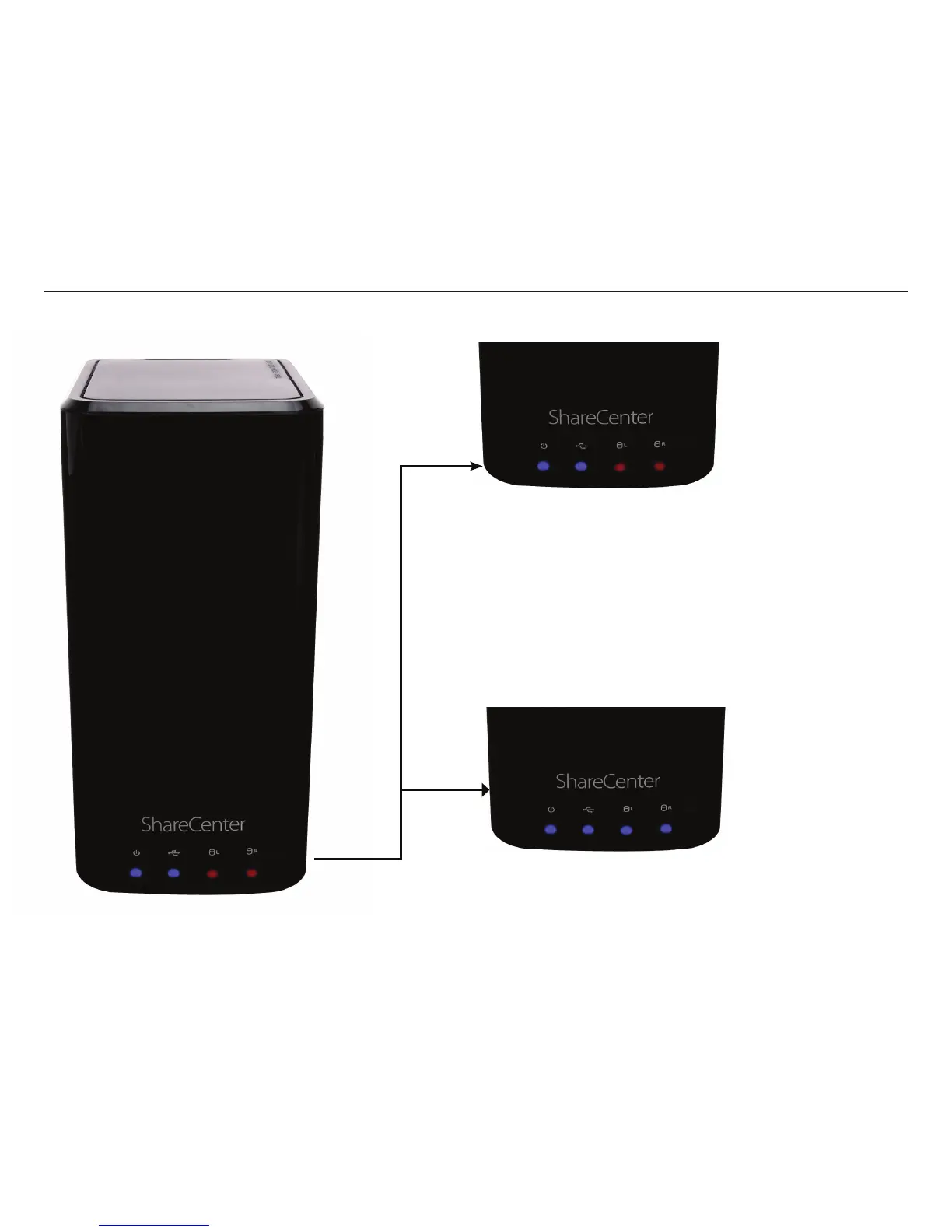
Power On/O:
Blue Light - the device is on
Blinking Blue - the device is
booting or restarting
No Light - the device is o
LED Description
USB On/O:
Blue Light - the USB Storage is connected
Blinking Blue - transferring data, a USB device is being installed
or unmounted
Orange Light - USB storage failed to mount
No Light - No USB Storage or the device is o
HDD On/O:
Orange Light(s) - the hard drives are faulty
No Light(s) - the hard drives are inactive
HDD On/O:
Blue Light(s) - the hard drives are working
Blinking Blue Light(s) - the HDD(s) is writing/reading



 To Next Page
 Loading...