117D-Link ShareCenter DNS-320 User Manual
Section 4 - Conguration
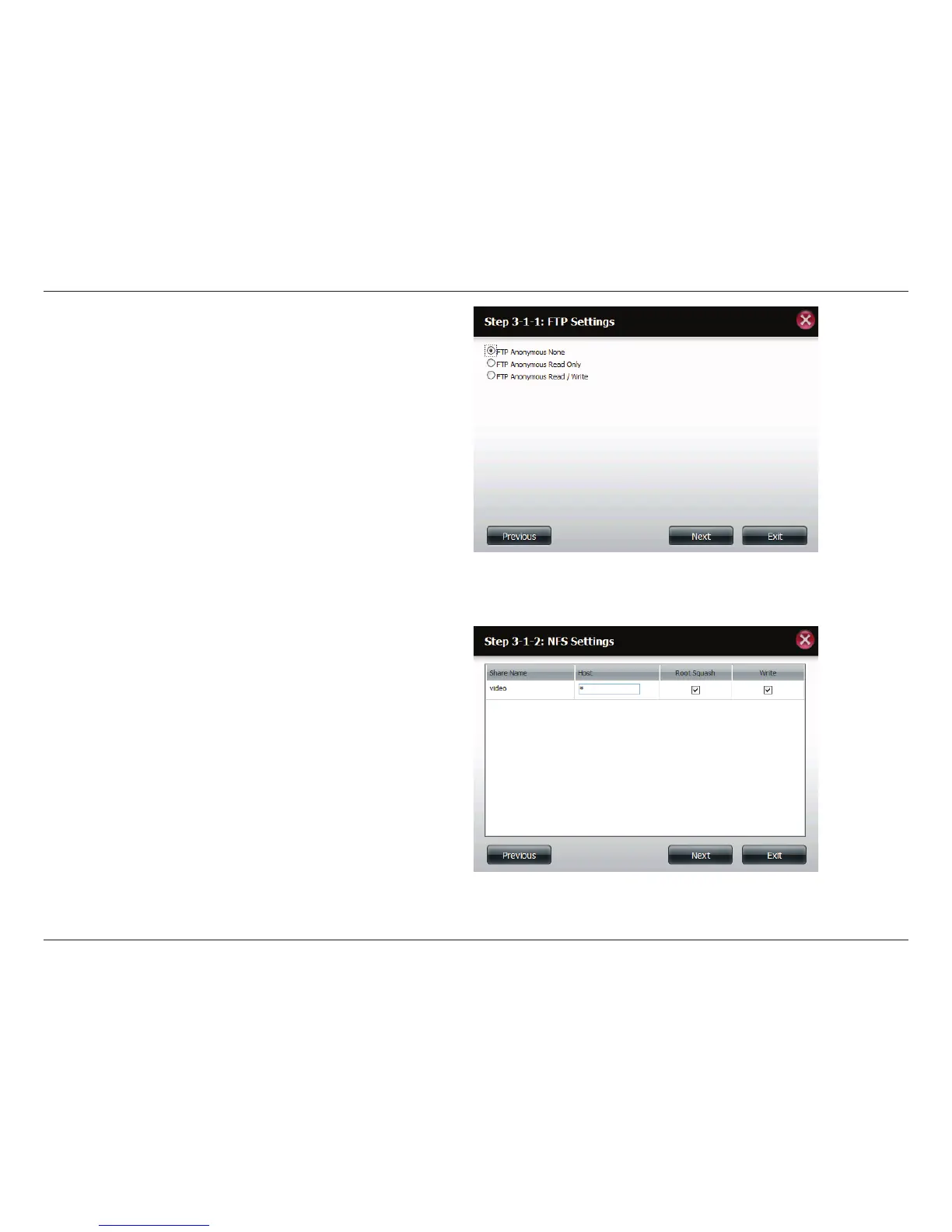
Step 9 - Here you can congure the FTP settings for this share.
FTP access can be:
1) FTP Anonymous None (No Access).
2) FTP Anonymous Read Only (Limited Access).
3) FTP Anonymous Read/Write (Full Access).
Click Next to continue.
If you checked NFS as an access method to your network share
then this step allows you to set the parameters below:
• Host - Allowable host address that can access using NFS
(*indicates all hosts)
• Root Squash - Disables writing to the Root owned
directories and les on the system when the user has root
access privileges.
• Write - provide write permission to the le system.
Click Next to continue.



 To Next Page
 Loading...