160D-Link ShareCenter DNS-320 User Manual
Section 4 - Conguration
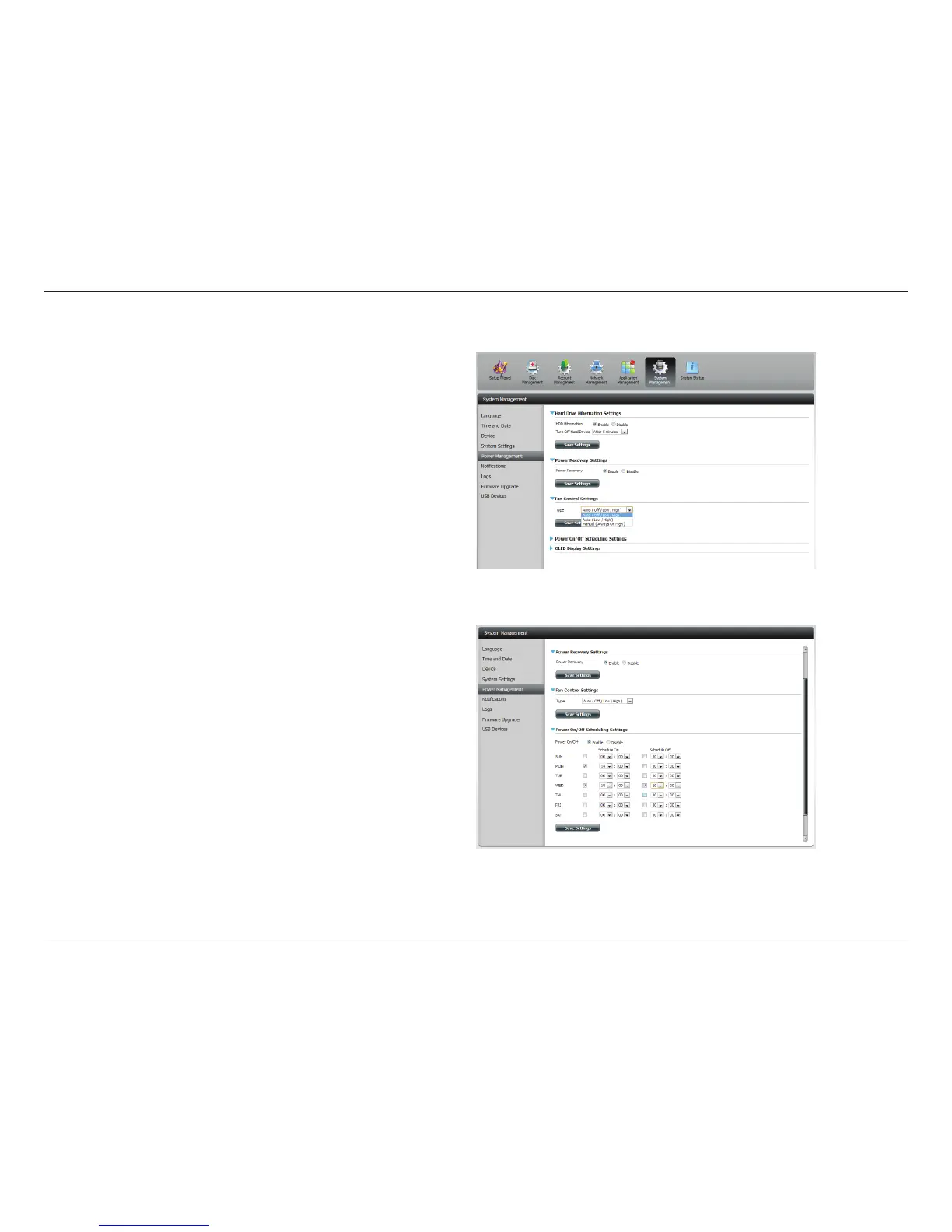
Fan Control: The speed of the fan can be controlled from this
section.
If you select Auto mode, the speed of the fan will
change (O/Low/High) depending on the internal
temperature of the enclosure.
Power O
Scheduling:
Click Enable to turn on this function.
Enable or disable the power o days using the check
box and congure the time for each day that the
power o will occur.
You can control the speed of the fan using three dierent settings and you can power o the device at scheduled times for each day of the week.



 To Next Page
 Loading...