213D-Link ShareCenter DNS-320 User Manual
Section 5 - Knowledge Base
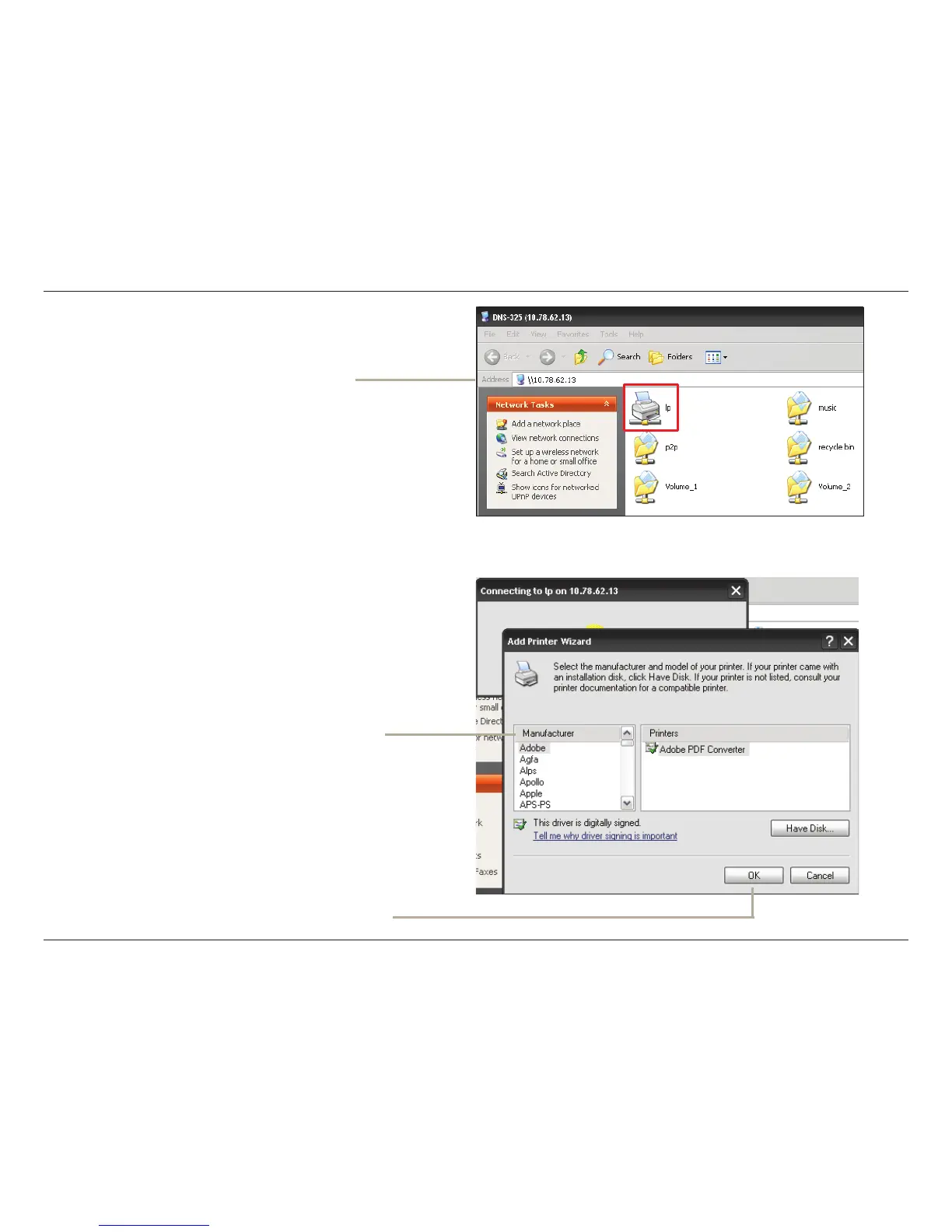
Select the printer driver from the installed
Manufacturer list or use the Have Disk button to
browse for the printer driver le.
The Windows
®
Add Printer Wizard will launch:
Click OK to continue.
Connect to your device with Samba
and then double-click the lp icon.



 To Next Page
 Loading...