26D-Link ShareCenter DNS-320 User Manual
Section 3 - Installation
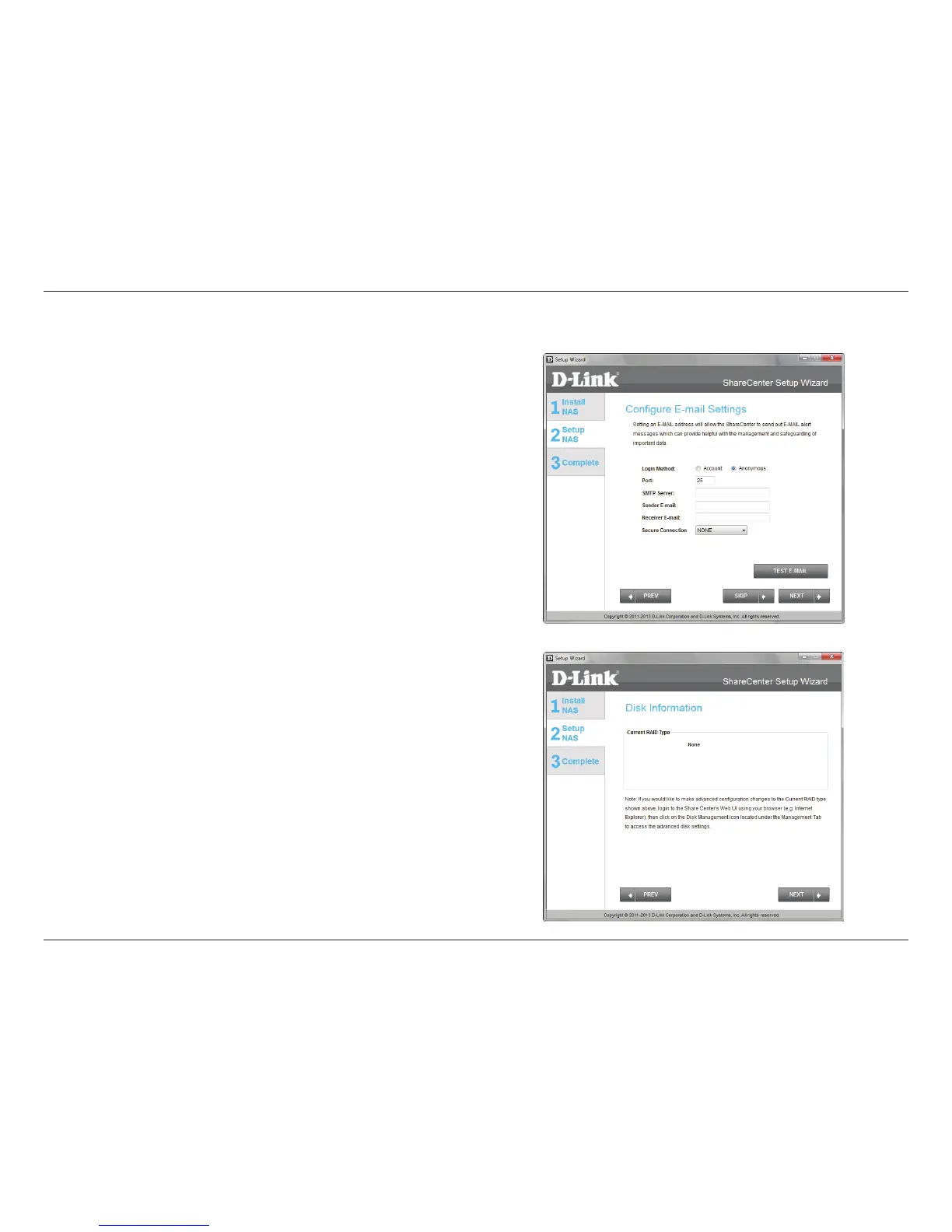
Step 19 - You can congure messages to be sent alerting you to
certain operational conditions and drive status conditions to your
e-mail account. These alerts can prove helpful with the management
and safeguarding of important data.
Enter your e-mail information and settings and then click Next to
continue. If you do not want to congure your e-mail settings, click
Skip to continue.
Step 20 - This step is informational and shows any currently
congured Volumes previously setup on the ShareCenter®.
Click Next to continue.
Email Settings and Volume Information



 To Next Page
 Loading...