60D-Link ShareCenter DNS-320 User Manual
Section 4 - Conguration
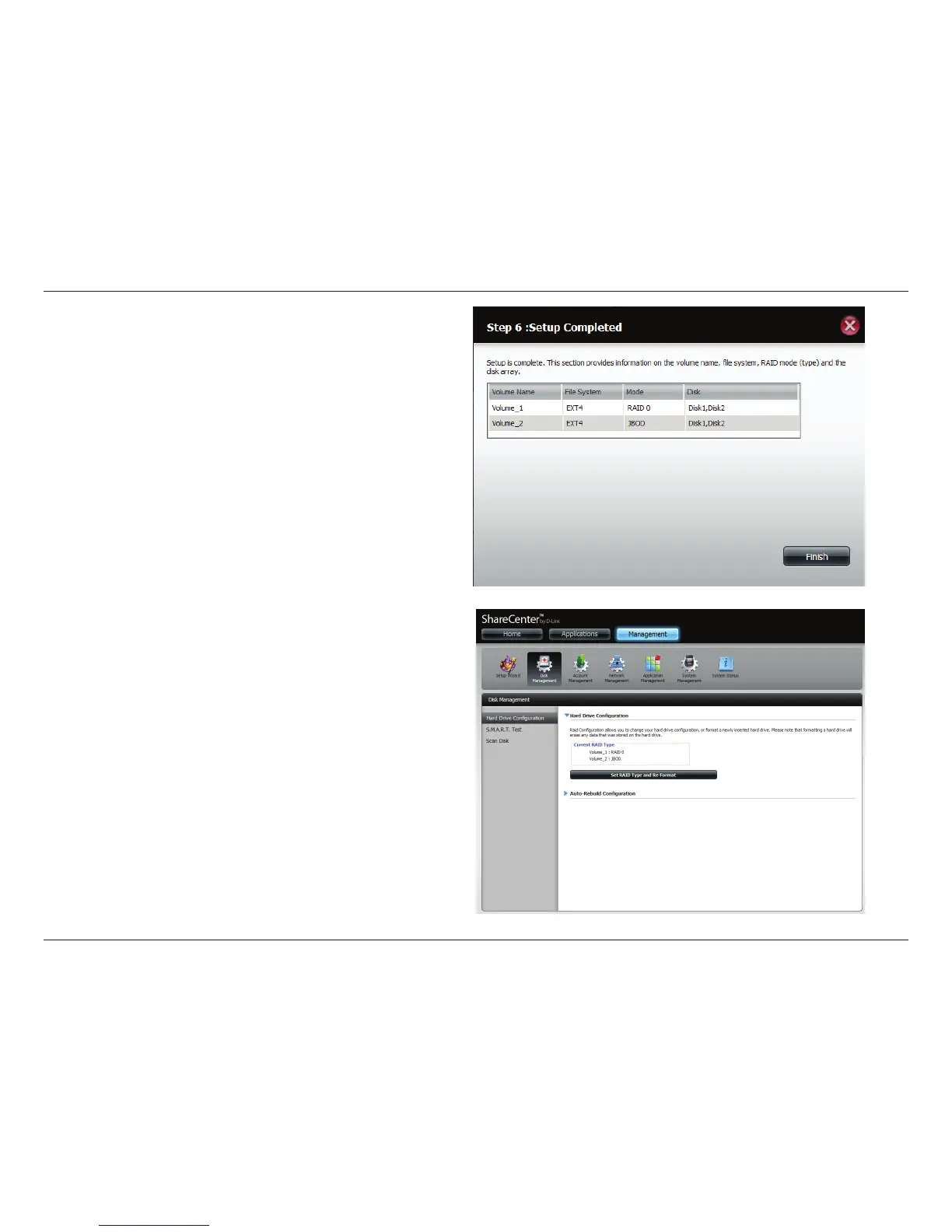
The wizard is now complete. It will show the volume number(s),
le system selected, the type of RAID, and the disk formation
in the RAID.
Click Finish to complete the process and start using your
DNS-320.
The wizard returns you to main Hardware Conguration page.
Under Current RAID Type, you can view your changes.



 To Next Page
 Loading...