4
1. Unpack screen surface.
CAUTION: Handle screen surface with care. See Material
Handling Guidelines.
2. Locate the top of the screen surface. "Top" will be labeled and
should be matched with the "top" of the frame.
Surface Attachment
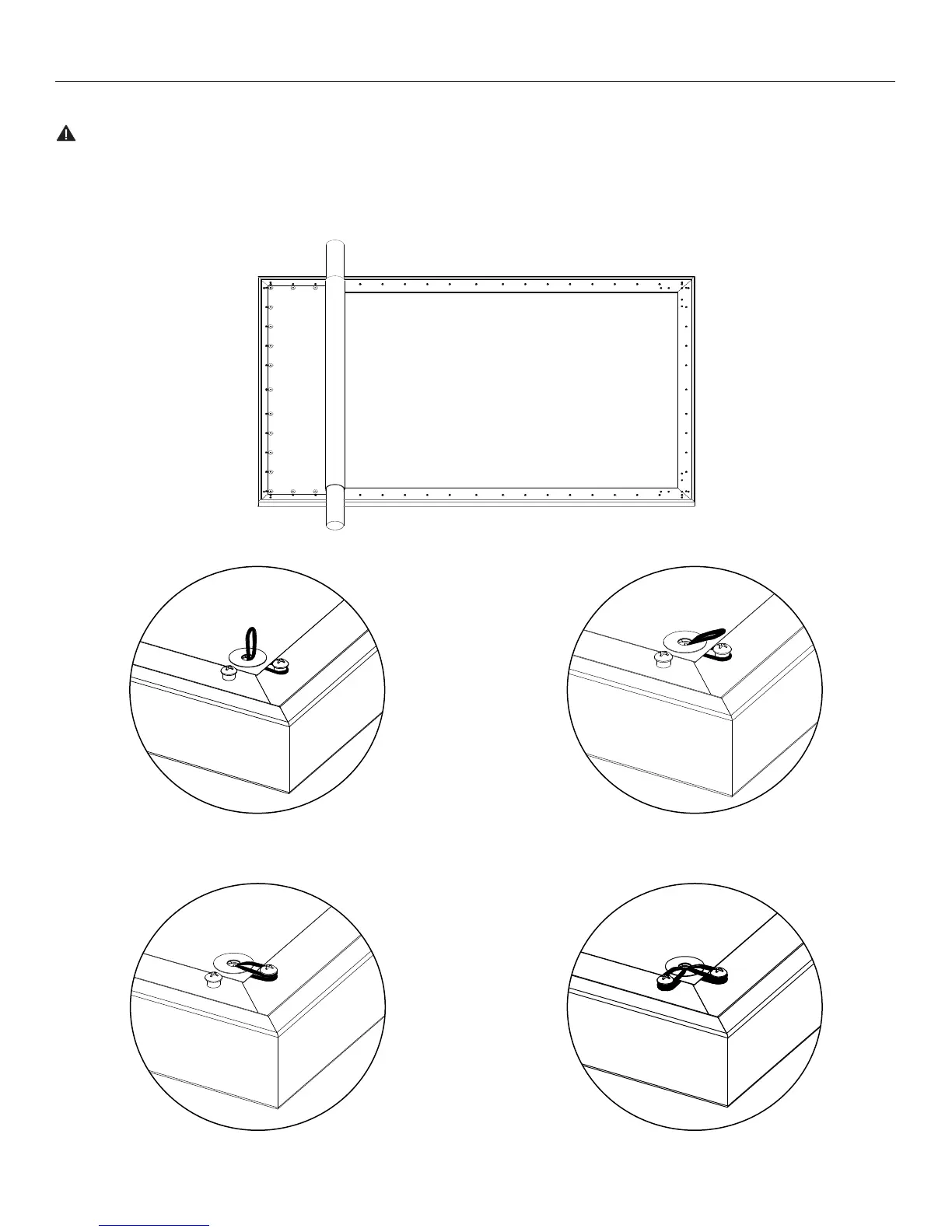
3. Remove foam and unroll screen surface evenly on the back
of the frame. Make sure that the perimeter of the screen
surface is resting on the frame. See Figure 2.
4. At the top right corner, insert an elastic ring through the hole
in the screen surface and secure it over the stud. Repeat this
action for the other stud in the top right corner. See Figure 3.
Figure 2
Figure 3a Figure 3b
Figure 3c Figure 3d





 To Next Page