EasyManua.ls Logo

Da-Lite Tensioned Conference Electrol - User Manual

Da-Lite Tensioned Conference Electrol
8 pages
Print Icon
To Next Page IconTo Next Page
Loading...
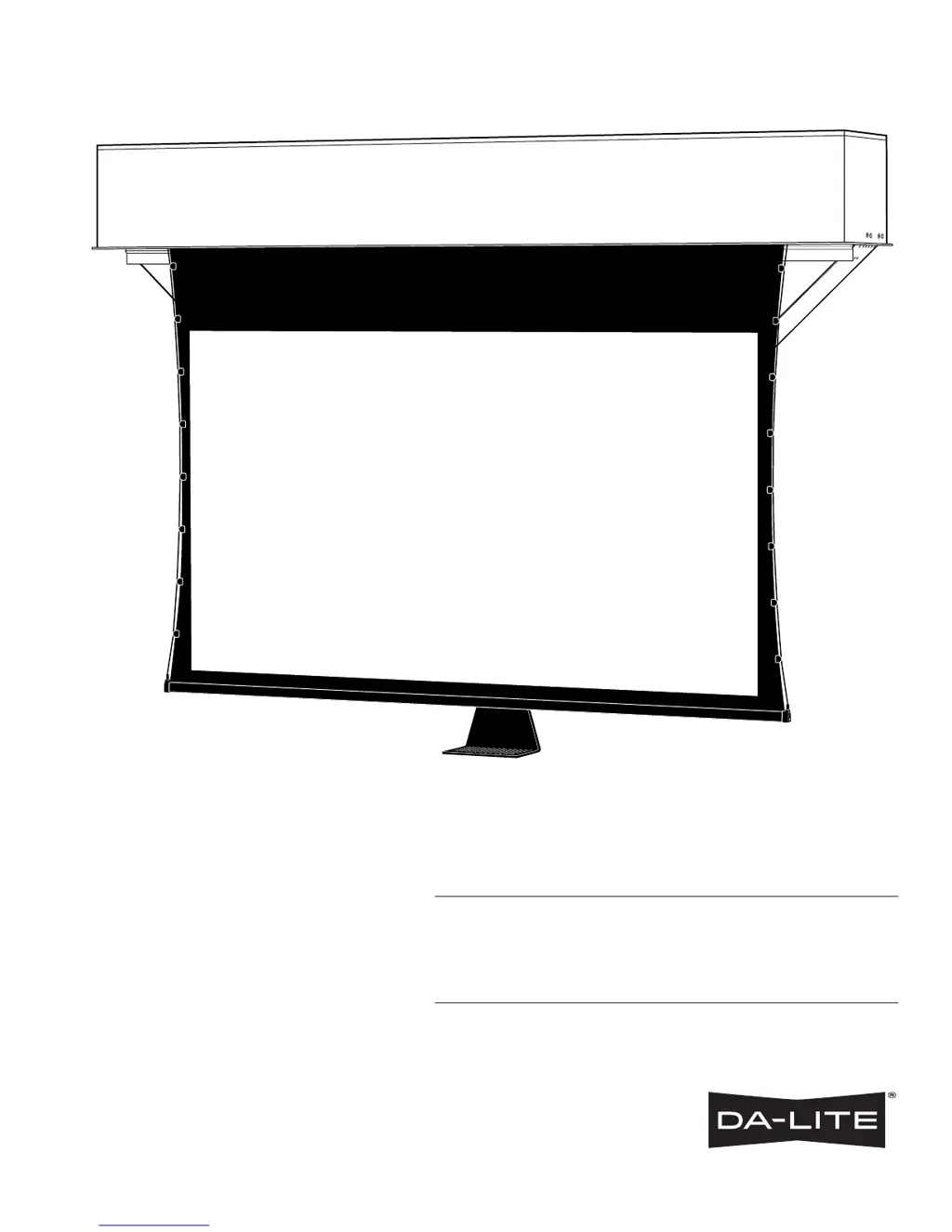
INSTRUCTION BOOK FOR
Tensioned Conference Electrol

Other manuals for Da-Lite Tensioned Conference Electrol

Questions and Answers

  • C
    Charlene KempAug 14, 2025
    What to do if my Da-Lite Projection Screen motor does not hum and the screen won't move?
    • C
      Courtney BatesAug 14, 2025
      If your Da-Lite Projection Screen's motor isn't humming and the screen won't move, there could be a power issue at the junction box. Verify the voltage is between 115-125V (or 220-240V). If it's insufficient, rewire the incoming electric line, replace the fuse, or reset the circuit breaker. Also, tighten any loose wire connections and correct any improper connections. If the screen is stuck down, check for power across the black and white leads; if it's stuck up, check across the red and white leads. If there is power, let the motor cool down for 15 minutes and try again. Check for continuity, and if needed, cut off the old splice and reconnect. As a last resort, replace the motor assembly, noting that the motor is a sealed assembly.
  • C
    Crystal MelendezAug 17, 2025
    What to do if Da-Lite Projection Screen motor hums, but the screen doesn't move?
    • N
      Nancy McclureAug 17, 2025
      If your Da-Lite Projection Screen motor hums but the screen won't move up or down, the solution is to replace the motor assembly.
  • R
    Ryan GreenAug 21, 2025
    Why does the fabric on my Da-Lite Projection Screen hang crooked?
    • Q
      qgrimesAug 21, 2025
      If the fabric on your Da-Lite Projection Screen hangs crooked, first check if the screen is installed level and plumb. If not, adjust the installation. If the fabric itself is damaged, you will need to replace it.
  • A
    Angela DunnAug 25, 2025
    How to fix excessive noise from Da-Lite Projection Screen?
    • G
      Gabriel FaulknerAug 25, 2025
      If your Da-Lite Projection Screen is producing excessive noise, it could be due to gear noise. The solution is to replace the motor assembly.
  • K
    Kyle Ward DDSAug 28, 2025
    What to do if Da-Lite Projection Screen door opens but screen does not operate?
    • C
      Charles ParkAug 28, 2025
      If the door of your Da-Lite Projection Screen opens, but the screen doesn't operate, check all wiring and connections for any loose wires.
  • B
    bryanlynchAug 31, 2025
    Why my Da-Lite Projection Screen is coasting?
    • C
      christopherhansenAug 31, 2025
      If your Da-Lite Projection Screen is coasting, it indicates a defective brake. The solution is to replace the motor assembly.
  • D
    Derek HaysSep 3, 2025
    What to do if the Da-Lite Projection Screen door does not close?
    • K
      Kevin GarciaSep 3, 2025
      If the door of your Da-Lite Projection Screen doesn't close, it's likely due to no power from the screen motor. Replace the screen motor to resolve this issue.
  • M
    Megan DurhamSep 6, 2025
    What to do if the Da-Lite Projection Screen door will not open?
    • K
      kaitlynwrightSep 6, 2025
      If the door of your Da-Lite Projection Screen will not open, check the installation to ensure the door is free. Clear any foreign substances like paint or plaster from the hinge. The hinge may be bound or have a foreign substance on it which does not allow it to open by gravity. Also check for power.
  • L
    Linda PenaSep 10, 2025
    How to realign roller displaced from mounting bracket of Da-Lite Projection Screen?
    • D
      Dustin HuffmanSep 10, 2025
      If the roller of your Da-Lite Projection Screen is displaced from the mounting bracket, it's likely because the pin end slipped out of the nylon bearing. Realign the pin end bracket to fix this.

Summary

Important Safety Instructions

General Safety Precautions

Basic safety precautions to follow when using video equipment, including avoiding electric shock and proper accessory use.

Pre-Installation Steps

Unpacking and Location Verification

Carefully unpack the screen and recheck measurements of the installation location before proceeding.

Screen Installation Procedures

Mounting Bracket Options

Details on case bracket attachment points for threaded rod installations with internal and external brackets.

Self-Trimming Flange Integration

How the self-trimming flange around the bottom case can be used with ceiling tiles or drywall.

Electrical Connection Setup

Installing electrical connections, accessing junction boxes, and managing access doors for wiring.

Camera Installation Guide

Camera Weight and Cable Management

Guidelines for camera weight (max 8 lbs) and routing cables through loops, avoiding interference.

Attaching Camera to Shelf

Connecting the camera to the camera shelf and securing it for proper operation.

120 V Wiring Diagram

220 V Wiring Diagram

Troubleshooting Common Issues

Motor Not Humming

Troubleshooting steps when the screen or camera arm motor does not hum.

Motor Humming, No Operation

Troubleshooting steps when the motor hums but the screen or camera arm does not operate.

Upward Movement Failure

Diagnosing issues when the screen or camera arm will not move upward and the motor does not hum.

Door Operation Problems

Solutions for when the door will not open, will not close, or opens incorrectly.

Limit Switch and Noise Issues

Addressing problems with incorrect limit switches, excessive screen noise, or coasting.

Fabric and Alignment Concerns

Resolving issues related to fabric hanging crooked, roller displacement, or alignment.

Door Closes Prematurely

Troubleshooting when the door closes before the screen is fully up or opens without screen operation.

Limited One Year Warranty

Da-Lite Tensioned Conference Electrol Specifications

General IconGeneral
BrandDa-Lite
ModelTensioned Conference Electrol
CategoryProjection Screen
LanguageEnglish

Related product manuals