English14
Operations
Operations
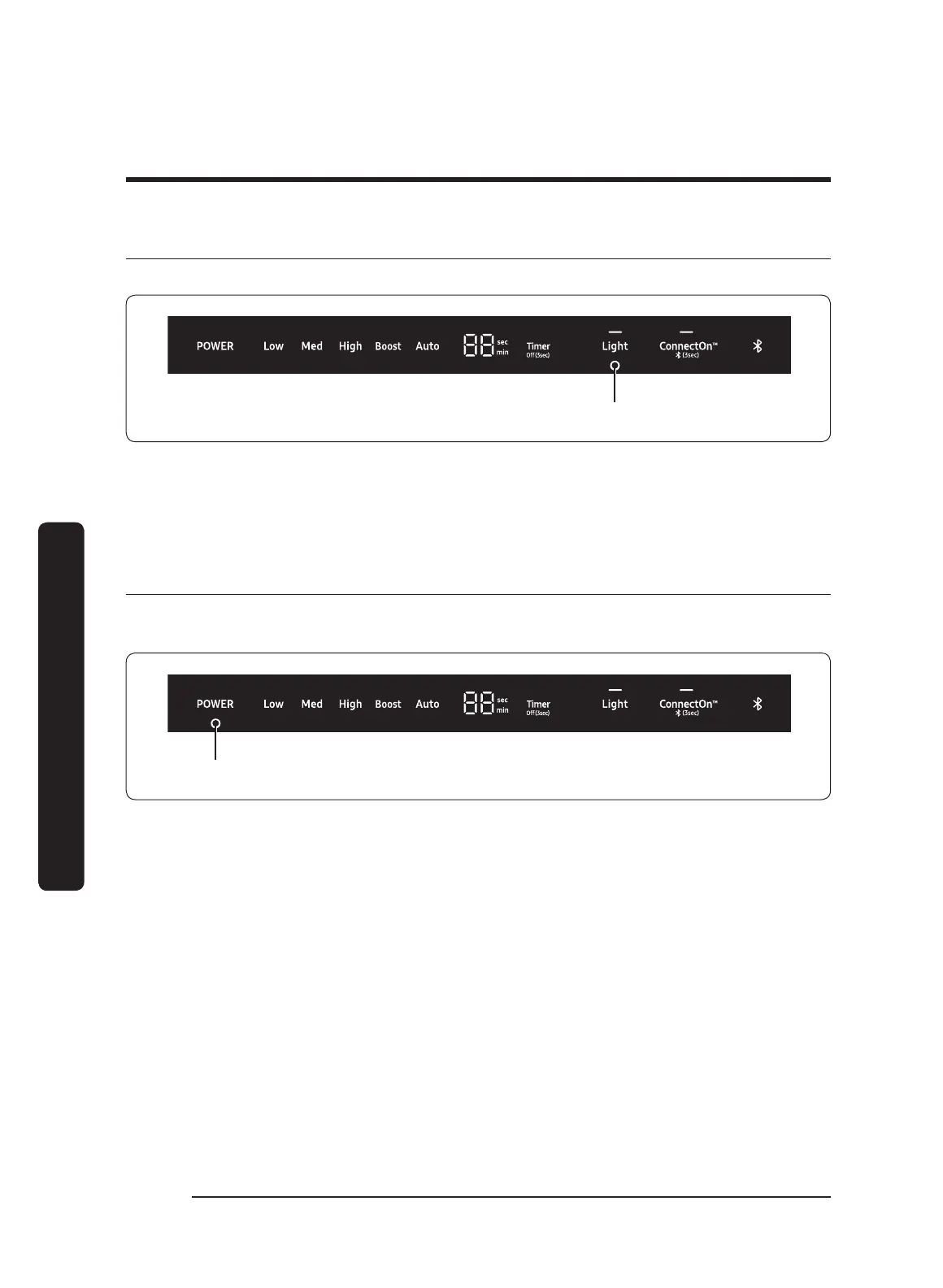
Muting/Unmuting the control sound
You can enable/disable the hood's control panel sounds.
3 seconds
1. Press-hold Light for 3 seconds to mute the control panel sound (beep).
2. Press-hold
Light again for 3 seconds to enable the sound (beep).
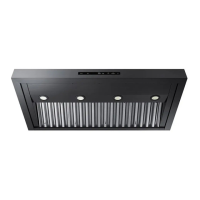
Resetting the clean filter light
Every 50 hours of fan use, the Clean Filter light comes on, indicating the filters may need
to be cleaned.
3 seconds
1. To reset the Clean Filter Light, press on POWER button for 3 seconds.
2. Clean the filters if needed. (See Cleaning the filters and grease channel, page 19).


 To Next Page