32
The programmed cooking times are tailored to the most popular tastes. To adjust the cooking time to your
individual preference use the “more” or “less” feature to either add or reduce cooking time.
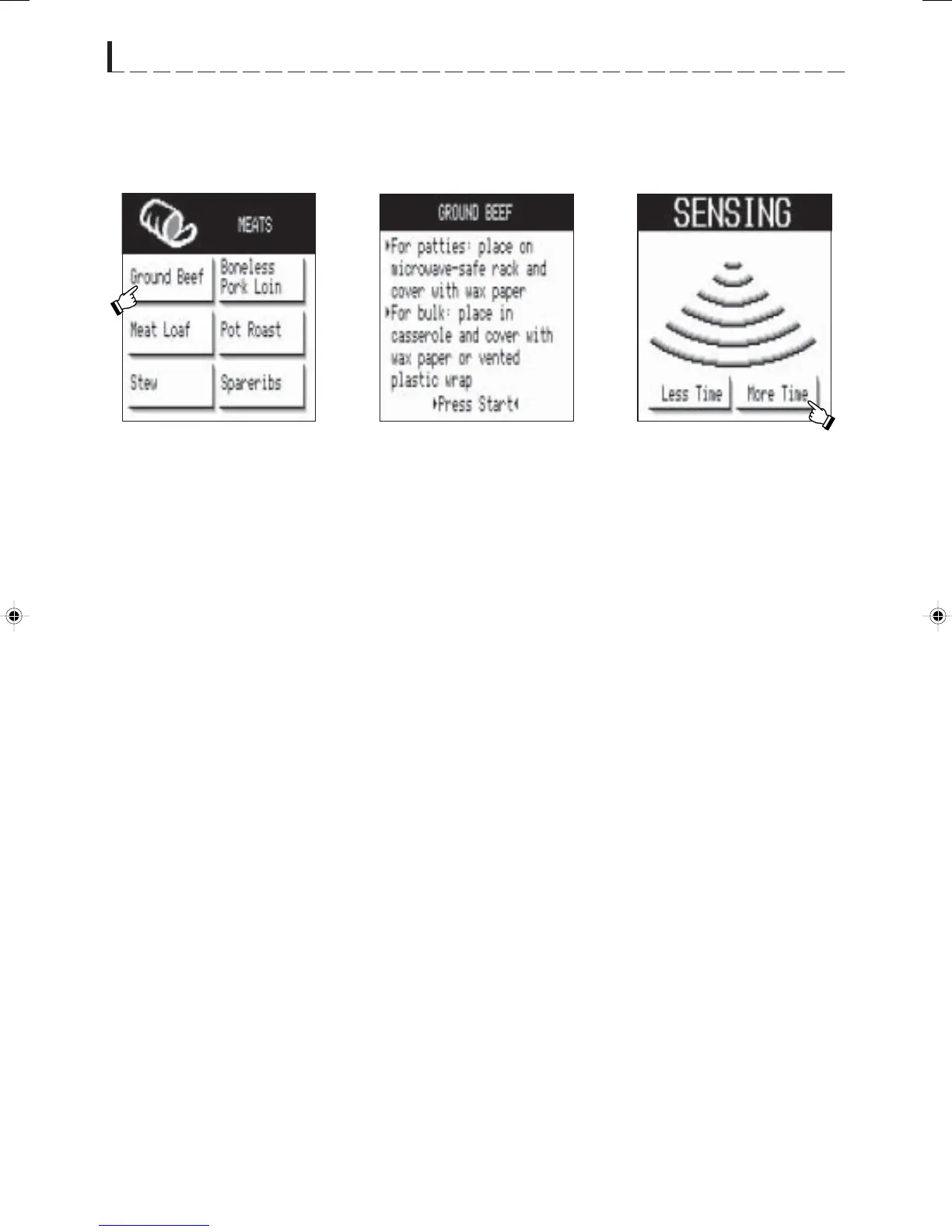
•Suppose you want to cook Ground Beef for more time:
MORE OR LESS TIME ADJUSTMENT
NOTE:
1. Once you have selected either More Time or Less
Time, it cannot be changed.
2. Choosing More Time or Less Time must be done
within seven seconds after touching START.
OTHER CONVENIENT FEATURES
1 Press Meats pad in the
NEW WAVE COOKBOOK
and then touch Ground Beef.
3 After pressing the START
pad, Less Time and More
Time will appear. Touch
desired choice, if any.
2 Prepare the food following
the information on the screen.
And press START pad.
1.DC/DMT2420 #323 11/14/02, 11:41 AM32


 To Next Page