EasyManua.ls Logo

Dacor DOC30M977DS/DA - User Manual

Dacor DOC30M977DS/DA
100 pages
Print Icon
To Next Page IconTo Next Page
Loading...
User Manual
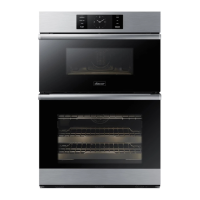
Modernist Built-In Microwave Combi Oven
DO
C30M977D
Part No. 112188 Rev B

Questions and Answers

Summary

Regulatory Notice

Precautions to avoid exposure to excessive microwave energy

Safety guidelines to prevent excessive microwave energy exposure.

FCC Notice

Important compliance information from the Federal Communications Commission.

Important safety information

What you need to know about safety instructions

Explains the importance and use of safety warnings and instructions.

What the icons and signs in this user manual mean

Defines symbols and signs used throughout the manual for clarity.

Introducing your new oven

Overview

Provides a general introduction to the oven and its components.

Before you begin

Energy saving tips

Offers advice on how to use the oven efficiently and save energy.

Basic operations

Control panel

Details the functions and layout of the oven's control panel.

Display (Oven)

Explains the different display indicators and their meanings for oven modes.

Control lockout

Describes how to activate and use the control lockout feature to prevent accidental use.

Kitchen timer

Explains how to set and use the built-in kitchen timer function.

Microwave oven (Upper Oven)

Setting the power level

Guides on adjusting the microwave power level for cooking.

Microwave

Explains the basic principles and use of the microwave function.

Convection Sear

Details how to use the Convection Sear mode for enhanced cooking.

Sense Cook

Introduces the Sense Cook feature with pre-programmed options.

Conv. Sear AutoCook

Explains the Conv. Sear AutoCook feature for automated cooking.

Healthy Fry

Guides on using the Healthy Fry feature for reduced-oil cooking.

Defrost

Explains the different defrost options and their usage.

Auto Cook

Introduces the Auto Cook feature with multiple preset cooking options.

Oven (Lower Oven)

Timed cooking

Details how to set cooking times for the lower oven.

Delay start

Explains how to program a delayed start for oven operations.

Using the temp probe

Guides on how to use the temperature probe for precise cooking.

Oven functions

Lists and describes the various cooking modes available for the oven.

Using the special function feature

Covers specialized cooking options like Keep Warm and Proof.

Using the iQ control feature (Lower oven only)

Explains how to use the iQ Control feature via a mobile app.

Using the oven racks

Provides guidance on rack positions for optimal cooking results.

Using the clean feature

Details the different cleaning functions available for the oven.

Self clean

Explains the self-cleaning cycle for removing oven residue.

How to run a self-cleaning cycle

Step-by-step instructions for initiating the self-cleaning cycle.

GreenClean

Describes the GreenClean function for quick steam cleaning.

How to run a green-cleaning cycle

Step-by-step guide for performing the GreenClean cycle.

Descale

Explains the descaling process for steam functions.

Draining

Instructions for draining residual water after steam functions.

Settings

How to adjust default settings and manage network connections.

Temp

Information on adjusting temperature units and oven calibration.

Using the Sabbath feature

Guide for enabling and using the Sabbath feature for baking.

Maintaining your appliance

Care and cleaning of the oven

General instructions for cleaning the oven's interior and exterior surfaces.

Removing the oven door (Lower oven only)

Step-by-step guide for safely removing the lower oven door.

Troubleshooting

Control display

Addresses issues related to the oven's display and touch controls.

Optitray

Troubleshooting tips for issues with the optitray and turntable.

For the lower oven

Specific troubleshooting steps for problems with the lower oven.

Information codes

OVEN

Lists display codes and their potential causes and solutions.

Warranty and Service

Getting Help

Information on how to contact Dacor for service and support.

LIMITATIONS OF COVERAGE

Details warranty exclusions and limitations for product service.

Appendix

Open source announcement

Details regarding open source software used in the product.

Summary

Regulatory Notice

Precautions to avoid exposure to excessive microwave energy

Safety guidelines to prevent excessive microwave energy exposure.

FCC Notice

Important compliance information from the Federal Communications Commission.

Important safety information

What you need to know about safety instructions

Explains the importance and use of safety warnings and instructions.

What the icons and signs in this user manual mean

Defines symbols and signs used throughout the manual for clarity.

Introducing your new oven

Overview

Provides a general introduction to the oven and its components.

Before you begin

Energy saving tips

Offers advice on how to use the oven efficiently and save energy.

Basic operations

Control panel

Details the functions and layout of the oven's control panel.

Display (Oven)

Explains the different display indicators and their meanings for oven modes.

Control lockout

Describes how to activate and use the control lockout feature to prevent accidental use.

Kitchen timer

Explains how to set and use the built-in kitchen timer function.

Microwave oven (Upper Oven)

Setting the power level

Guides on adjusting the microwave power level for cooking.

Microwave

Explains the basic principles and use of the microwave function.

Convection Sear

Details how to use the Convection Sear mode for enhanced cooking.

Sense Cook

Introduces the Sense Cook feature with pre-programmed options.

Conv. Sear AutoCook

Explains the Conv. Sear AutoCook feature for automated cooking.

Healthy Fry

Guides on using the Healthy Fry feature for reduced-oil cooking.

Defrost

Explains the different defrost options and their usage.

Auto Cook

Introduces the Auto Cook feature with multiple preset cooking options.

Oven (Lower Oven)

Timed cooking

Details how to set cooking times for the lower oven.

Delay start

Explains how to program a delayed start for oven operations.

Using the temp probe

Guides on how to use the temperature probe for precise cooking.

Oven functions

Lists and describes the various cooking modes available for the oven.

Using the special function feature

Covers specialized cooking options like Keep Warm and Proof.

Using the iQ control feature (Lower oven only)

Explains how to use the iQ Control feature via a mobile app.

Using the oven racks

Provides guidance on rack positions for optimal cooking results.

Using the clean feature

Details the different cleaning functions available for the oven.

Self clean

Explains the self-cleaning cycle for removing oven residue.

How to run a self-cleaning cycle

Step-by-step instructions for initiating the self-cleaning cycle.

GreenClean

Describes the GreenClean function for quick steam cleaning.

How to run a green-cleaning cycle

Step-by-step guide for performing the GreenClean cycle.

Descale

Explains the descaling process for steam functions.

Draining

Instructions for draining residual water after steam functions.

Settings

How to adjust default settings and manage network connections.

Temp

Information on adjusting temperature units and oven calibration.

Using the Sabbath feature

Guide for enabling and using the Sabbath feature for baking.

Maintaining your appliance

Care and cleaning of the oven

General instructions for cleaning the oven's interior and exterior surfaces.

Removing the oven door (Lower oven only)

Step-by-step guide for safely removing the lower oven door.

Troubleshooting

Control display

Addresses issues related to the oven's display and touch controls.

Optitray

Troubleshooting tips for issues with the optitray and turntable.

For the lower oven

Specific troubleshooting steps for problems with the lower oven.

Information codes

OVEN

Lists display codes and their potential causes and solutions.

Warranty and Service

Getting Help

Information on how to contact Dacor for service and support.

LIMITATIONS OF COVERAGE

Details warranty exclusions and limitations for product service.

Appendix

Open source announcement

Details regarding open source software used in the product.

Dacor DOC30M977DS/DA Specifications

General IconGeneral
BrandDacor
ModelDOC30M977DS/DA
CategoryMicrowave Oven
LanguageEnglish

Related product manuals