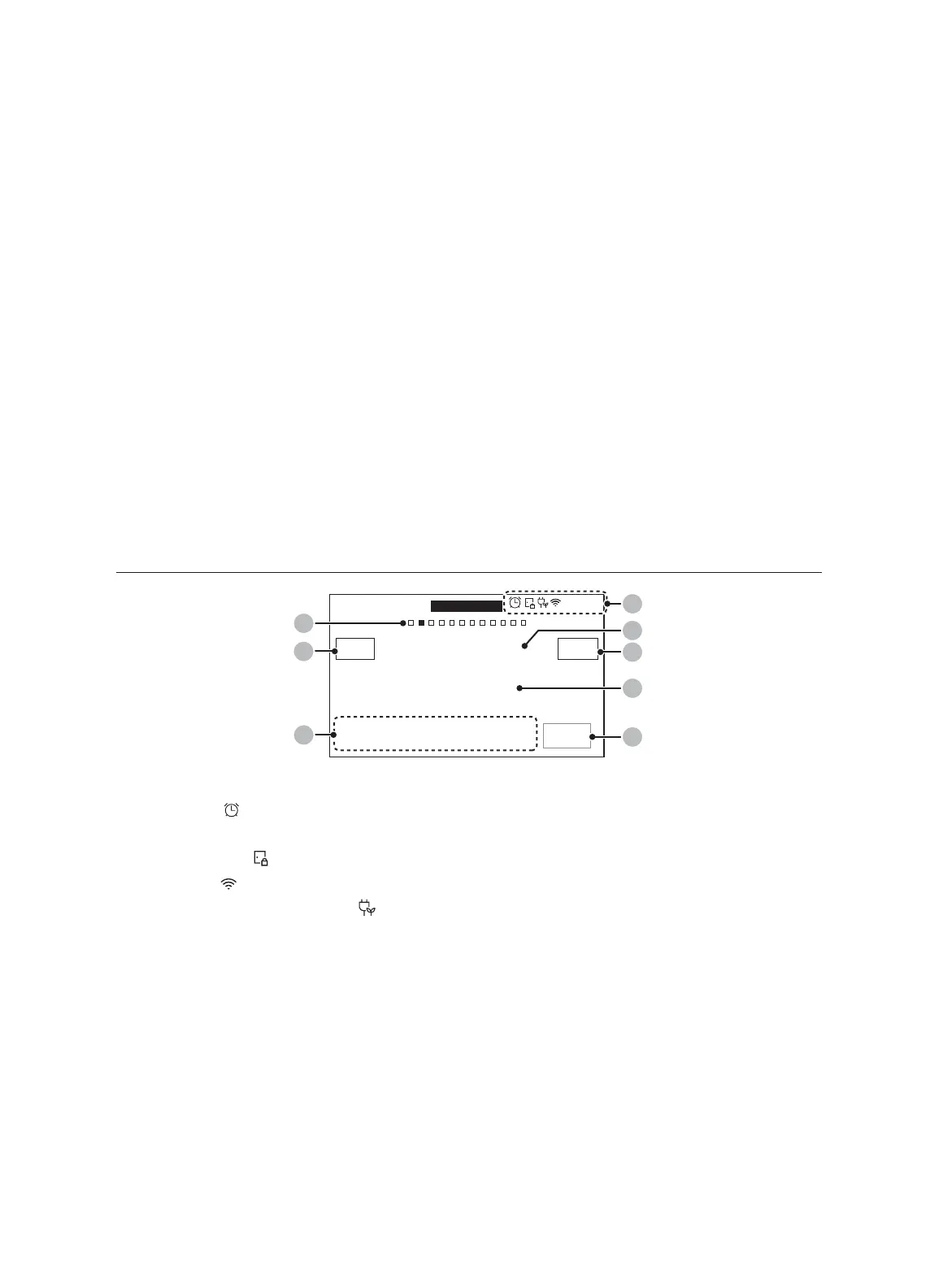
02 Page Indicator: Shows location of current mode.
03 Mode: The current or selected menu appears with a mode description.
04 Cook Time: Cook time appears. Tap this area to display the cooking time.
05 Information area:
• Temp.: The current/selected temperature appears. Tap this area to display the
temperature adjustment screen.
• Power: Microwave power level appears. Tap this area to display the power level
adjustment screen.
06 +30sec: Add 30 seconds to cook time before/during cooking.
07 START: Tap to start the oven using the displayed settings.
08 View Summary: Tap this area to display upper-/lower-oven cook modes.
09 OVEN MODE: Tap this area to choose the upper oven mode.
Display (Oven)
4:35 PM
START
LOWER
Convection Bake
Faster, more even baking
View
Summary
Temp Probe
145
°F
Delay Start InstantHeat™
Off
Cook Time
None
None
325
°F
02
01
04
06
07
05
OVEN
MODE
03
08
01 Indicator area
• Timer ( ): When the timer is set, the timer indicator is displayed. When more than
2 timers are set, the number of set timers is shown.
• Door lock (
): Displayed when the oven door is locked.
• Wi-Fi ( ): Shows Wi-Fi signal strength in 5 steps.
• 12-hour energy saving ( ): Displayed when 12-hour energy saving is turned on.
• Current time: The current time is displayed.
02 Page Indicator: Shows location of current mode.
03 Mode
: The current or selected menu is displayed with a mode description.
04
Temperature: The current or selected temperature is displayed. When you tap this
area, the temperature adjustment screen is displayed.
20 English


 To Next Page