NOTE
• Control Lockout is available only when the oven temperature is under 400 °F.
• All other functions must be cancelled before you activate Control Lockout.
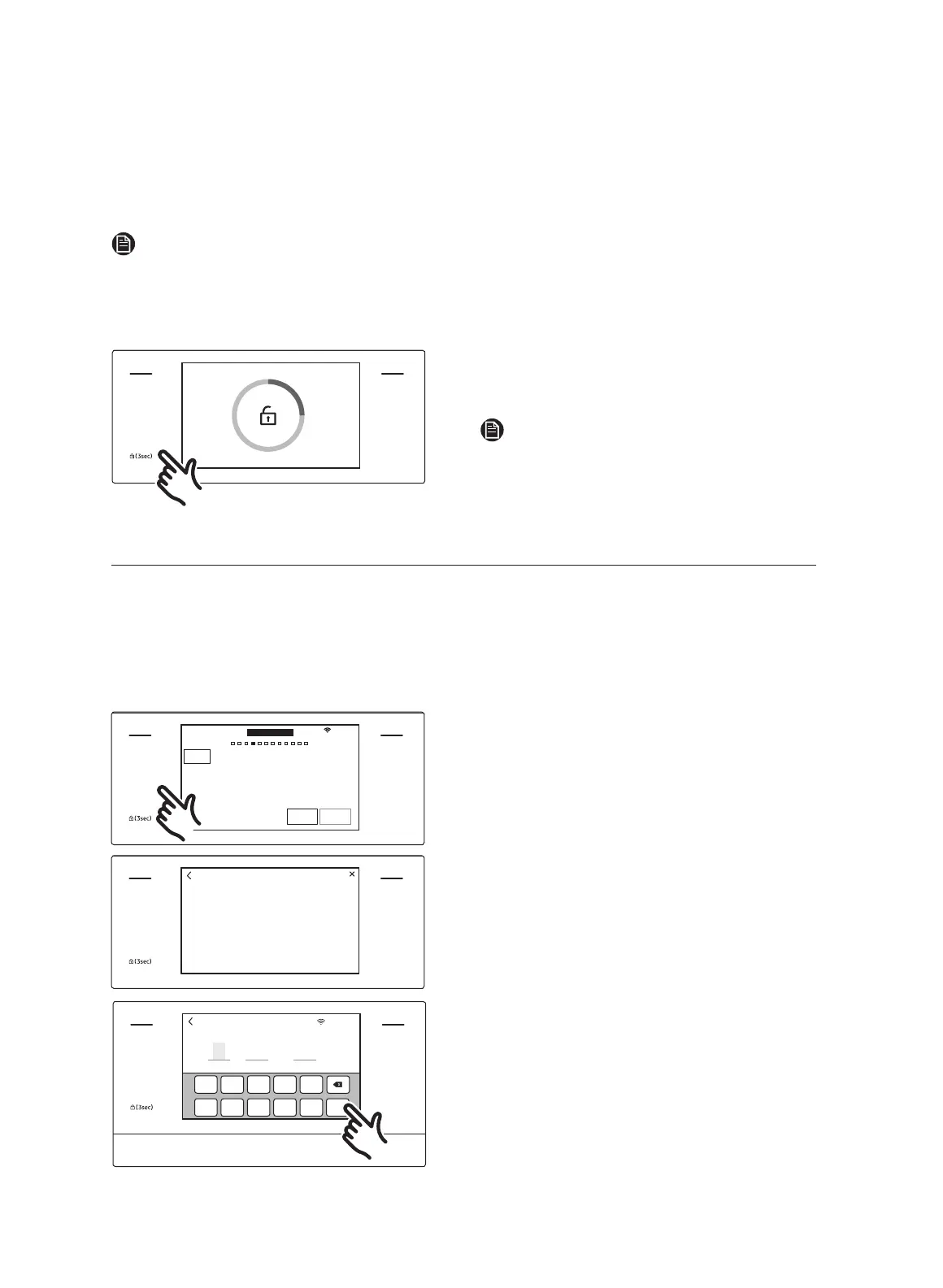
How to unlock the controls
MICROWAVE
PAUSE/OFF
TIMER
SETTINGS
LOWER OVEN
OFF
LIGHT
OPEN/CLOSE
RESERVOIR
Touch SETTINGS for 3 seconds.
The control lock confirmation and the lock
icon will disappear from the display.
NOTE
It may take up to 10 seconds for the doors
to unlock.
Kitchen timer
The kitchen timer serves as an extra timer that will beep when the set time has elapsed.
It does not start or stop cooking functions. You can use the kitchen timer with any of the
other oven functions. You can set 10 timers maximum simultaneously. Each timer will
count down independently of all the other active timers.
How to set the timer
MICROWAVE
PAUSE/OFF
TIMER
SETTINGS
LOWER OVEN
OFF
LIGHT
OPEN/CLOSE
RESERVOIR
4:35 PM
START
+30sec
30%
OVEN
MODE
Temp.
350
˚F
Power
UPPER
Speed Conv.Sear
Direct hot air convection with microwave
0hr 00min 00sec
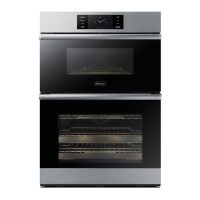
1. Touch TIMER.
The display will change to the timer
screen.
MICROWAVE
PAUSE/OFF
TIMER
SETTINGS
LOWER OVEN
OFF
LIGHT
OPEN/CLOSE
RESERVOIR
+
Add timer
Timer
2. Tap + Add timer.
MICROWAVE
PAUSE/OFF
TIMER
SETTINGS
LOWER OVEN
OFF
LIGHT
OPEN/CLOSE
RESERVOIR
OK
0
6 7 8
9
1 2 3 4 5
Timer 01
4:35 PM
0 hr
00 min 00 sec
3. Tap the numbers in the numeric pad to
set the timer. (You can set the timer for
any amount of time from 1 sec to 23 hr
59 min 59 sec).
4. Tap OK.
22 English


 To Next Page