CAUTION
• Use only microwave-safe cookware.
• Use oven mitts when taking out food.
Power level
100% (High) 50% (Medium)
90% (Sauté) 40% (Medium low)
80% (Reheat) 30% (Low)
70% (Medium high) 20% (Defrost)
60% (Simmer) 10% (Warm)
Convection Sear
Heat is evenly distributed inside the oven by the convection fan. Use a microwave rack, or
a rack and even plate on the optitray. Use this mode for biscuits, individual scones, rolls,
cakes, c
houx pastries, and soufflés.
MICROWAVE
PAUSE/OFF
TIMER
SETTINGS
LOWER OVEN
OFF
LIGHT
OPEN/CLOSE
RESERVOIR
4:35 PM
START
OVEN
MODE
Convection Sear
Direct hot air convection
Cook Time
None
UPPER
350
F
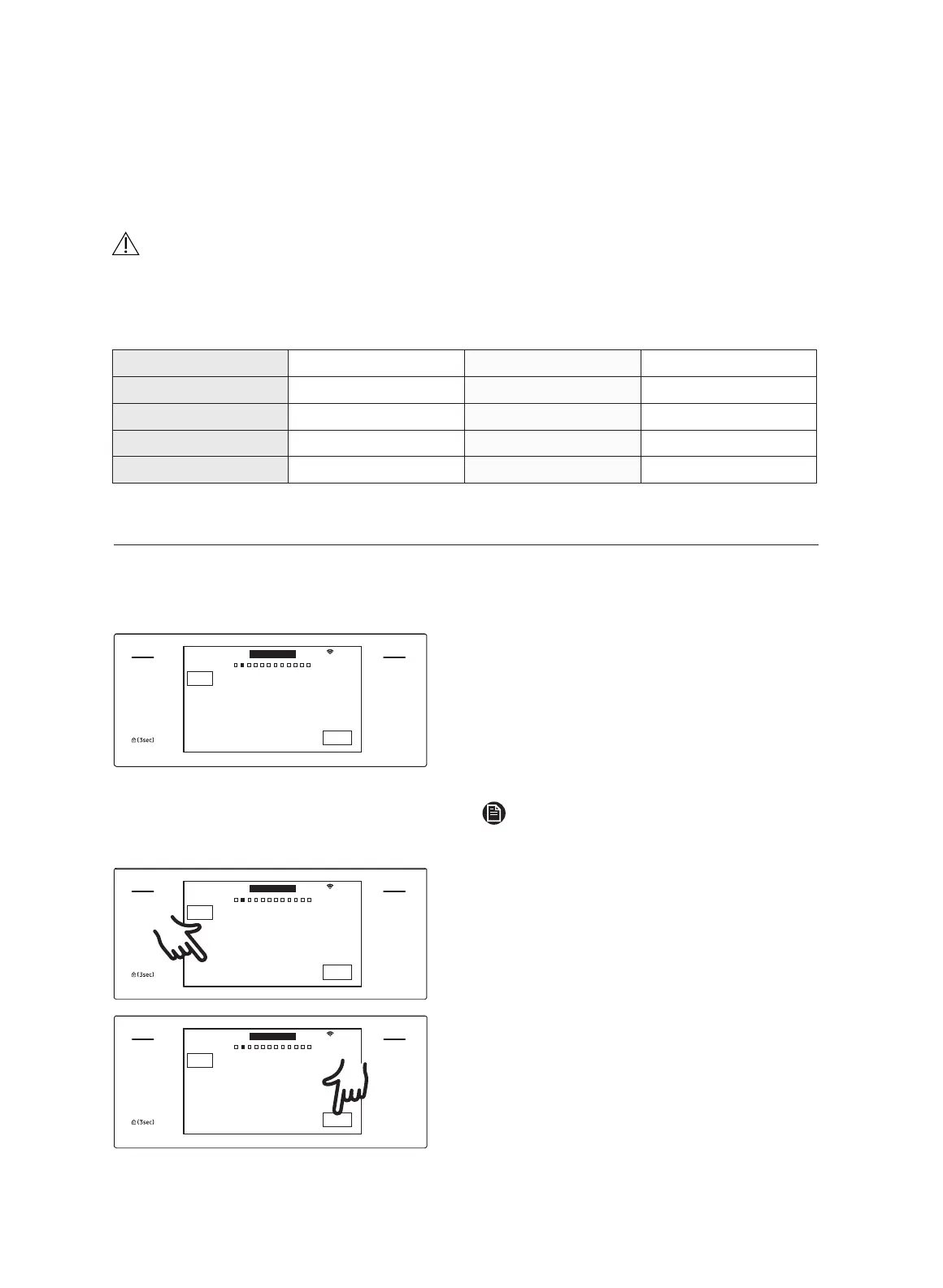
1. Put a rack, or rack and even plate on
th
e optitray.
2. Tap MICROWAVE, swipe the screen,
and select Convection Sear, then tap
the temperature area. On the numeric
pad, input a temp from 100 °F – 450 °F
(default: 350 °F).
NOTE
To preheat, tap START.
MICROWAVE
PAUSE/OFF
TIMER
SETTINGS
LOWER OVEN
OFF
LIGHT
OPEN/CLOSE
RESERVOIR
4:35 PM
START
OVEN
MODE
Convection Sear
Direct hot air convection
Cook Time
None
UPPER
350
F
3. Tap Cook Time
, then use the
number pad to specify a cooking time.
MICROWAVE
PAUSE/OFF
TIMER
SETTINGS
LOWER OVEN
OFF
LIGHT
OPEN/CLOSE
RESERVOIR
4:35 PM
START
OVEN
MODE
Convection Sear
Direct hot air convection
Cook Time
None
UPPER
350
F
4. Tap START to start cooking.
5. If you want to pause cooking, tap
PAUSE. In PAUSE, you can cancel or
continue cooking by tapping OFF or
CONTINUE.
28
English


 To Next Page