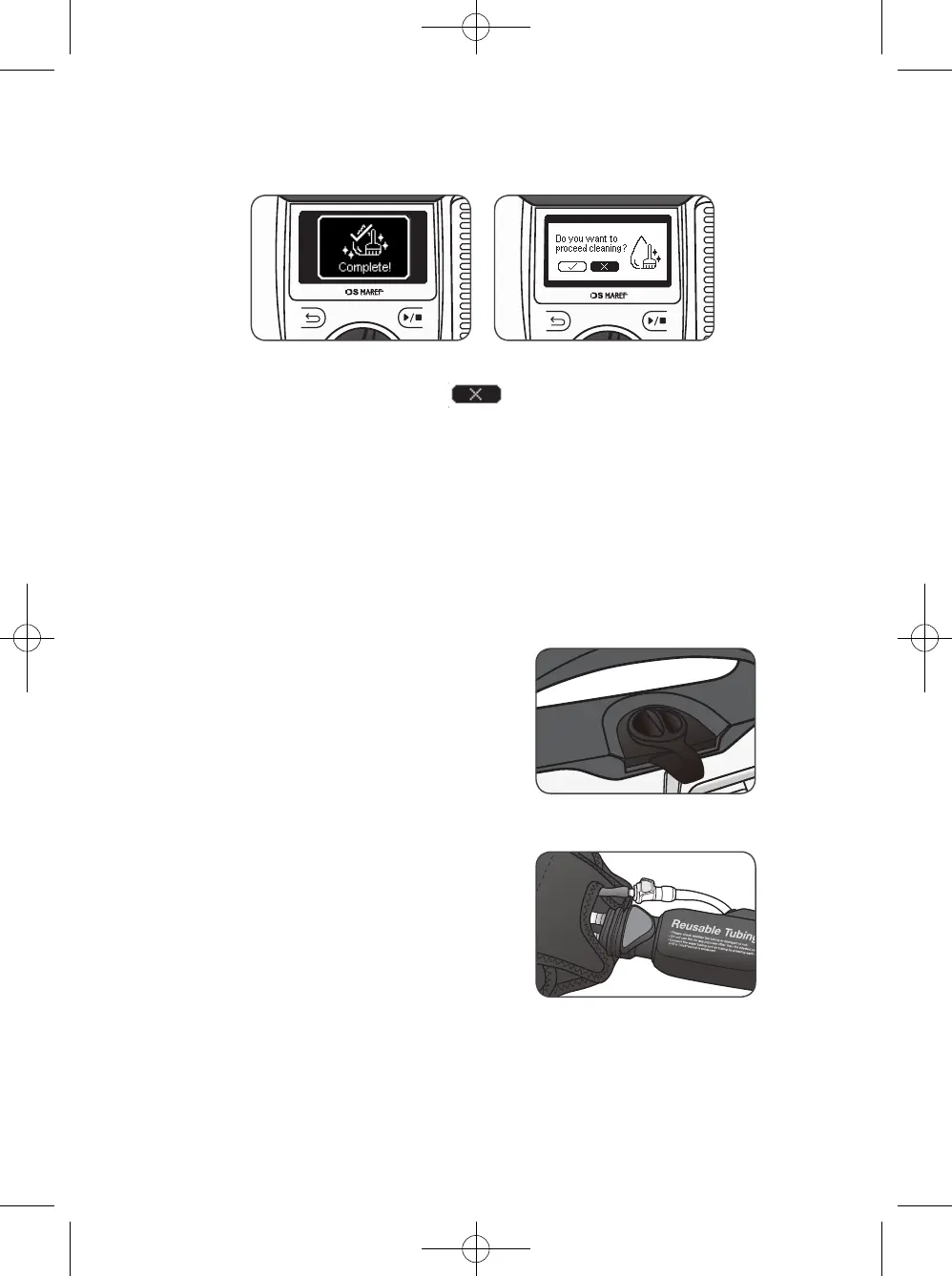
3) After the cleaning process is complete and a pop-up screen appears, press the knob wheel.
On the cleaning standby screen, select and press the knob wheel to return to the
menu mode.
* When this device requires more distilled water, a pop-up screen reading ‘ERROR-11’
will appear prior to activating the cleaning process.
* When a certain temperature is not reached during the cleaning process, a pop-up screen
reading ‘ERROR-21’ will appear.
* If impurities or contamination are found when using the device stored for a long time
without removing the distilled water, contact the dealer for cleaning method.
1) Check whether or not the cap of the water container
located on the rear side of this device is completely
closed.
2) Check whether or not the tubing and wraps are
connected to CTC-7.
7-2. Draining
32


 To Next Page