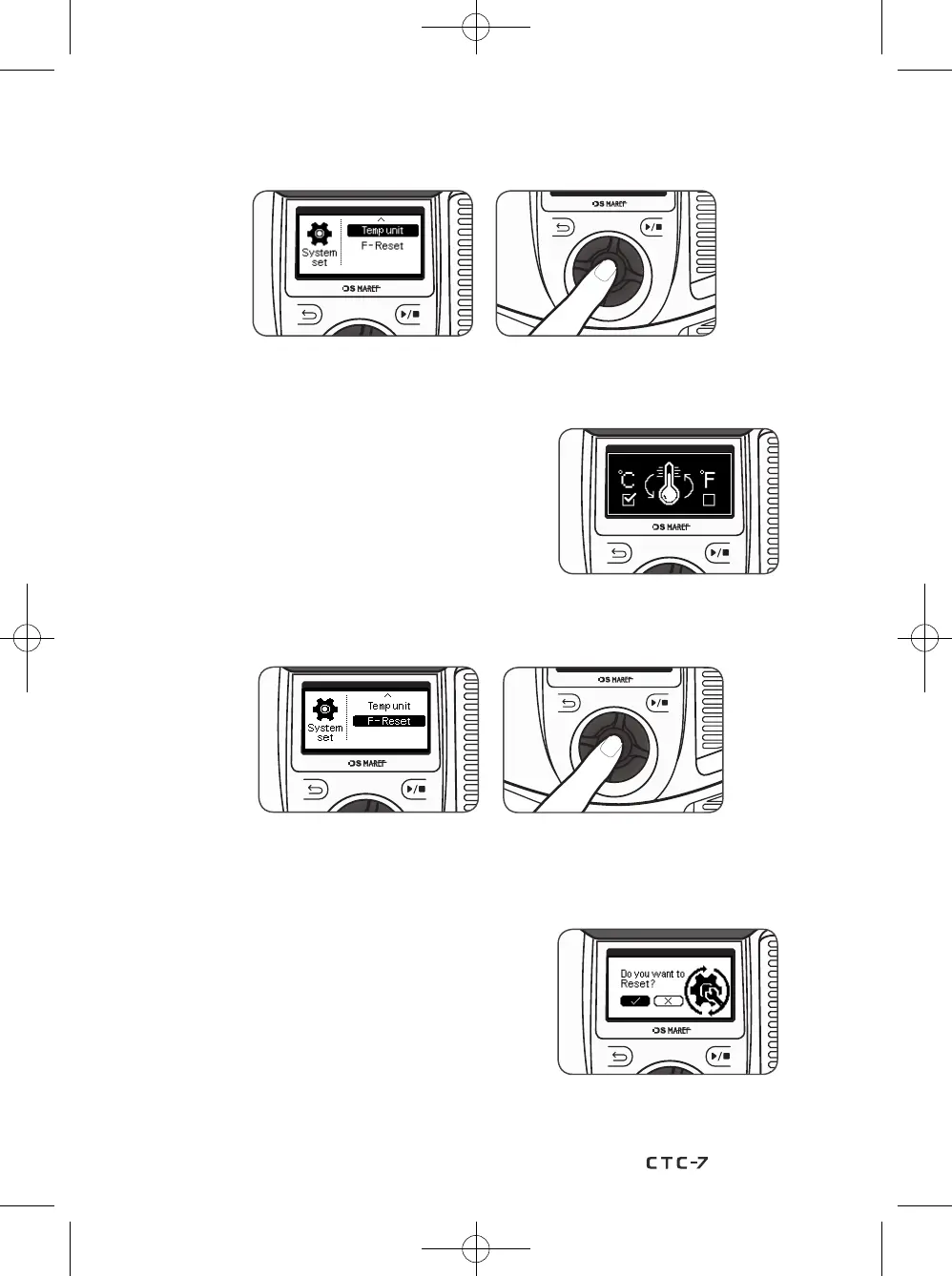
1) On the System set screen, rotate the knob wheel, select ‘Temp unit’, and press the
knob wheel to change how the temperature is displayed on the device.
2) On the Temp unit set screen, rotate the knob wheel,
select either (
℃
) or (
℉
), and press the knob wheel
to return to the system set screen.
9-4. How to set the Temp unit
1) On the System set screen, rotate the knob wheel, select ‘F-Reset’, and press the
knob wheel to reset the default setting value of this device.
2) By activating ‘F-Reset’, you can reset,
the default 'Backlight time', 'Beep sound', "Temp unit'
of this device.
9-5. How to set the F-Reset (Factory-Reset)
37


 To Next Page