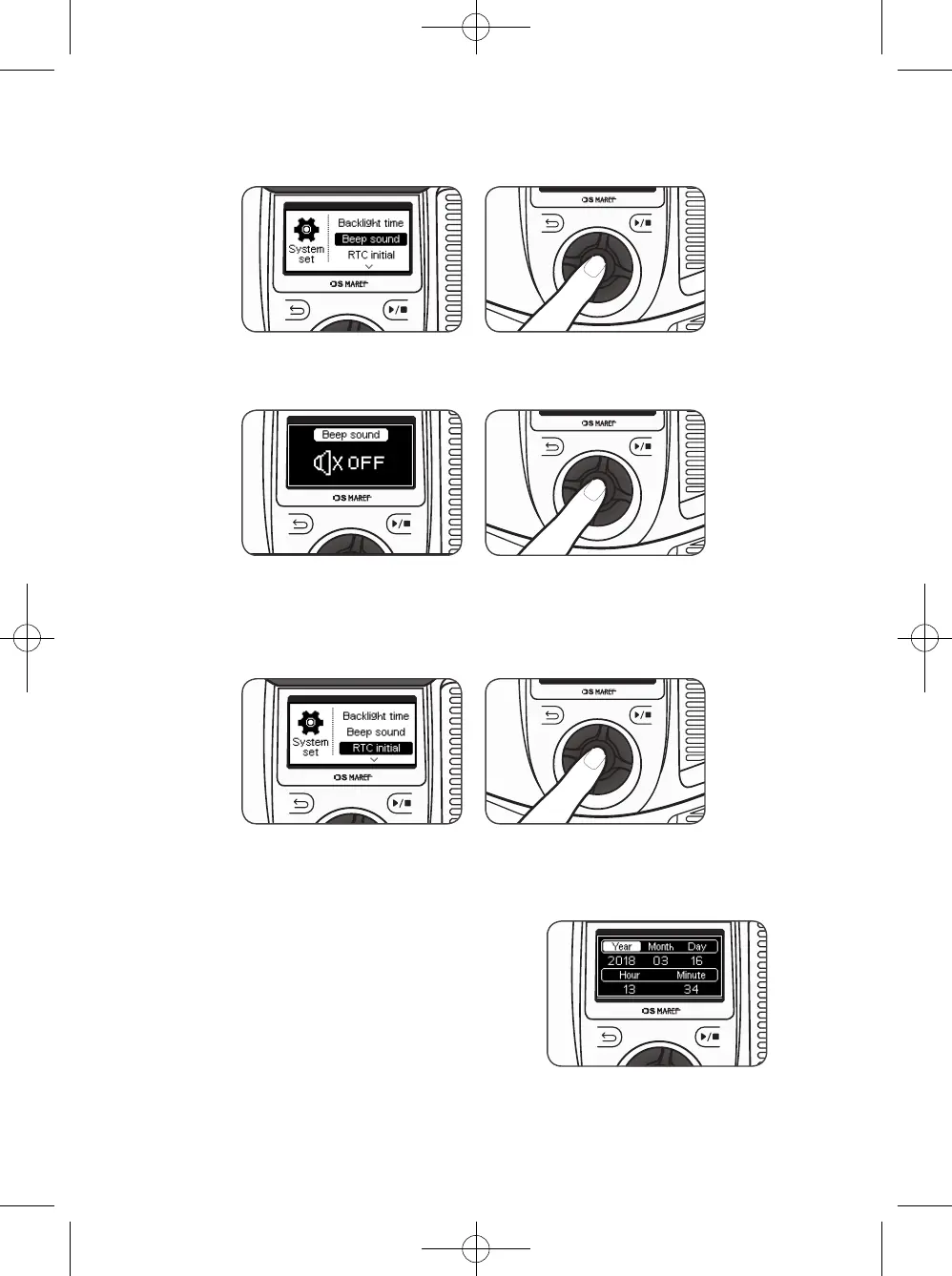
9-2. How to set the Beep sound
9-3. How to set the RTC initial
1) On the System set screen, rotate the knob wheel, select ‘Beep sound’, and press the
knob wheel to turn on/off the beep sound of this device.
2) On the Beep sound set screen, rotate the knob wheel, set the beep sound, and press the
knob wheel to return to the system set screen.
1) On the System set screen, rotate the knob wheel, select ‘RTC initial’, and press the
knob wheel to set the date and time of this device.
2) On the RTC set screen, rotate the knob wheel,
select the item to be set, and press the knob wheel.
When the number flickers, rotate the knob wheel
to set the preferred date and time, and press the
knob wheel to save the setting, and press the
Back button to return to the system set screen.
36



 To Next Page