EasyManua.ls Logo

Daewoo COL1471 - Control Panel and Installation; Control Panel Overview; Installation Guide

Daewoo COL1471
15 pages
Print Icon
To Next Page IconTo Next Page
To Previous Page IconTo Previous Page
Loading...
8
IMPORTANT RETAIN THESE INSTRUCTIONS FOR FUTURE REFERENCE
12L Dehumidifier
Model No. COL1471
User Manual
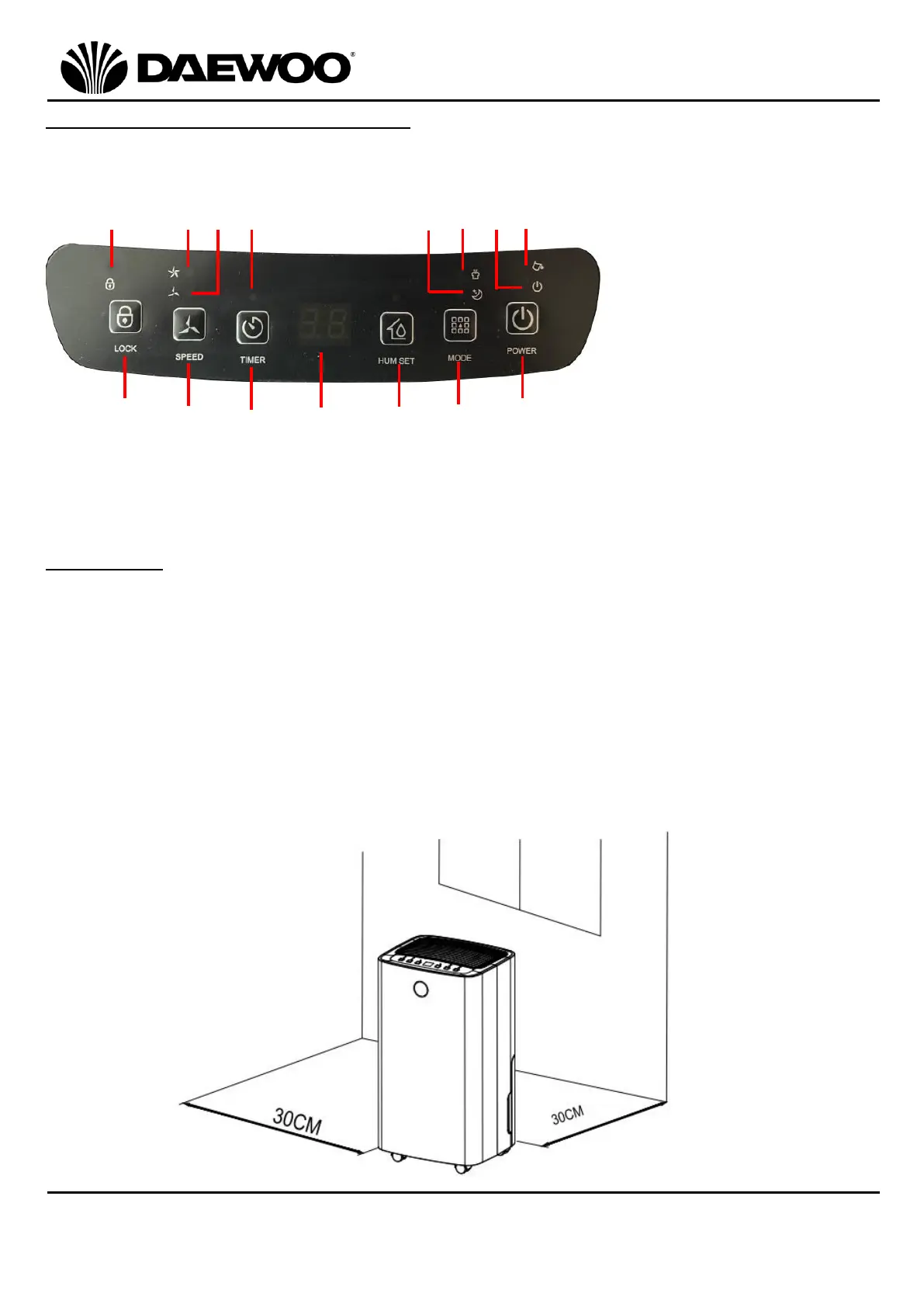
Description of Parts Control Panel
Installation
Place the unit on a firm, level surface in an area with at least 30cm of free space
on all sides to allow for proper air circulation.
Never install the unit where it could be subject to:
1. Heat sources such as radiators, stoves or other products that produce heat.
2. In an area where oil or water may be splashed.
3. Direct sunlight.
4. Mechanical vibration or shock.
5. Excessive dust.
6. Lack of ventilation, such as cabinet or bookcase.
7. An uneven surface.

12
13
14
16
17
18
15
19
20
21
23
24
25
26
12. Child Lock Button
13. Speed Button
14. Timer Button
15. LED Display
16. Humidity Set Button
17. Mode Button
18. Power Button
19. Child Lock Indicator
20. High Fan Speed Indicator
21. Low Fan Speed Indicator
22. Timer Indicator
23. Sleep Mode Indicator
24. Continuous/Clothes
Drying Mode Indicator
25. Power ON Indicator
26. Tank Full Indicator
22

Related product manuals