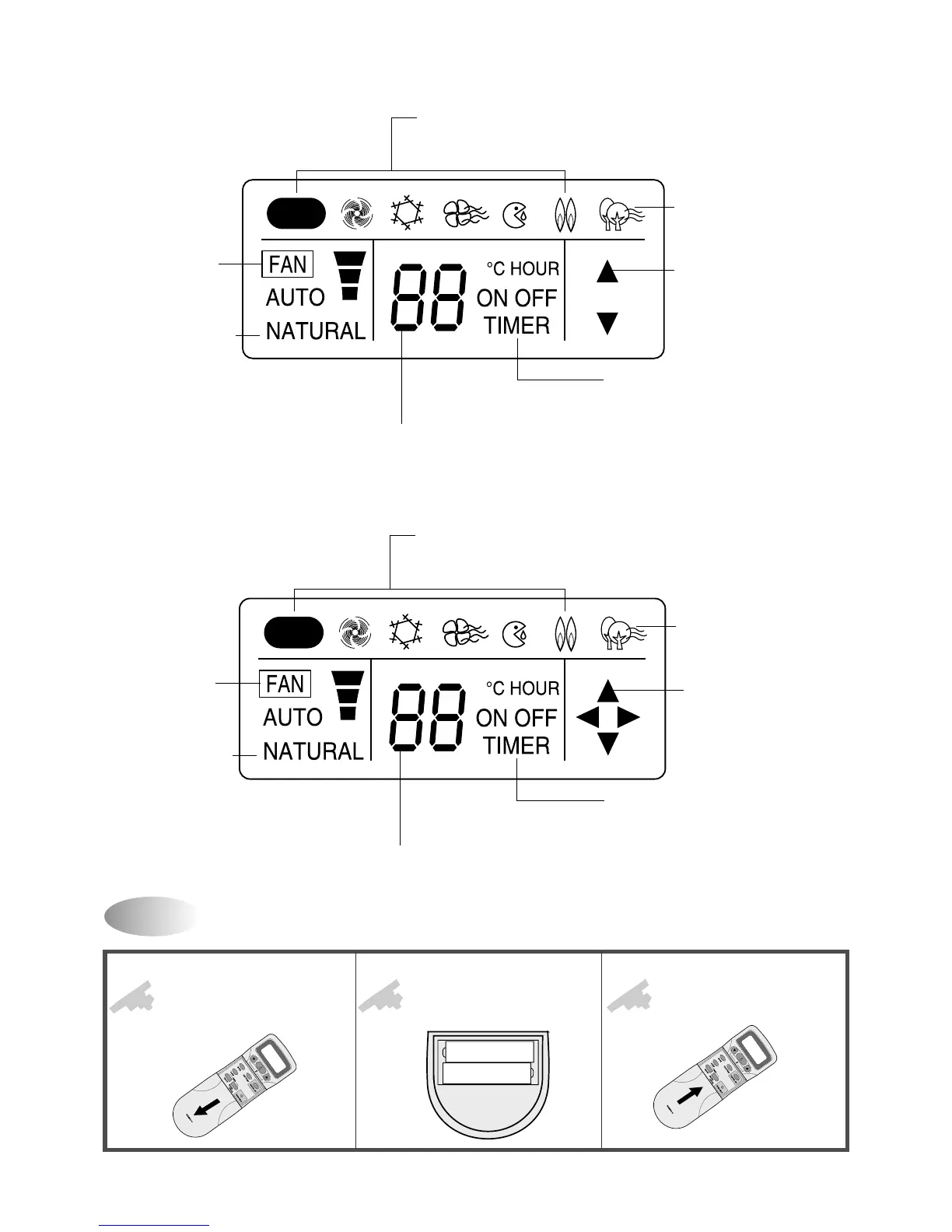
MODE Indicators (Auto/Quick/Cool/Fan/Dehumidifier/Heat)
Light to indicate the mode selected.
TIMER Indicators (Include sleep)
Light to indicate the timer function mode.
TEMPERATURE & RESERVATION TIME lndicators
Light to indicate the temperature or time.
FAN DIRECTION Indicators
Light to indicate the
fan direction.
NATURAL Indicator
Light to indicate the
speeds simulating a breeze.
FAN Indicators
Light to indicate
the fan speed.
PLASMA Indicator
Light to indicate the
plasma mode.
AUTO
* DSB-123PH/DSB-240PH-R
Replacing Batteries
Open the cover after
pressing the arrow direction
and pulling out.
Put the drycell by +,-
direction.
Close the cover after
pushing into arrow
direction.
1
2
3
AUTO
MODE Indicators (Auto/Quick/Cool/Fan/Dehumidifier/Heat)
Light to indicate the mode selected.
TIMER Indicators (Include sleep)
Light to indicate the timer function mode.
TEMPERATURE & RESERVATION TIME lndicators
Light to indicate the temperature or time.
FAN DIRECTION Indicators
Light to indicate the
fan direction.
NATURAL Indicator
Light to indicate the
speeds simulating a breeze.
FAN Indicators
Light to indicate
the fan speed.
PLASMA Indicator
Light to indicate the
plasma mode.



 To Next Page