EasyManua.ls Logo

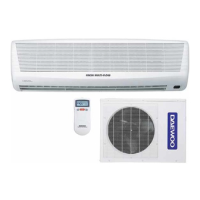
Daewoo DSB-181L - User Manual

Daewoo DSB-181L
20 pages
Print Icon
To Next Page IconTo Next Page
Loading...
MODEL #:
DSB-181L/181LH
OWNER'S MANUAL
SPLIT AIRCONDITIONING SYSTEM
S1

Questions and Answers

  • D
    Diana HallJul 31, 2025
    Why is my Daewoo DSB-181L Air Conditioner not turning on?
    • F
      Frederick ReedJul 31, 2025
      Your Daewoo Air Conditioner might not be turning on due to several reasons: * There could be a power failure; in this case, restore the power. * The line voltage might be too low, requiring you to contact an electrician to install a new outlet. * The unit might be unplugged or not completely plugged in; ensure the plug is fully inserted. * The unit itself might be off; simply turn it on. * The remote's batteries could be weak or dead; replace them. * The EMERGENCY/REMOTE switch might not be set to REMOTE; slide the switch to REMOTE.
  • S
    Sandra NguyenAug 10, 2025
    What to do if my Daewoo Air Conditioner compressor does not turn on?
    • B
      brandyliAug 10, 2025
      If the compressor of your Daewoo Air Conditioner isn't turning on, consider the following possibilities: 1. If the unit has just been plugged in or turned back on, there is a 3-minute delay for the compressor. Wait 3 minutes. 2. A dirty or clogged air filter can prevent the compressor from starting. Clean or replace the filter(s). 3. An open door or window can affect compressor operation. Make sure to shut any open doors or windows. 4. Obstacles in front of the intake or indoor unit could be the issue. Remove any obstructions. 5. The temperature setting might be incorrect. Check and reset the temperature if needed.
  • L
    loneillAug 20, 2025
    How to fix Daewoo DSB-181L remote not working?
    • E
      Eric LopezAug 20, 2025
      If your Daewoo Air Conditioner remote isn't working, try these steps: * Replace the batteries, ensuring they are correctly inserted. * Move closer to the unit, as the remote might be out of range. * Aim the remote directly at the sensor on the air conditioner. * Remove any obstructions between the remote and the unit.

Summary

Safety Instructions

Important Safety Notes

Key safety reminders for installation and operation.

Wiring, Transportation, and Installation Precautions

Safety guidelines for wiring, moving, and installing the unit.

Refrigerant Tubing and Servicing Safety

Precautions for refrigerant connections and maintenance procedures.

Accessories

Basic Accessories

List of accessories supplied with the unit.

Optional Accessories

List of accessories not included but available for purchase.

Unit Components and Controls

Location of Controls

Identifies controls on indoor and outdoor units.

Indoor Unit Overview

Description of the indoor unit's components and features.

Outdoor Unit Overview

Description of the outdoor unit's components and features.

Remote Controller and Display

Details on the remote control's buttons and display functions.

Operation Procedures

Initial Setup and Remote Operation

Procedures for connecting power, installing batteries, and setting remote operation.

Temperature Conversion and Basic Modes

Temperature conversion, Auto, Quick, Cool, Fan, Dehumidifier modes.

Fan Direction and Timer Settings

Adjusting fan direction and setting timers for operation.

Advanced Operating Modes

Sleep, Turbo/Mild, and Emergency operation modes.

Maintenance and Troubleshooting

Air Filter Management

Procedures for changing and cleaning air filters.

Cleaning and Installation

Instructions for cleaning the indoor cover and installing the remote bracket.

General Care and Troubleshooting

Guidelines for unit upkeep and solutions for common issues.

Specifications

Technical details and performance data of the unit.

Daewoo DSB-181L Specifications

General IconGeneral
TypeSplit System
Power Supply220-240V, 50Hz
Noise Level (Indoor)42 dB(A)
Noise Level (Outdoor)52 dB(A)
RefrigerantR410A
Weight (Outdoor Unit)35 kg
Cooling Capacity18000 BTU/h
Operating Temperature (Cooling)18-43°C

Related product manuals