11
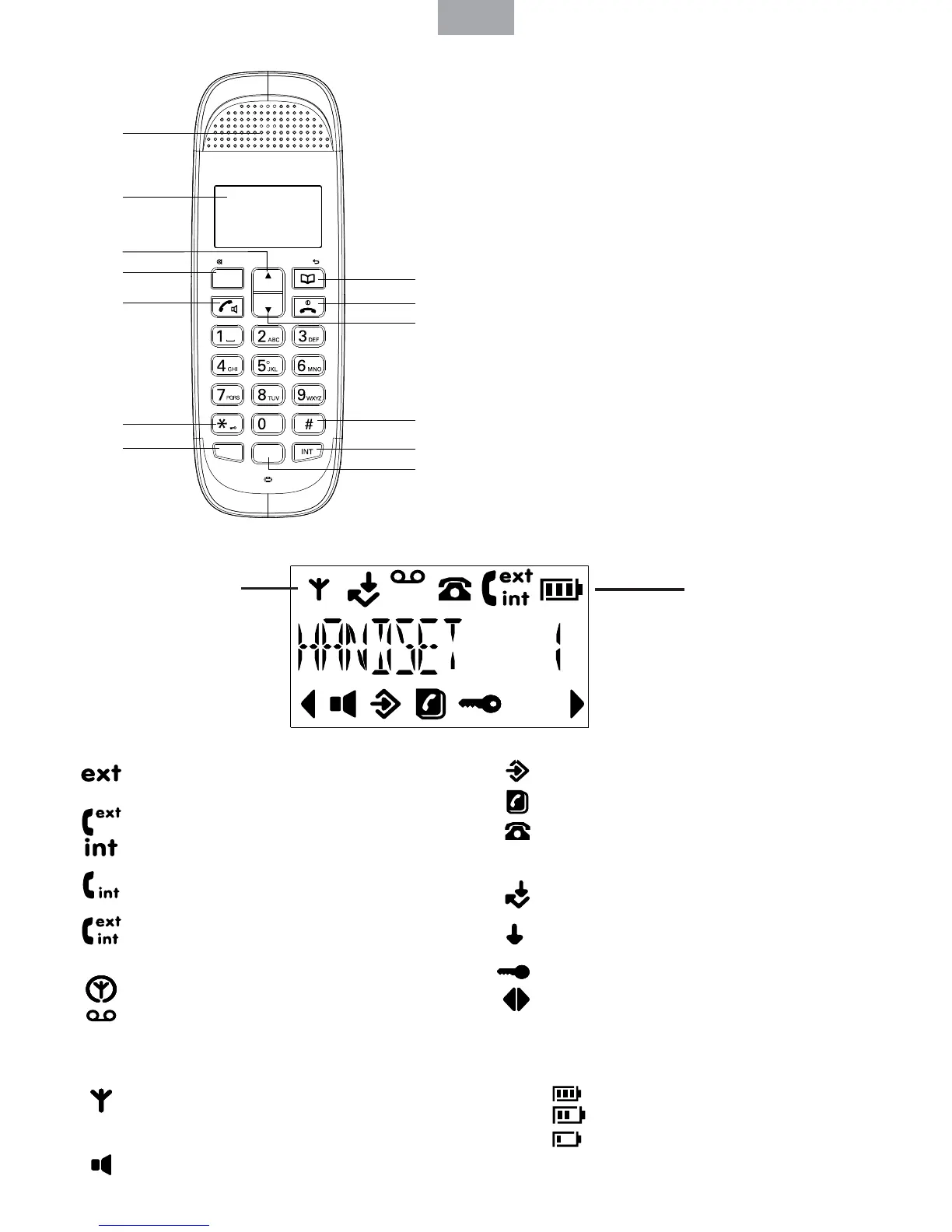
2. Getting to know the phone: Overview of the handset
2. 1. Handset LCD Display
2. 2. Display icons
ENG
A - Earpiece
B - Display
C - Up
D - Menu/OK/Mute
E - Talk/Hands-free
F - */Pulse to Tone dialing /Keylock
G - Recall
H - Phonebook/Delete/Back
I - End Call/Exit/Handset on/o End a call.
J - Down/call list
K - /Pause
L - Int
M - Redial
MENU
OK
LNR
R
A
B
D
C
E
F
G
H
I
J
K
L
M
Flashes to indicate an incoming
external call
External call in progress
Flashes to indicate an incoming
internal call
Internal call in progress
3-way call in progress or transfer
an external call to another handset
registered to the base
Eco mode is ON
Flashes to indicate new voicemail
messages received
O when there is no voicemail
messages
Indicates signal strength Flashes
when handset is not registered to
the base or if it goes out of range
Hands-free mode is ON
Menu is opened
Phonebook is opened
Flashes to indicate new calls list
entries received*
Answered call (when viewing the
Calls list)*
Unanswered call (when viewing the
Calls list)*
Keypad is locked
Displayed number is longer than
12 digits
The approximate power levels of
the battery are indicated as follows:
Battery is fully charged
Battery is partially charged
Battery is running low
Flashes when battery is
almost fully discharged
Eco mode Circle
around appears
when Eco mode
is ON
Battery status
Scrolls when
charging



 To Next Page