9
Service Manual
6. Factory/Service OSD Menu and Adjustment
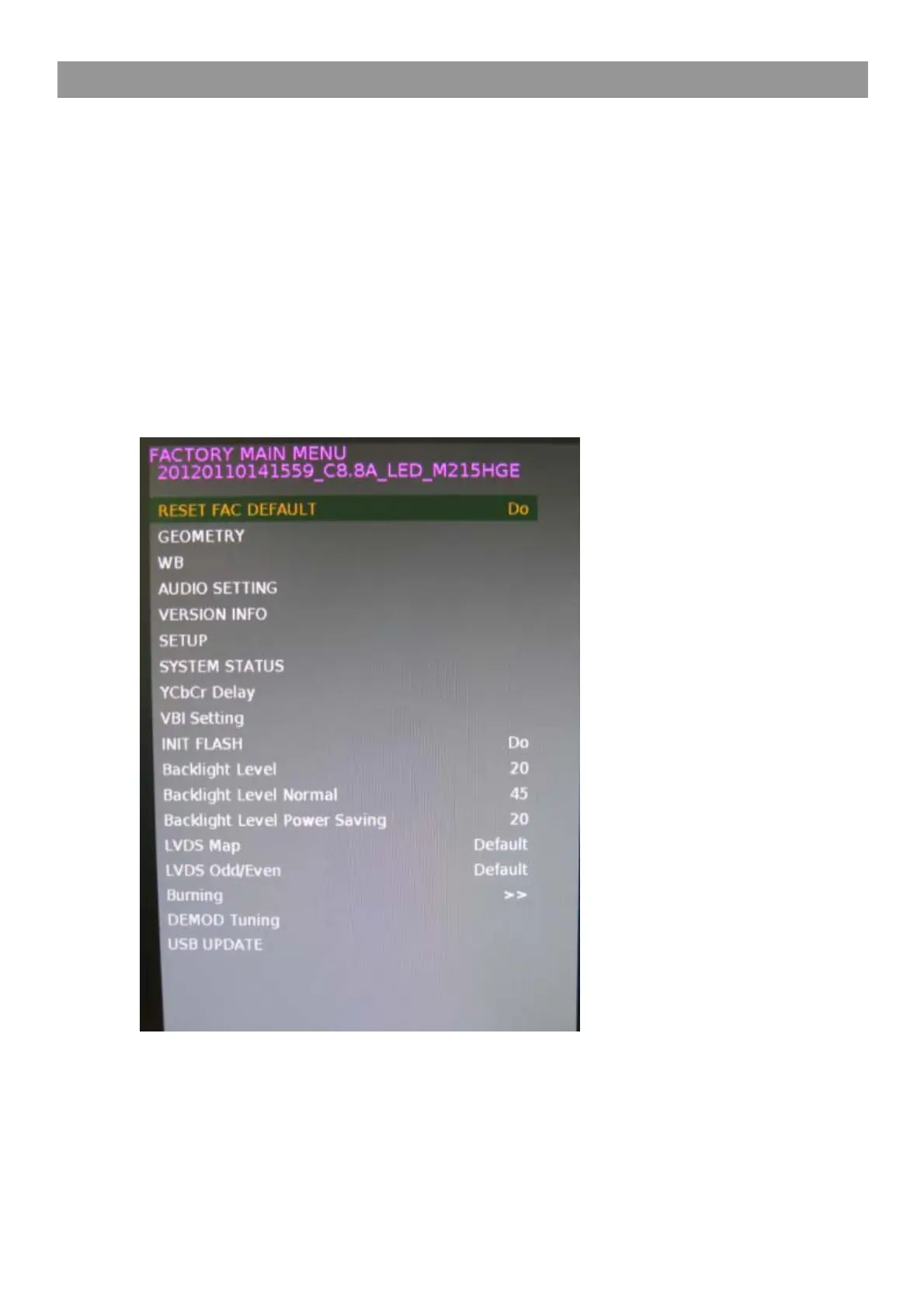
6.1 To enter the Factory OSD Menu
Notice: Remote control
1. Press "MENU" "1" "1" "4" "7" button and enter factory mode.
2. Press “▲ / ▼ ” button select t he function menu,
Press “ ◄ / ► ” button enter factory OSD Sub menu and adjust values in the menu.
3. Press “MENU”or "EXIT" button exit factory Sub menu and OSD main menu.



 To Next Page