11
Service Manual
7. Software Upgrading (upgrading
method)
In the standby state, plug USB disk, pressing the button POWER
,
the process started
ifthe red indicator light into blue
。
It has access to USB upgrade condition while the
indicator light turns blue to red again. Please do not power off during the upgrading
,
The
whole upgrading last about 60s, it will automatically restart after the success of upgrading
.
7.1 By USB Port
7.1.1 Upgrading from USB port (build in Main board)- At working ;
7.1.2 Copy F/W to USB disk, U:/ C8AllCompBase.bin
(File Name should be rename t o C8AllCompBase.bin and should be set to
root directory)
7.1.3 plug USB disk (AC OFF).
7.1.4. AC on, Auto reflash, LED status: Red+Blue=> R+B=> R=>
B=>R=>B …….
7.1.5 LED keep Red , TV get into STB, Action complete, upgrading success.
7.1.6 Move USB disk, Pressing Power key running TV.
8
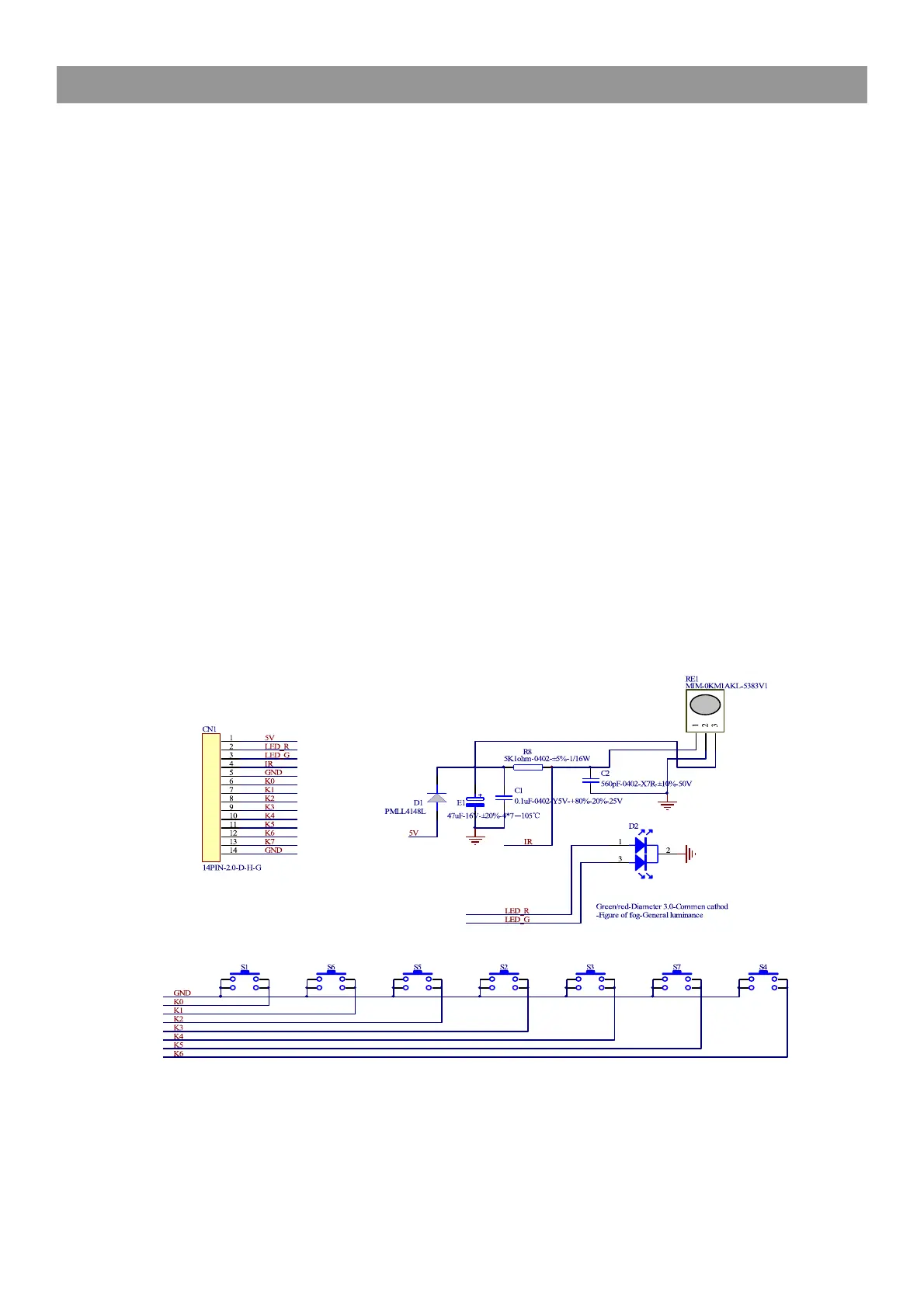
.Key Board and IR LED Board Sch.



 To Next Page