27
When the oven is plugged in, the display shows " 0" with a sound.
Your oven provides you with a muliple (12hr/ 24hr) time format.
In order to set the clock, follow the steps below.
SETTING THE CLOCK
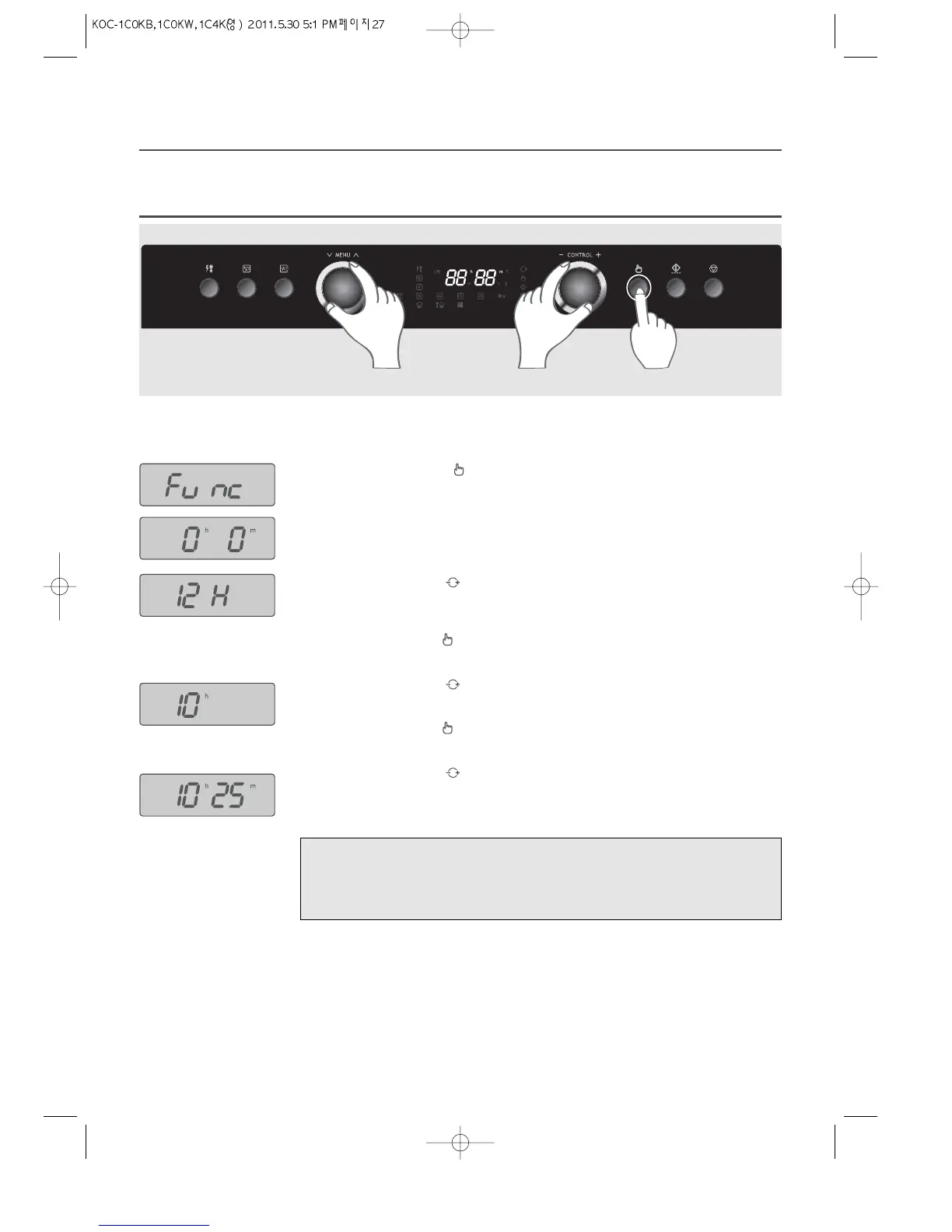
Example: If you want to set the clock to 10:25 ...
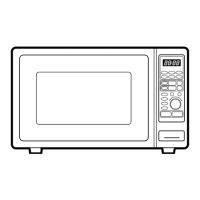
1. Press and hold the Selection button for 3 seconds.
The display shows “Func”.
2. Turn the Menu Dial knob until the display shows “0h 0m”.
3. Turn the Control Dial knob to select time format.
“12H” means 12-hour time format.
“24H” means 24-hour time format.
4. Press the Selection button .
5. Turn the Control Dial knob to enter the current hours.
6. Press the Selection button .
7. Turn the Control Dial knob to enter the current minutes.
8. Press the Selection button. Then the setting is completed.
2 357 1468
Note :
• If you select the 12-hour time format, it will allow you to set the clock from 1:00 to 12:59.
• If you select the 24-hour time format, it will allow you to set the clock from 0:00 to 23:59.
• During power saving mode, the clock is turned off in the display.

 To Next Page
 Loading...