9 10
SETTING THE CONTROL
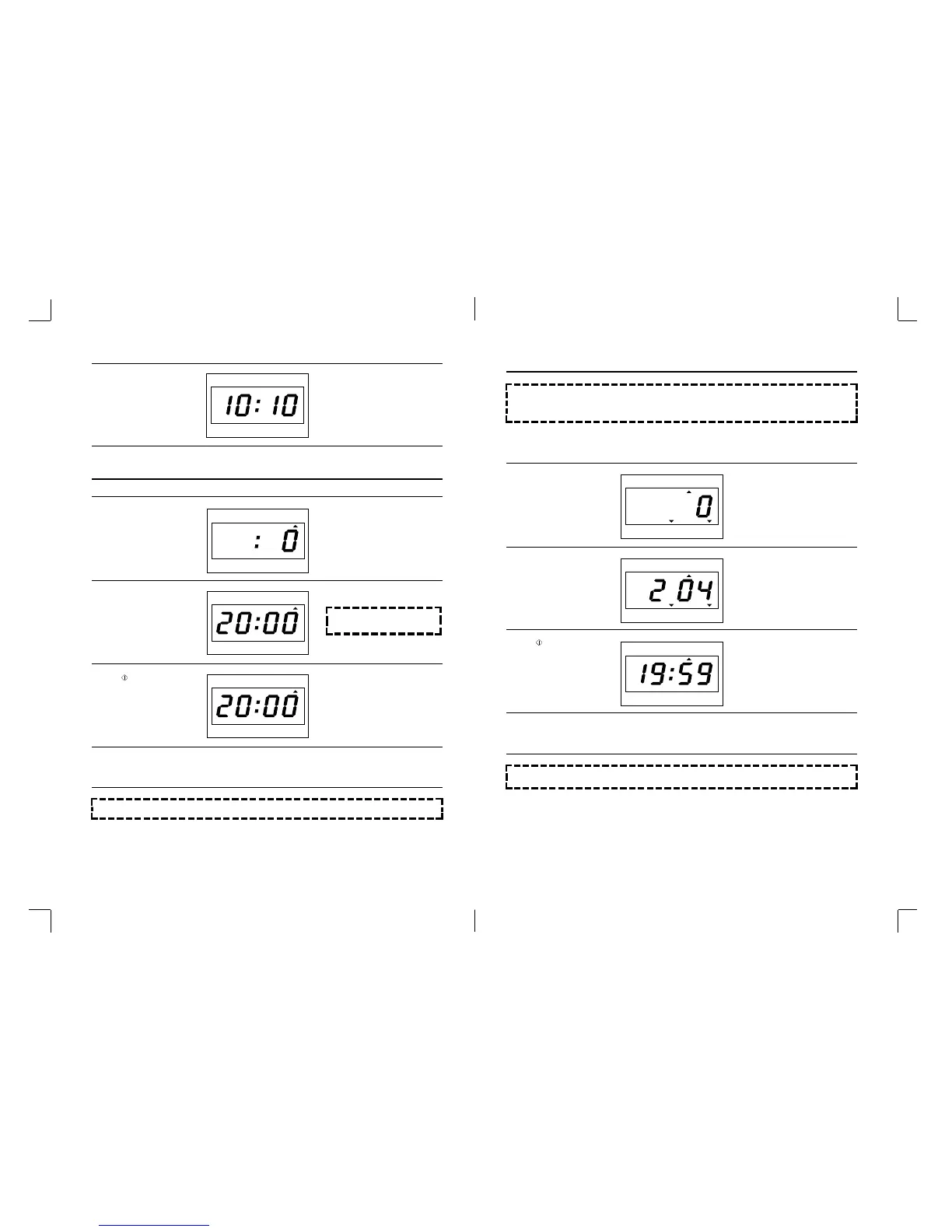
The TIME DEFROST indicator light
will light up.
20:00 will show in the display.
The TIME DEFROST indicator light
will start blinking to show the oven
is in TIME DEFROST mode.
The display will show present time,
and the colon starts blinking.
This digital clock allows you to set
to “10:10”
1. Press DEFROST button
twice.
2. Turn the DIAL KNOB for
the desired defrosting time.
For example: 20 minutes.
3. Press button.
4. Buzzer will sound at the end of the cooking time. The indicator light will go off. The display panel will return
to the time of day. The oven light will turn off and the turntable will stop turning.
NOTE: Time can be set up to 60
minutes.
NOTE: During the defrosting operation, turn over after buzzer sound for completed defrosting.
TIME DEFROST
4. Press CLOCK button.
SETTING THE CONTROL
The WEIGHT DEFROST indicator
light will come on.
The lb, oz indicator light will start
blinking.
The 204 will show in the display
This display represent 2 lb 4 oz.
The WEIGHT DEFROST indicator
light will start blinking to show the
oven is in WEIGHT DEFROST
mode.
1. Press DEFROST button
once
2. Turn the DIAL KNOB for
the desired defrosting
weight
For example: 2 lb 4 oz
3. Press button
4. Buzzer will sound at the end of the cooking time. The indicator light will go off. The display panel will return
to the time of day. The oven light will turn off and the turntable will stop turning.
NOTE: • This digital weight allows you set from 8 oz to 6 lb 8 oz.
• Whenever you press this button, the display is circulated WEIGHT DEFROST, TIME DEFROST,
and MICROWAVE mode.
NOTE: During the defrosting operation, turn over the food after buzzer sound for completed defrosting.


 To Next Page