EasyManua.ls Logo

Daewoo KOR-804M - Page 18

Daewoo KOR-804M
57 pages
Print Icon
To Next Page IconTo Next Page
To Previous Page IconTo Previous Page
Loading...
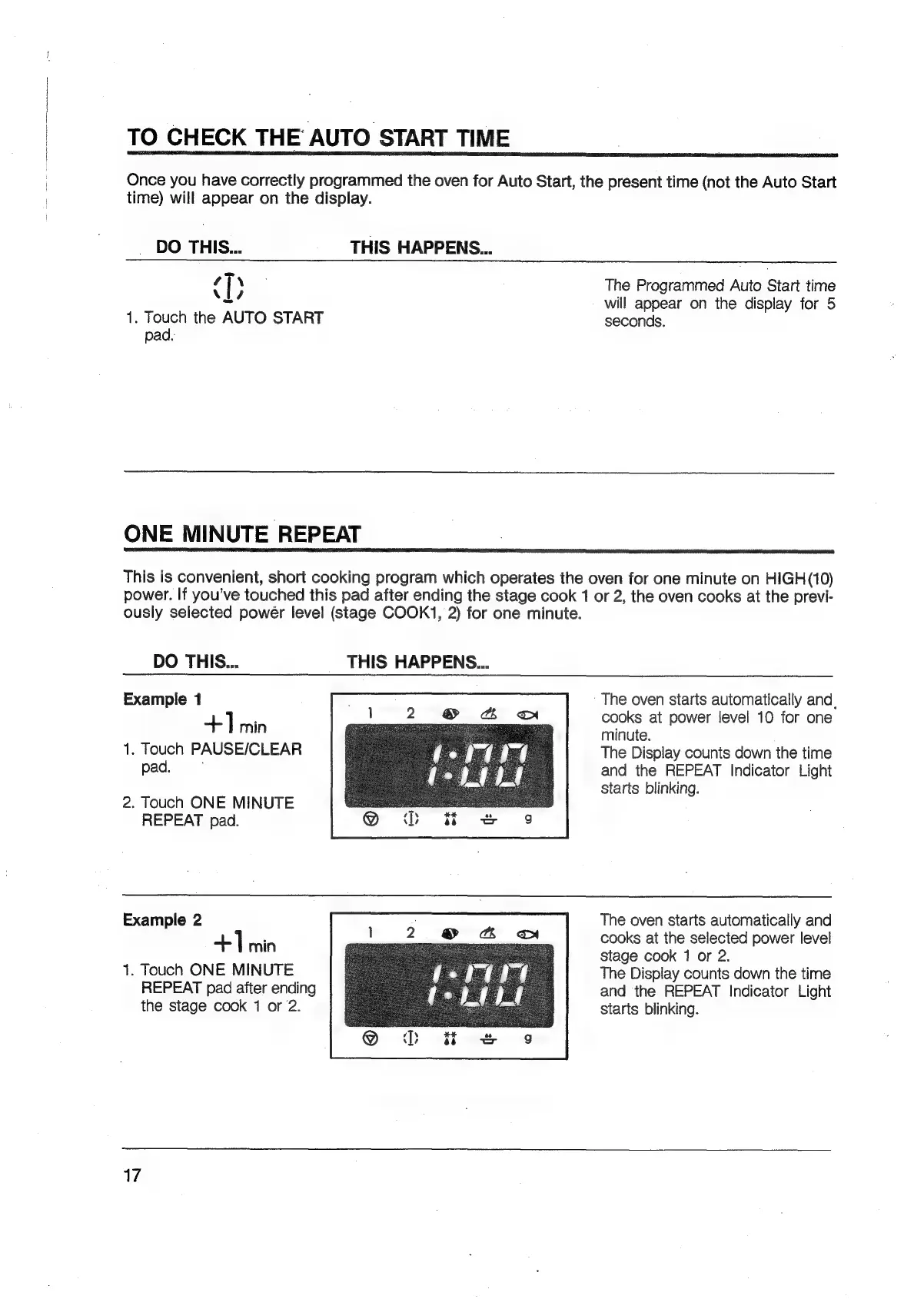
TO
CHECK
THE
AUTO
START
TIME
Once
you
have
correctly
programmed
the
oven
for
Auto
Start,
the
present
time
(not
the
Auto
Start
time)
will
appear
on
the
display.
DO
THIS...
THIS
HAPPENS...
ab
The
Programmed
Auto
Start
time
s/
will
appear
on
the
display
for
5
1.
Touch
the
AUTO
START
seconds.
pad.
ONE
MINUTE
REPEAT
This
is
convenient,
short
cooking
program
which
operates
the
oven
for
one
minute
on
HIGH(10)
power.
If
you’ve
touched
this
pad
after
ending
the
stage
cook
1
or
2,
the
oven
cooks
at
the
previ-
ously
selected
power
level
(stage
COOK1,
2)
for
one
minute.
DO
THIS...
THIS
HAPPENS...
The
oven
starts
automatically
and,
cooks
at
power
level
10
for
one
minute.
The
Display
counts
down
the
time
and
the
REPEAT
Indicator
Light
starts
blinking.
Example
1
+]
min
1.
Touch
PAUSE/CLEAR
pad.
2.
Touch
ONE
MINUTE
REPEAT
pad.
Example
2
The
oven
starts
automatically
and
+]
nie)
cooks
at
the
selected
power
level
stage
cook
1
or
2.
1.
Touch
ONE
MINUTE
The
Display
counts
down
the
time
REPEAT
pad
after
ending
and
the
REPEAT
Indicator
Light
the
stage
cook
1
or
2.
starts
blinking.
17

Related product manuals