EasyManua.ls Logo

Daewoo KOR-804M - Page 35

Daewoo KOR-804M
57 pages
Print Icon
To Next Page IconTo Next Page
To Previous Page IconTo Previous Page
Loading...
Following
the
procedures
below
to
check
if
the
oven
is
defective
or
not.
1.
.
Be
careful
of
the
high
voltage
circuit.
2
3.
4.
When
checking
the
continuity
of
switches
or
of
the
high
voltage
transformer,
disconnect
one
lead
Check
grounding
before
checking
trouble.
Discharge
the
high
voltage
capacitor.
(see
page
20)
wire
from
these
parts
and
then
check
continuity
with
the
AC
plug
removed.
To
do
otherwise
may
result
in
false
reading
or
damage
to
your
meter.
.
Do
not
touch
any
part
of
the
circuity
on
the
touch
control
circuit
since
static
electric
discharge
may
damage
this
control
panel.
Always
touch
yourself
to
grounding
parts
while
working
on
this
panel
to
discharge
any
static
charge
built
up
in
your
body.
First
of
all,
operate
the
microwave
oven
according
to
the
correct
operation
procedures
described
on
page
8~
19
in
order
to
find
the
exact
cause
of
any
troubles.
TROUBLE
1.
The
following
visual
conditions
indicate
a
probable
defective
P.C.B.
assembly
or
.
A
distinct
change
in
the
brightness
of
one
or
.
Specific
numbers
(for
example
2
or
3)
will
not
.
Display
does
not
count
down
or
up
with
time
.
The
oven
programmable
and
cooks
normally
.
Display
obviously
jumps
in
time
while
counting
membrane
switch
assembly.
.
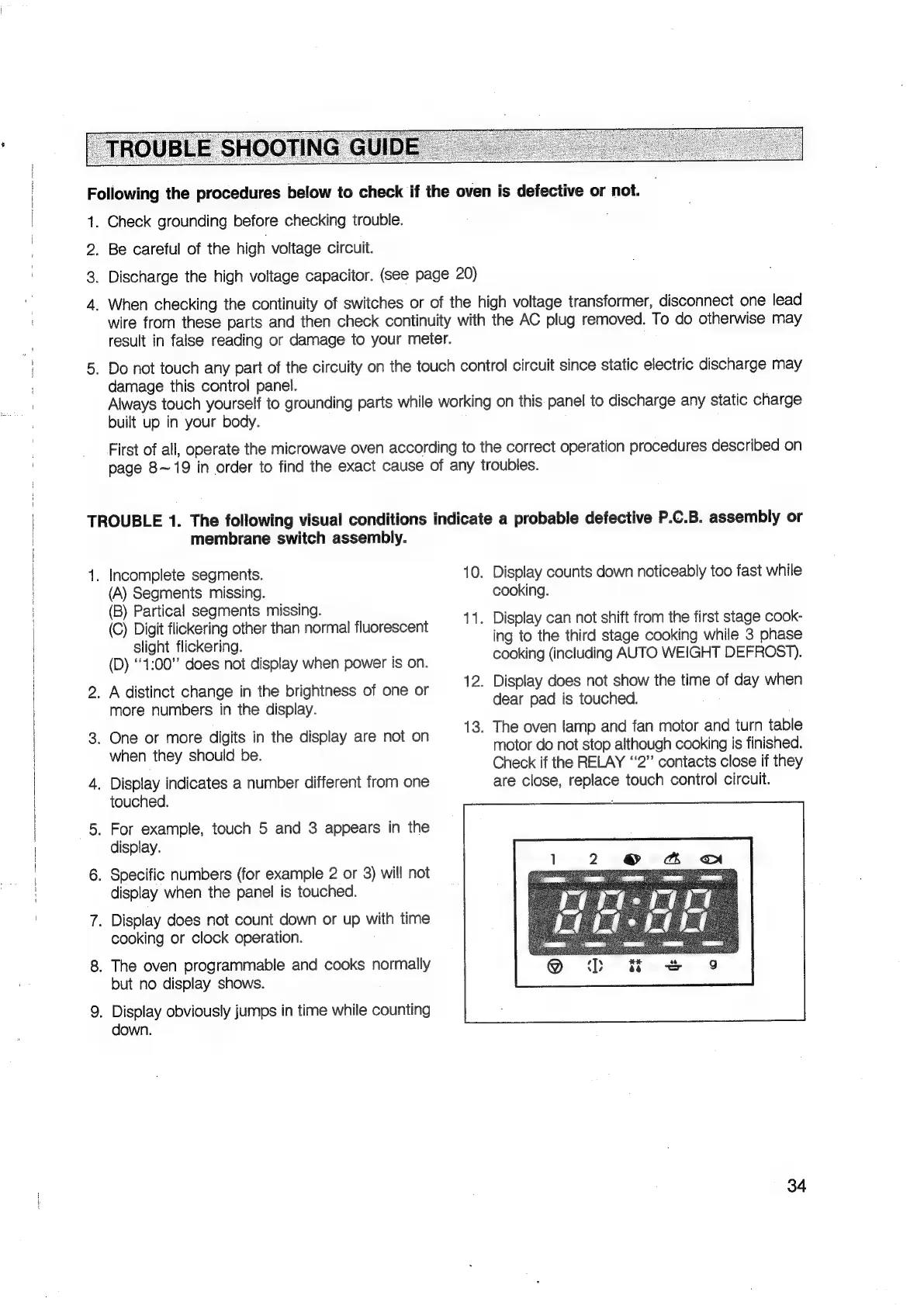
Incomplete
segments.
10.
Display
counts
down
noticeably
too
fast
while
(A)
Segments
missing.
cooking.
(B)
Partical
segments
missing.
: ;
pee
:
11.
Display
can
not
shift
from
the
first
stage
cook-
(C)
Digit
flickering
other
than
normal
fluorescent
ing
to
the
third
stage
cooking
while
3
phase
slight
flickering.
epee
;
(D)
oe
does
Aa
display
when
power
is
on.
cooking
(including
AUTO
WEIGHT
DEFROST).
12.
Display
does
not
show
the
time
of
day
when
dear
pad
is
touched.
13.
The
oven
lamp
and
fan
motor
and
turn
table
more
numbers
in
the
display.
i
ieee
Saas
theralspiey
Are
not-on
motor
do
not
stop
although
cooking
is
finished.
:
Check
if
the
RELAY
ā€˜ā€˜2ā€
contacts
close
if
they
.
Display
indicates
a
number
different
from
one
are
close,
replace
touch
control
circuit.
touched.
:
.
For
example,
touch
5
and
3
appears
in
the
display.
display
when
the
panel
is
touched.
cooking
or
clock
operation.
but
no
display
shows.
down.
34

Related product manuals