01. Power Button: Power ON/OFF switch function.
• Please confirm the battery is turned on before starting. Press the “M” key for 3
seconds and it will turn on, which means it is in power-on state.
• Press the “M” key for 3 seconds and it will turn off. Then press the battery power key
to disconnect the power.
02. Km/mile
03. Current Speed – Displays current riding speed.
04. Battery Capacity Indicator
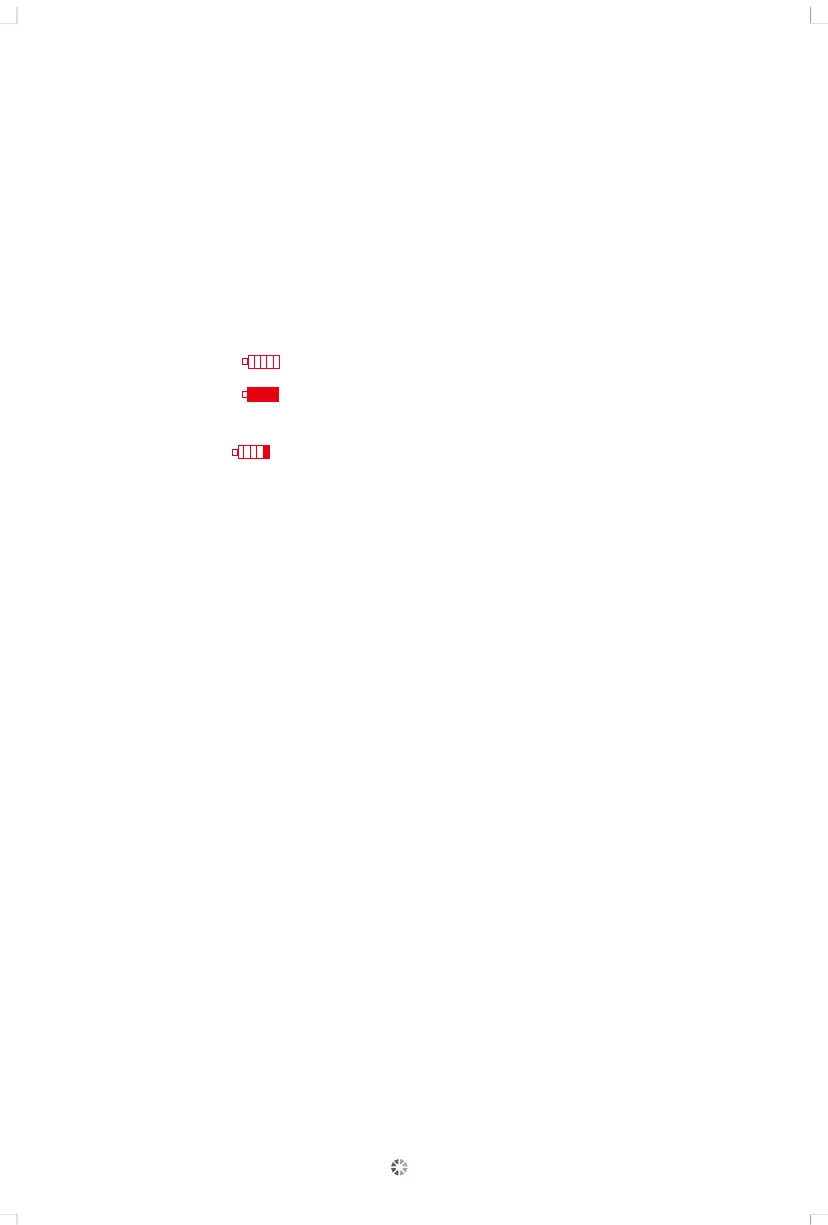
• Each block ( ) shows the battery capacity.
• Five blocks ( ) indicates the battery is fully charged.
05. The last block will start blinking when the charge is less than 10%. When the battery
icon is empty ( ), this means the battery has no power remaining, please
charge the battery immediately.
06. Riding information (press M key to display items)
07. Riding time: display the time information of a single ride.
08. Single riding mileage: display the user's single riding mileage information.
09. LCD display backlight: In the power-on state, press and hold the “+” button for 2
seconds to light up the LCD display backlight and the headlights.
10. Maximum speed: When this signal is displayed, it means that the current speed has
reached the maximum speed.
11. Error code: When the system fails, the icon and code will be displayed at a
frequency of 1HZ.
12. Total distance / Trip distance
• Total mileage will show when no speed is detected.
• Trip mileage will show when the bicycle is being ridden.
• When the bicycle is attached to an external charger the trip distance will be reset to 0.
• If the maximum total distance of 65535 km is reached, the total distance will be
reset to zero.
13. Riding information settings:
Press the “+” and “-” keys at the same time for 2S to enter the setting interface,
press the M key to switch, press the “+” and “-” keys to select the parameter, and
press the “+” and “-” keys at the same time to exit setting.
05


 To Next Page