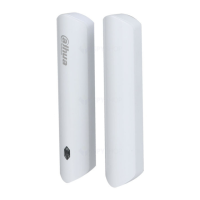
User's Manual
IV
Table of Contents
Foreword
........................................................................................................................................................................................................I
Important Safeguards and Warnings
............................................................................................................................................ III
1 Introduction
............................................................................................................................................................................................ 1
2 Checklist
.................................................................................................................................................................................................... 2
3 Design
......................................................................................................................................................................................................... 3
3.1 Appearance
................................................................................................................................................................................... 3
3.2 Dimensions
................................................................................................................................................................................... 4
4 Connecting to the Hub
....................................................................................................................................................................... 5
5 Installation
............................................................................................................................................................................................... 6
6 Door Detector Configuration
......................................................................................................................................................... 7
6.1 Configuring the Door Detector
........................................................................................................................................... 7
6.2 Viewing Status of the Door Detector
............................................................................................................................... 8
Appendix 1 Cybersecurity Recommendations
........................................................................................................................ 10


 To Next Page
 Loading...