Getting Started 6
7. Use the HDD cable and
power cable to connect
HDD and mainboard.
8. Install the bracket back and
then fasten the screws.
9. Put back the cover and
fasten the screws.
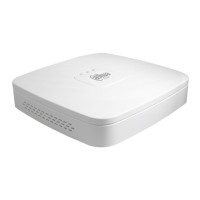
2.2.3 DH-XVR4116HS-X/DH-XVR5108HS-X/DH-XVR5116HS-X/DH
-XVR5104HS-4KL-X/DH-XVR5108HS-4KL-X/
DH-XVR5108H-X/DH-XVR5116H-X/DH-XVR5104H-4KL-X/DH-XVR
5108H-4KL-X/DH-XVR5116H-4KL-X/DH-XVR5108HE-X/DH-XVR51
16HE-X/DH-XVR7104HE-4KL-X/DH-XVR7108HE-4KL-X/DH-XVR7
116HE-4KL-X/DH-XVR7108HE-4K-X/DH-XVR5104HS-X/
DH-XVR4104HS-X/DH-XVR5104H-X/DH-XVR5104HE-X/DH-XVR4
108HS-X
1. Remove the screws on the
rear panel.
2. Fix the screws on the HDD
but do not be fastened.
3. Place the HDD onto the
Device.
4. Turn the device to see the
back side of it. Aim the
screws of the HDD at the
holes on the back of the
5. Use the HDD cable and
power cable to connect
HDD and mainboard.
6. Put back the cover and
fix the screws.


 To Next Page
 Loading...
