No. Port name Description
4 Audio input
Connects to sound pickups to receive audio signals.
Audio input is available on select models.
5 Audio output
Connects to speaker to output audio signals.
Audio output is available on select models.
Table 1-2 Description of Alarm I/O port
Port Name Description
ALARM_IN Receives the switch signals of external alarm source.
ALARM_OUT Outputs alarm signals to alarm devices.
ALARM_GND Ground connection.
1.3 Connecting Alarm Input/Output
The camera can connect to external alarm input/output devices through the digital input/output
port.
Alarm input/output is available on select models.
Procedure
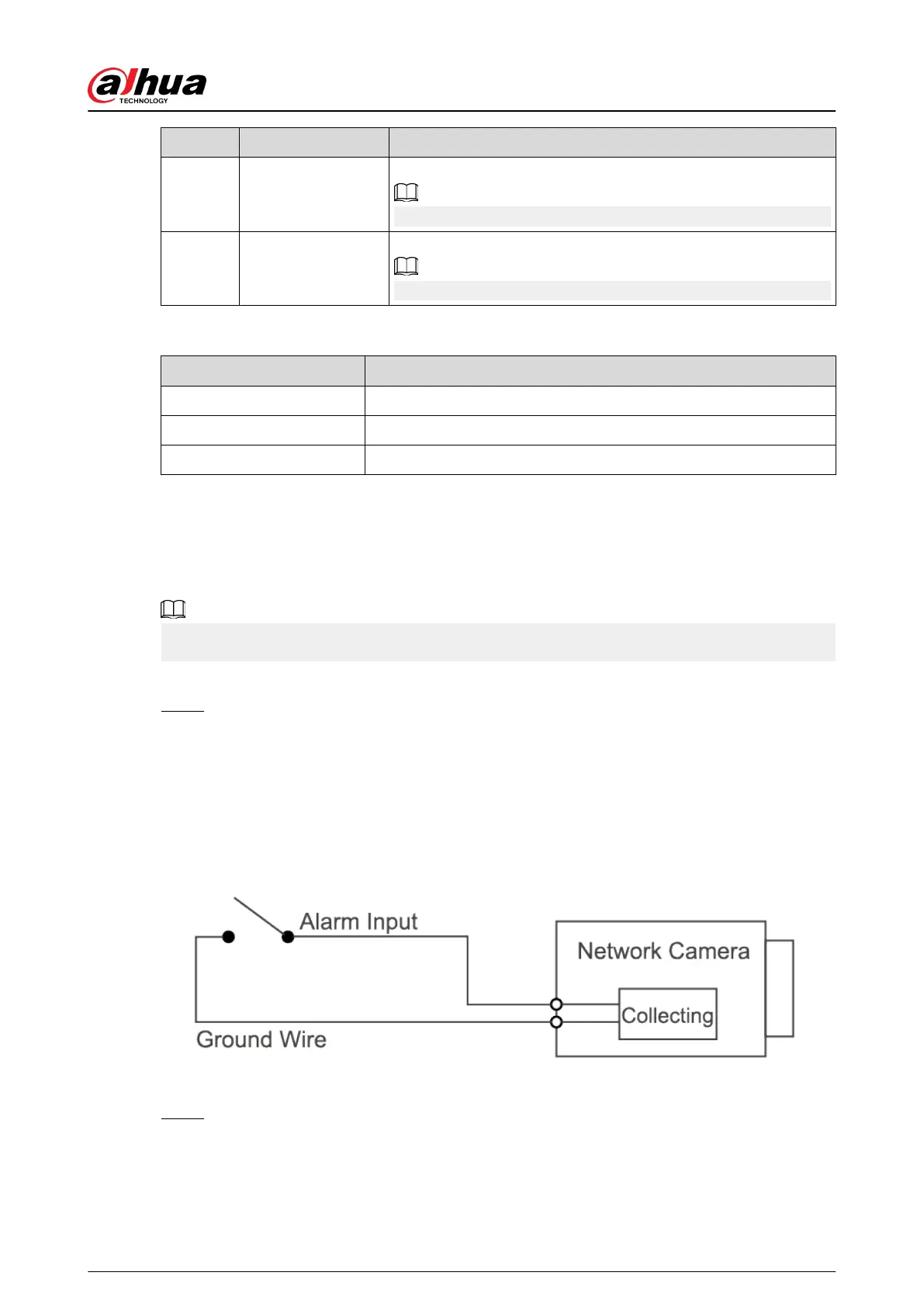
Step 1 Connect the alarm input device to the alarm input end of the I/O port. See Figure 1-3 .
The device collects dierent statuses of the alarm input port while the input signal is
idling and being grounded.
●
Device collects logic "1" when the input signal is connected to +3 V to +5 V or idling.
●
Device collects logic "0" when the input signal is grounded.
Figure 1-3 Alarm input
Step 2 Connect the alarm output device to the alarm output end of the I/O port. The alarm
output is an open-drain output, which works in the following modes.
●
Mode A: Level application. The alarm outputs high and low level signals, and the alarm
outlet is OD, which requires external pull-up resistance (10 K Ohm typical) to work. The
maximum external pull-up level is 12 V, maximum port current is 300 mA, and the
Quick Start Guide
2


 To Next Page
 Loading...