EasyManua.ls Logo

Dahua Technology DH-XVR1B04-I - 28. I connect the standard definition analog camera or the coaxial camera to the device, there is no video output.; 29. I cannot connect to the IP channel.; 30. After I connected to the IP channel, the one-window output is OK, but there is no multiple window output.; 31. After I connected to the IP channel, the multiple-window output is OK, but there is no one window output.

Dahua Technology DH-XVR1B04-I
394 pages
Print Icon
To Next Page IconTo Next Page
To Previous Page IconTo Previous Page
Loading...
Users Manual
331
Parameter
Description
Send Email
Select the checkbox. When an alarm occurs, the NVR device sends an email
to the set mailbox to notify the user.
To use this function, make sure the email function is enabled in
Main
Menu > NETWORK > Email
.
Configuring System Settings
5.20.1 Configuring General System Settings
You can configure the device basic settings, time settings, and holiday settings.
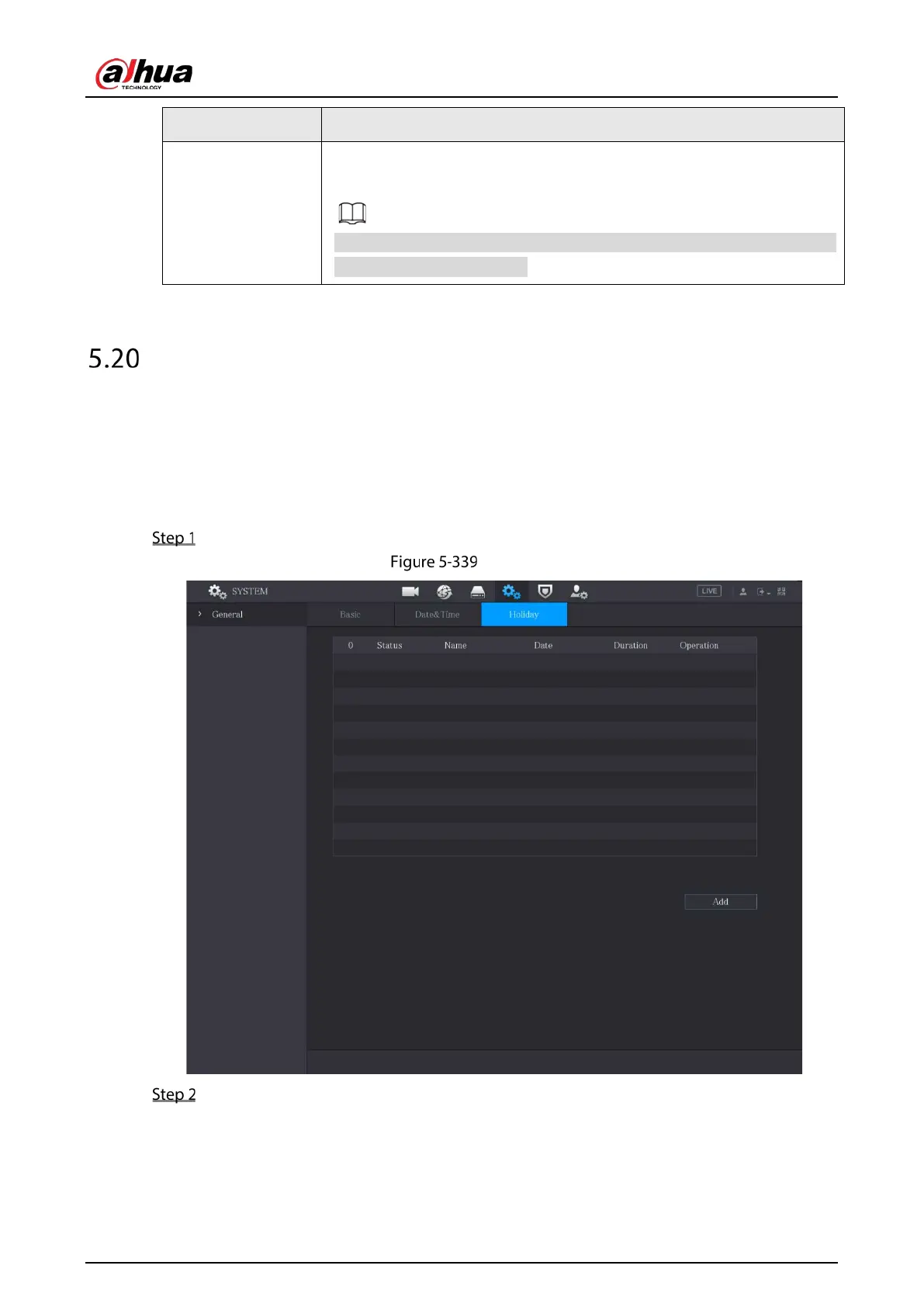
To configure the holiday settings, do the following:
Select Main Menu > SYSTEM > General > Holiday.
Holiday
Click Add.


Table of Contents

Other manuals for Dahua Technology DH-XVR1B04-I

Related product manuals