User’s Manual
143
You need to configure the storage schedule for the snapshot so that the snapshot can be saved. For
details, see "5.1.4.10 Configuring Snapshot Storage Schedule."
5.8.3 Backing up Snapshots to FTP
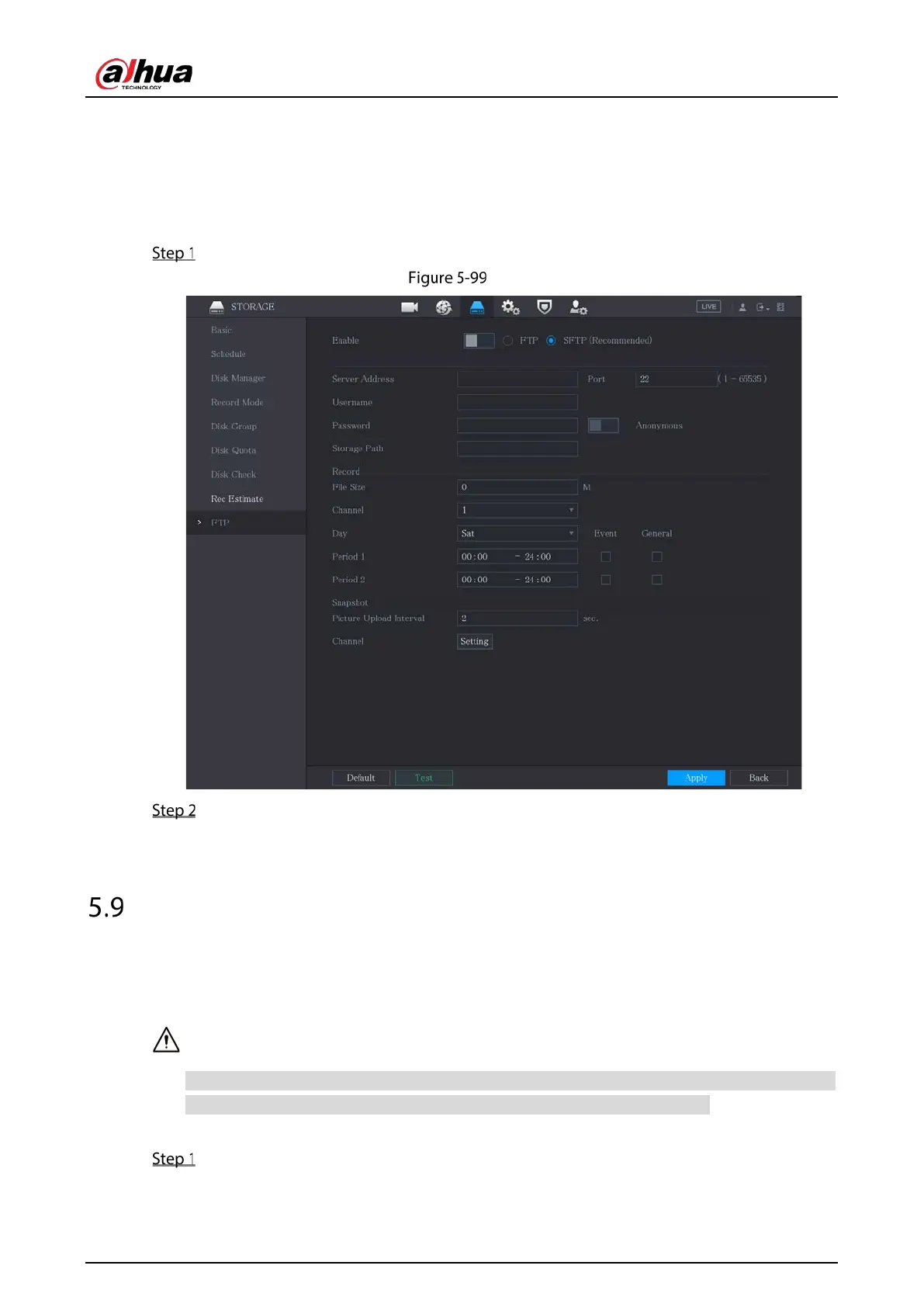
Select Main Menu > STORAGE > FTP.
FTP
Enable the FTP function and configure the parameters. For details, see "5.18.9 Configuring FTP
Storage Settings."
The snapshots will be uploaded to FTP for backup.
Playing Back Video
5.9.1 Enabling Record Control
Manual recording operation requires the user have the permission to access STORAGE settings.
Check to ensure the HDD installed in the Device has been formatted properly.
To enter the record control interface, do the following:
Right-click on the live view screen. The shortcut menu is displayed. On the shortcut menu,
select Manual Control > Record Mode.



 To Next Page
 Loading...
