User’s Manual
184
Log Select the check box to enable the Device to record a local alarm log.
Alarm Tone
Select to enable audio broadcast/alarm tones in response to a motion
detection event.
White Light Select the check box to enable the white light alarm of the camera.
Siren Select the check box to enable the sound alarm of the camera.
Click Apply to save configuration.
5.11.1.2 Smart Search
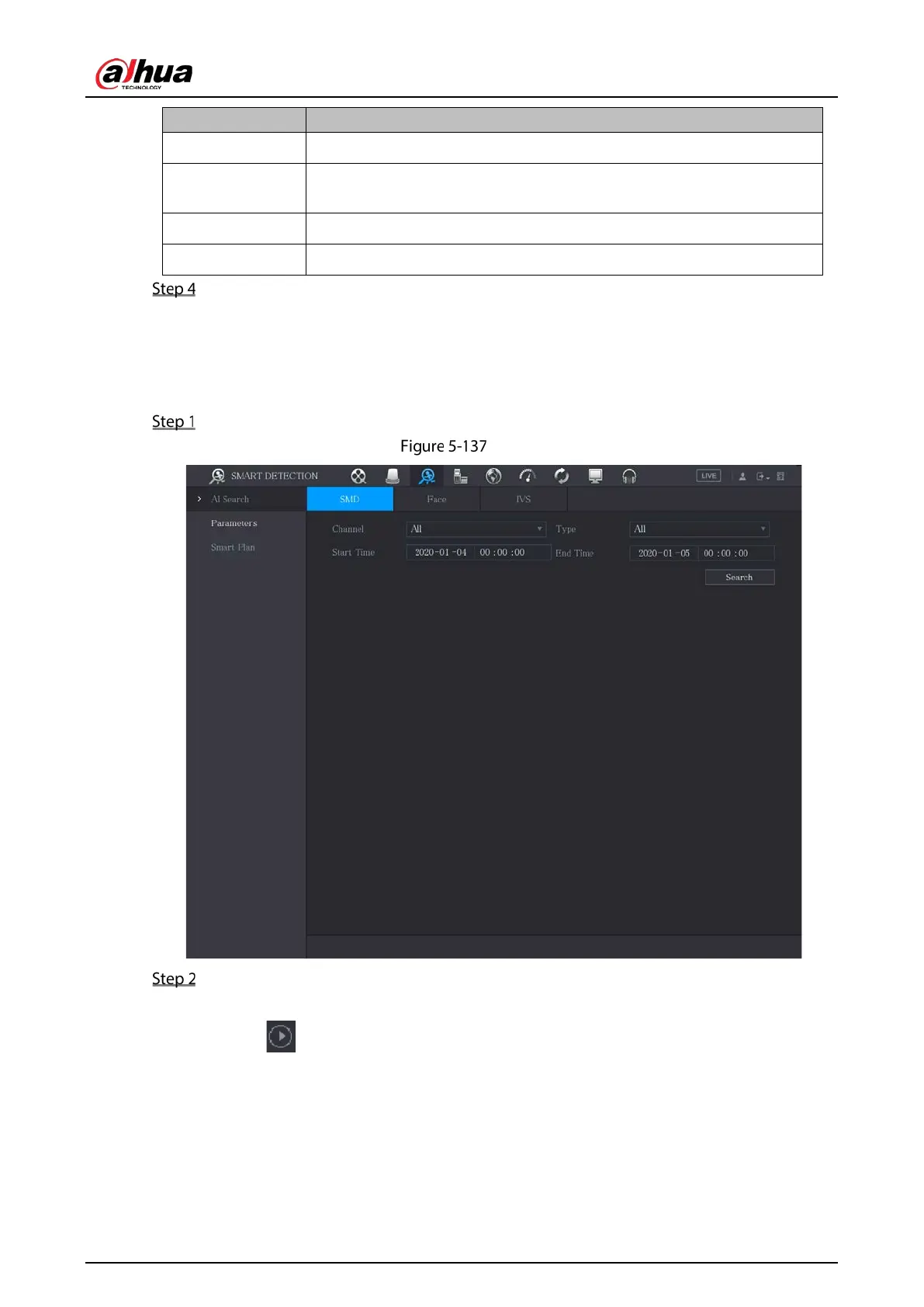
Filter SMD videos that meet criteria and play back the videos.
Select Main Menu > SMART DETECTION > AI Search > SMD.
SMD
Select channel, type, begin time and end time, and then click Search.
The search result is displayed.
Click to play back the video.
Tick the check box before the video, and then click Backup to export the video to external
USB. DAV and MP4 format are supported.


 To Next Page
 Loading...