User’s Manual
192
5.11.3.1.2 Configuring Tripwire Rules
When the target object crosses the tripwire in the defined direction, the system activates alarms.
The tripwire can be configured as a straight line or broken line.
Supports detecting one-way or two-way tripwire crossing.
Supports multiple tripwires in the same scenario to meet the complexity.
Supports size filtering for target.
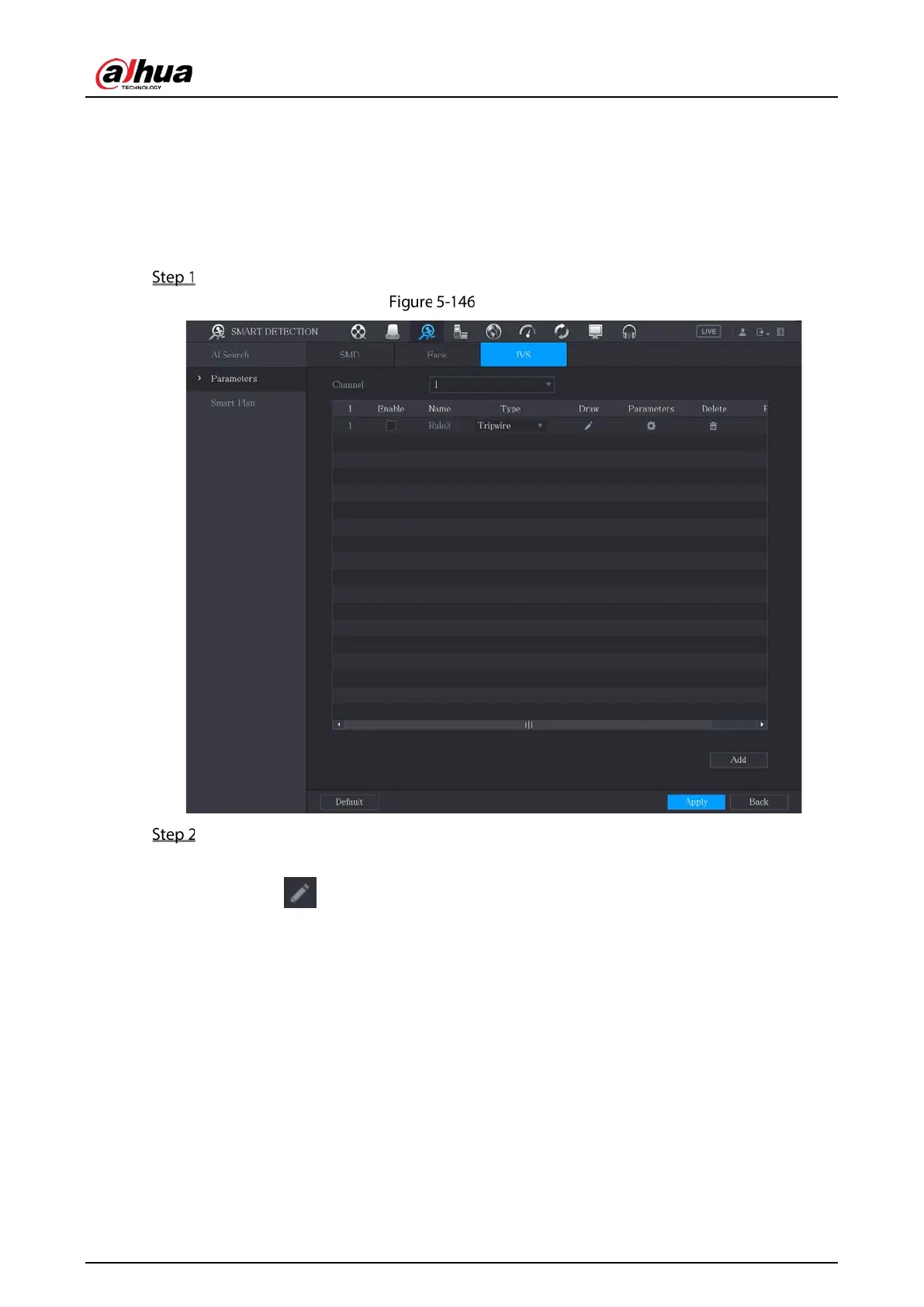
On the rule line that you added, in the Type list, select Tripwire.
Tripwire
Draw a tripwire.
1) In the Channel list, select the channel that you want to configure the rules for.
2) Click .
The monitoring screen to configure the tripwire rules is displayed. See Figure 5-147 for
analog camera and the IP camera without preset, and see Figure 5-148 for IP camera with
preset.


 To Next Page
 Loading...