385
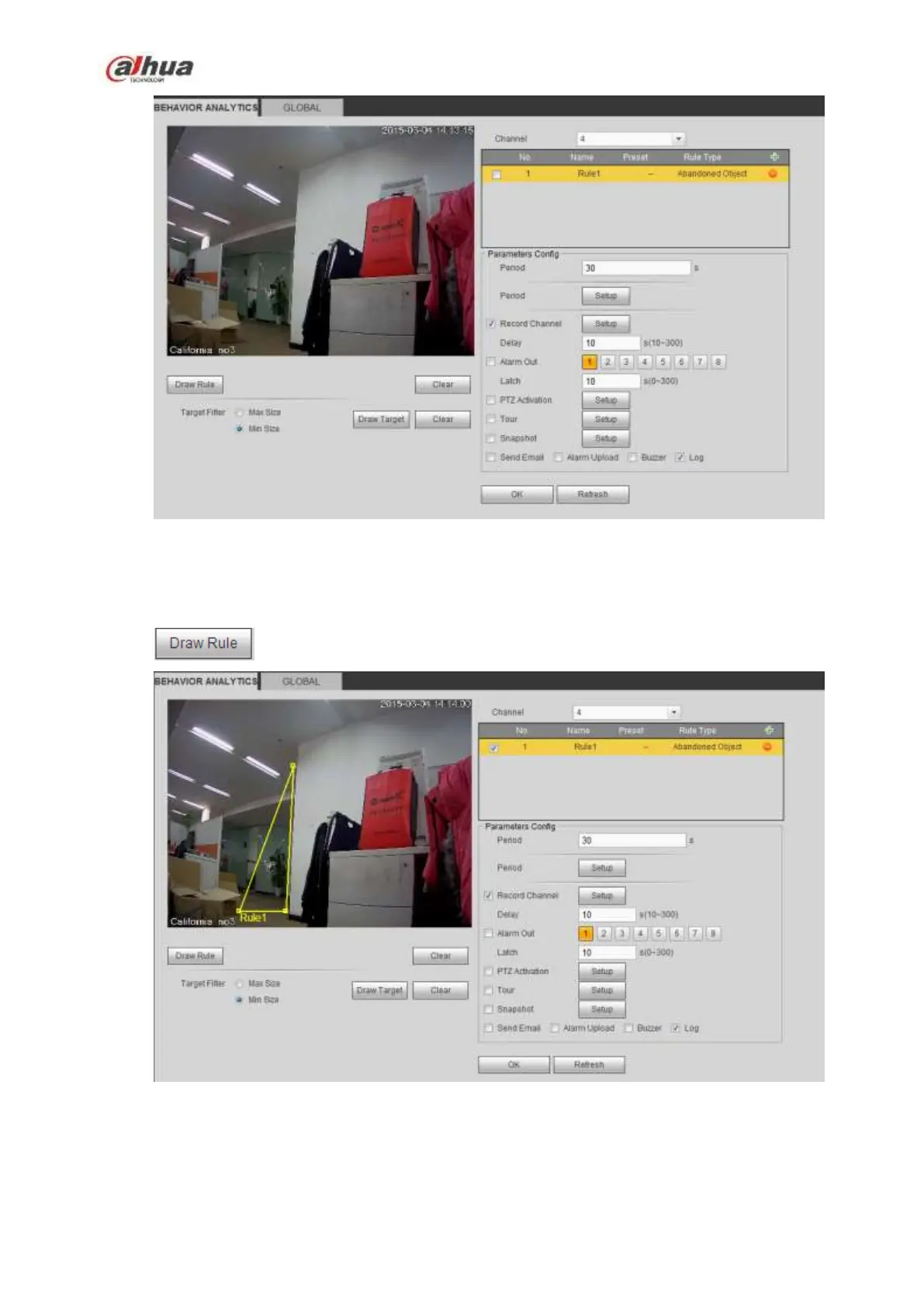
Figure 5-77
Check the Object box to enable object detect function.
Period: System can generate an alarm once the object is in the zone for the specified period.
Click to draw the rule. See Figure 5-78.
Figure 5-78
Now you can draw a rule. Left click mouse to draw a line, until you draw a rectangle, you can right click
mouse.
Click Ok to complete the rule setup.


 To Next Page
 Loading...