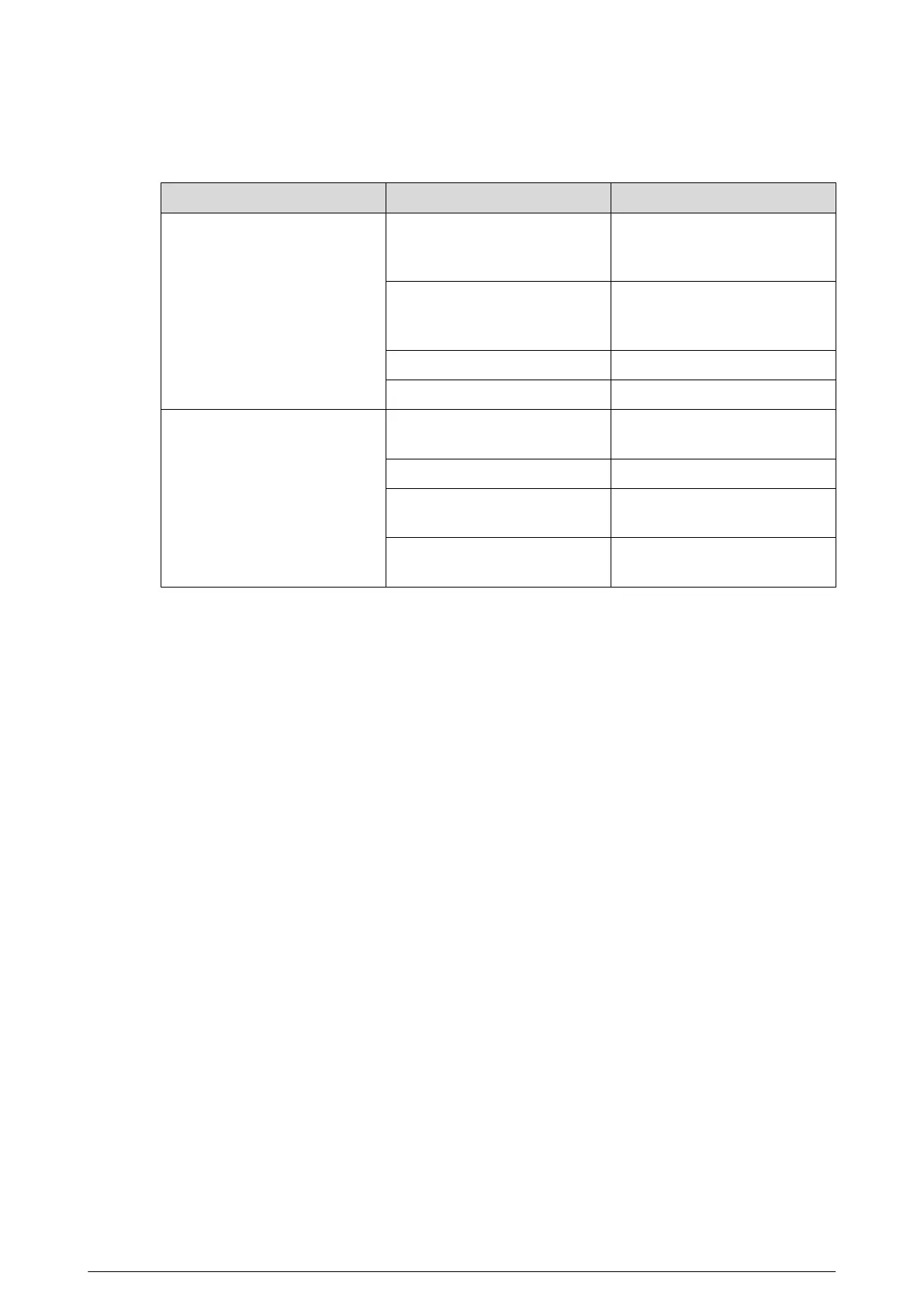
3.3 FAQ on RS-485 Cable
Malfunction Possible Reason Solution
The Device can perform self-
check, but is out of control.
Baud rate/address of the host
and Device are not matched.
Modify the baud rate/address
of the host or Device to be
matched.
Positive electrode and negative
electrode of RS-485 cable are
misconnected.
Connect cables to the positive
electrode and negative
electrode correctly.
Loose connection. Connect the cables rmly.
RS-485 cable is broken. Replace RS-485 cable.
The Device can be controlled,
but the operation is not
smooth.
RS-485 cable is in poor contact.
Connect the RS-485 cable
rmly.
RS-485 cable is broken. Replace RS-485 cable.
The distance between the host
and the Device is too long.
Install terminal resistance.
Too many cameras are
connected parallelly.
Install RS-485 distributors.
10


 To Next Page
 Loading...