11
Basic Operation (Use of Direct Buttons)
1
Setting
Main Menu
1/2
Return
Quick Start
Ventilation
Energy Saving Options
Schedule
Filter Auto Clean
Maintenance Information
Display the Main Menu screen. (Refer to
page 27.)
Press " " buttons to select
Schedule .
Press Menu/Enter button to display the
Schedule screen.
Clock has not been set.
Would you like to set it now?
Schedule
Yes No
Return Setting
ate Time
ear
onth
ay
Tuesday
Return etting
%HIRUHVHWWLQJWKHVFKHGXOHWKHFORFNPXVW
be set.
,IWKHFORFNKDVQRWEHHQVHWDVFUHHQOLNH
WKHRQHRQWKHOHIWZLOODSSHDU
Pres
s " "
buttons to select Yes and
press Menu/Enter button.
7KH'DWH7LPHVFUHHQZLOODSSHDU
6HWWKHFXUUHQW\HDUPRQWKGD\DQGWLPH
(Refer to "Clock & Calendar" on
page 55.)
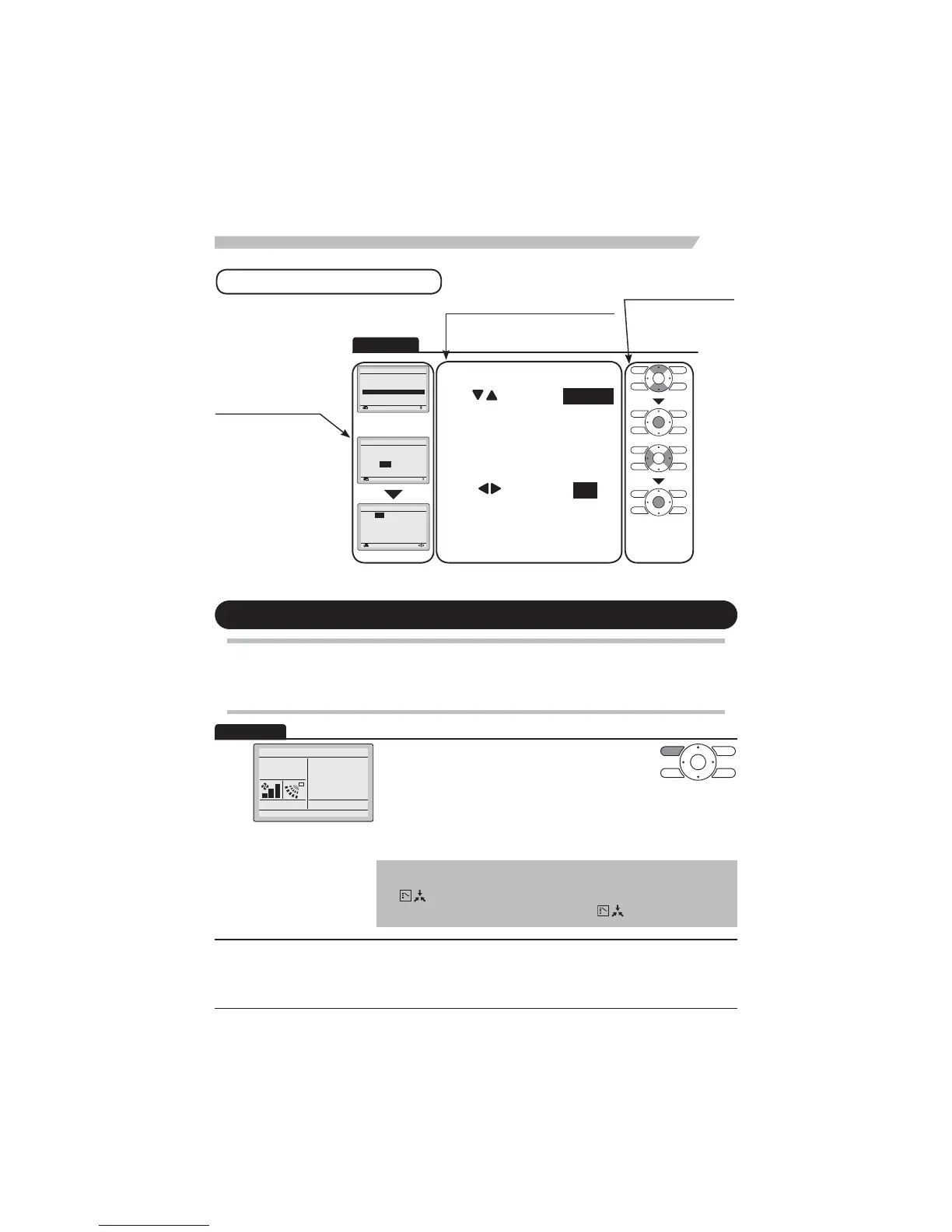
How to follow the operation manual
Operation procedure
Explains a button operation procedure.
Operation button
Describes the positions of
buttons to be pressed.
Operation
screen display
Describes screens that
ZLOOEHGLVSOD\HGRQWKH
remote controller.
Cool/Heat/Auto/Fan Operation
Preparation
)RUPHFKDQLFDOSURWHFWLRQSXUSRVHVWXUQRQWKHSRZHUWRWKHDLUFRQGLWLRQHUDWOHDVWKRXUV
before starting the operation.
1
Cool
Set to
Cool
28°C
Press Mode Selector button several times until the
GHVLUHGPRGH&RRO+HDW)DQRU$XWRLVVHOHFWHG
.
*Unavailable operation modes are not displayed.
*Only the Cool or Fan mode can be selected if the air conditioner
is a cooling only model.
Note
The cooling or heating mode cannot be selected if the icon
"
" (Changeover Under Control) is displayed on the remote
controller. Refer to page 19 if the icon "
" display blinks.
Operation
Basic screen



 To Next Page