4
READ BEFORE OPERATION
Preparation before Operation
■
Turn the breaker ON
Turn the breaker ON if nothing is displayed on the LCD of the remote controller.
■
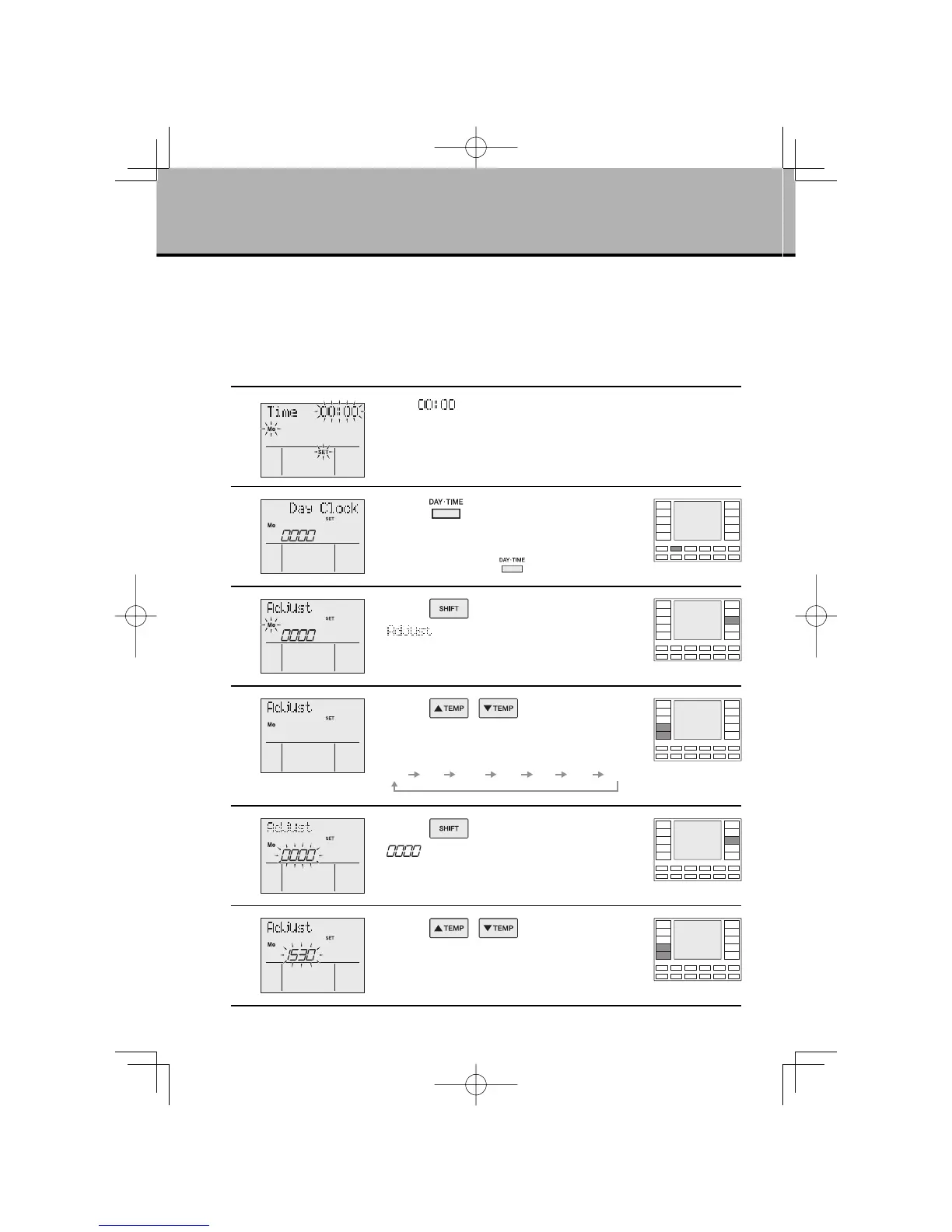
Time and Day Settings
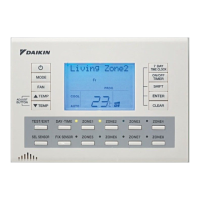
* If two remote controllers are connected, time and day settings can be made in the master remote
controller only.
1
●
“Mo”, “ ”, “SET” : blinks
●
The above appears if no time and day settings have been made yet.
To change the current time and day settings, begin with STEP 2.
2
Press “ button”.
●
The normal display will appear after a while if you do
not press a button.
In this case press the “
button” once again.
3
Press “ button”.
●
“ ” is displayed on the LCD.
“Mo” blinks.
●
Go to the day setting section.
4
Press “ , button” and
select the day.
●
Days are displayed on the LCD.
Mo Tu We Th Fr Sa Su
5
Press “ button”.
●
“ ” : blinks
●
Go to the time setting section.
6
Press “ , button” to
adjust the present time.
●
Keep pressing the button to advance the displayed
time quickly.
01EN3P209820-1.inddSec1:601EN3P209820-1.inddSec1:6 2007/11/0612:05:152007/11/0612:05:15



 To Next Page