10
•
The wireless LAN connecting adapter is ready
to connect.
•
The wireless LAN connecting adapter is disabled.
• Malfunction in communication between the indoor
unit and the wireless LAN connecting adapter.
Please refer to the troubleshooting guide or
contact the store where you bought
the air conditioner to request a repair service.
•
The wireless LAN connecting adapter is
connected to a modem/router.
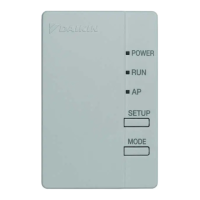
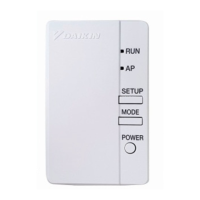
Wireless LAN connecting adapter lamp
Blinks for one second
No blinking/no light
Lamp stays lit
Status
Configuration
Configuration
Wireless Connection
Setting Section
• Turn off the air conditioner before setting up wireless connection.
Turn on the main power supply
Prior to setting up, please make sure your device is ready to connect. You may refer to the indoor unit
LED table for guidance.
Check the indoor unit LED.
Functionality Check
While operation is stopped, press the POWERFUL button
and hold the button for 5 seconds.
Press the TEMP button and select SP menu .
Press the POWERFUL button to confirm the selected setting.
• The wireless LAN connecting adapter lamp (orange) blinks for one second.
Press the CANCEL button to return to the default screen.
1
2
3
4



 To Next Page