5. Units overview (Home)
5
.1. Overview
Set icons and names for the units.
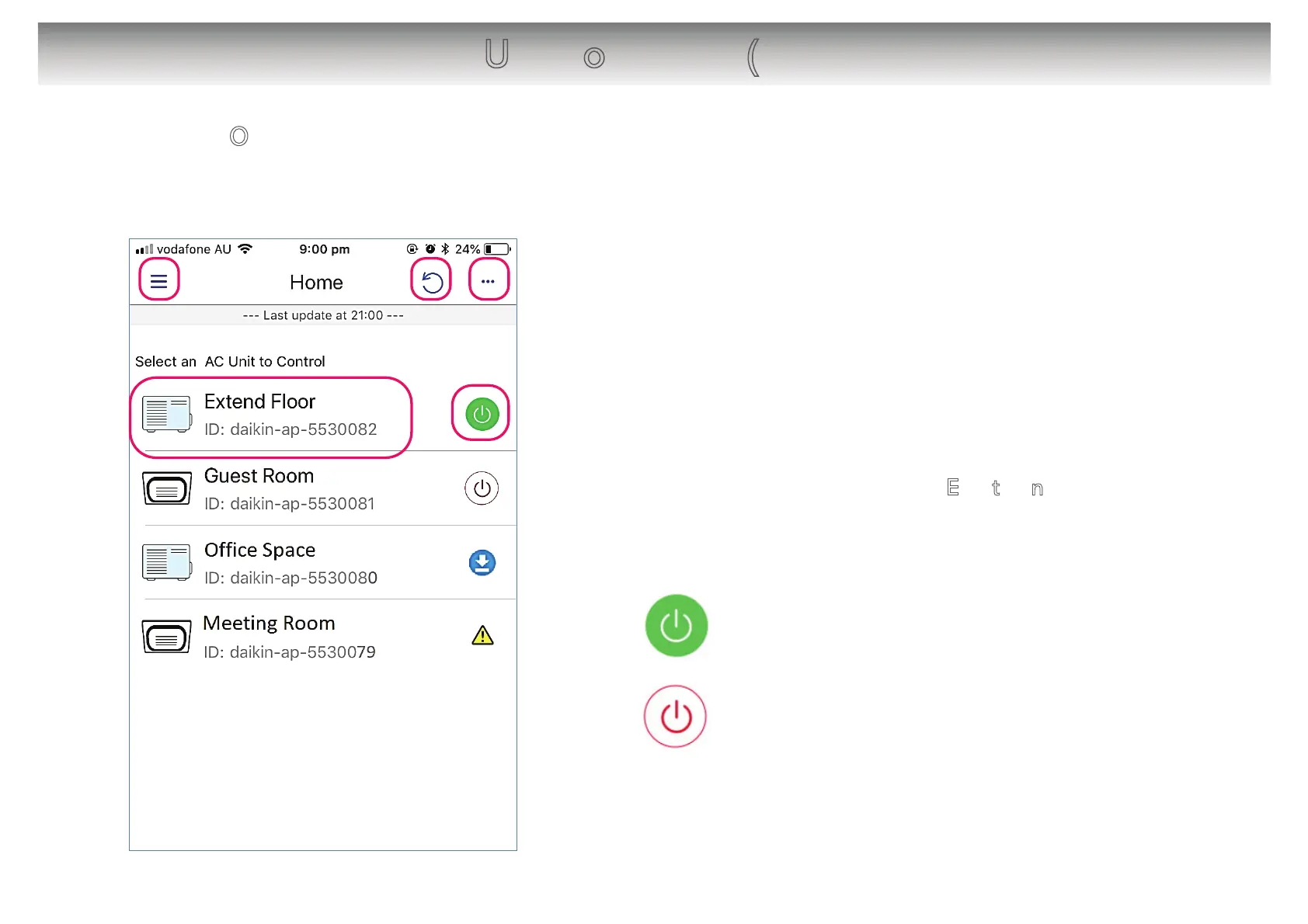
[About the screen]
䙿 Tap to open/close the App menu.
䚀 Tap to refresh the screen.
䚁 Displays more options menu.
䚂 Displays icon, name of the unit and ID.
To change units name → 5
.2. Edit the names
䚃 Tap to turn On/Off the unit.
: Unit is On
: Unit is Off
12
䙿
䚂
䚀 䚁
䚃


 To Next Page