2. About the App
2.2. App menu
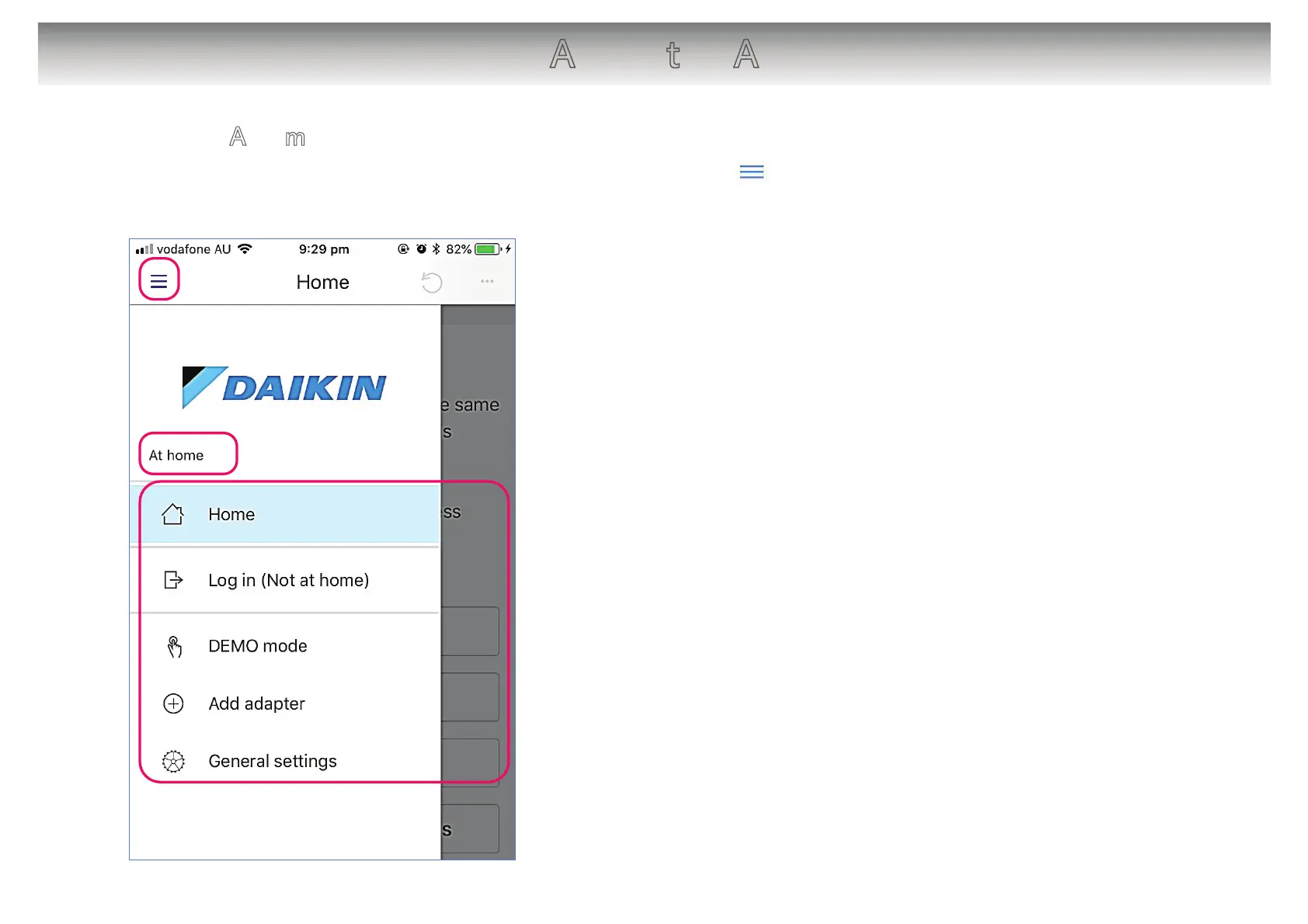
The App menu can be accessed by tapping the Menu on the screen.
[About the screen]
䙿 Tap to open/close the App menu.
䚀 Displays the current status of the connection with the
system.
“In-Home” (At home): Connected via domestic LAN. Displays
when operating from indoors.
“Out-of-Home” (Not at home): Connected via server using
“Out-of-Home” (Not at home) function. Displays when
operating from outside the home.
䚁 App menu items
● Home
● Log in (Not at home) “Out-of-Home”
● DEMO mode
● Add adapter
● General settings
6
䙿
䚀
䚁



 To Next Page