6. Operation Setting
6
.1. Operation Screen setting
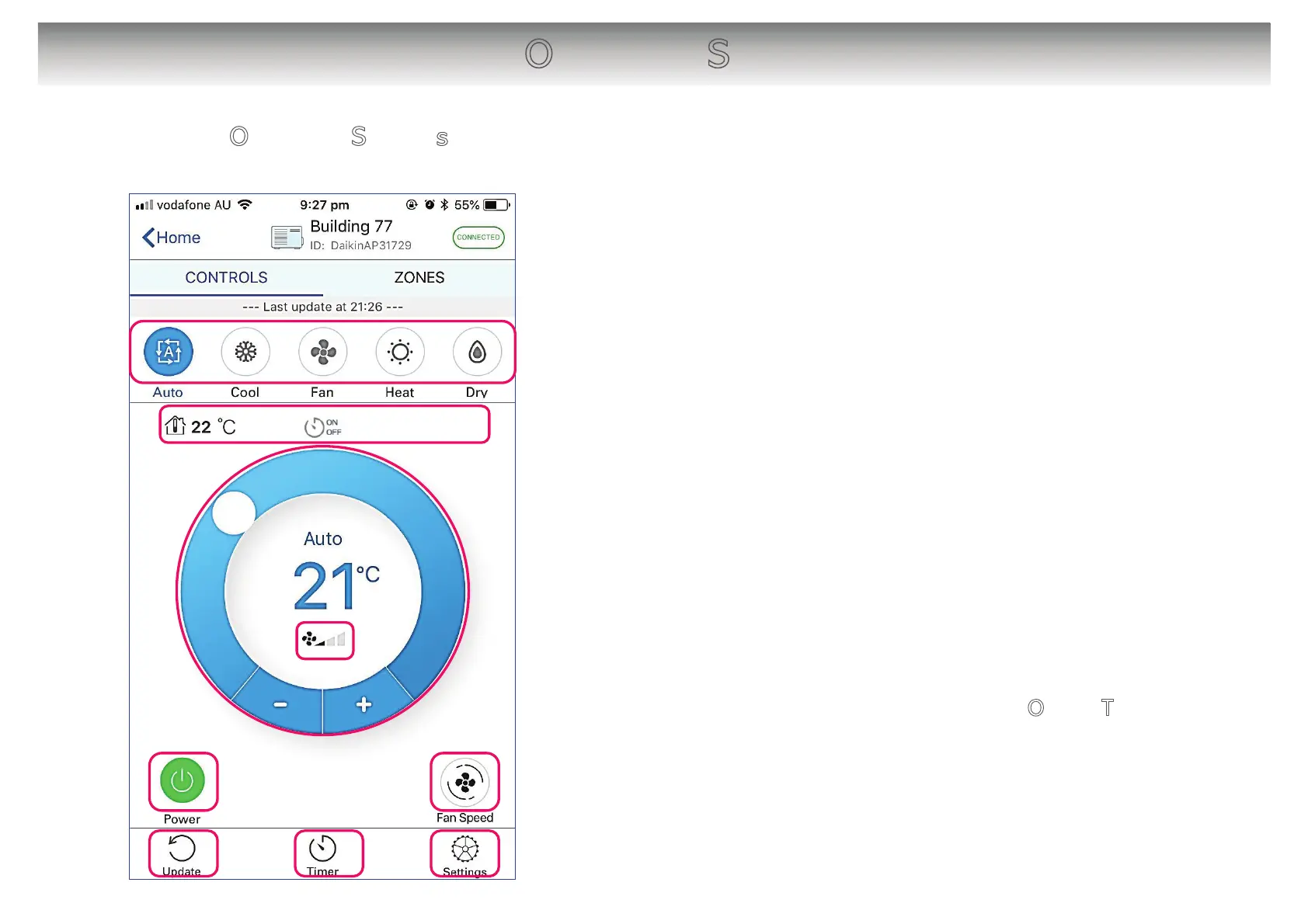
[About the screen]
䙿 Tap to turn On/Off the unit.
䚀 Displays operation mode. Tap to select operation mode.
(Displayed items vary by unit model.)
䚁 Displays temperature and timer status.
(Displayed items vary by unit model.)
䚂 Displays target temperature.
Slide the “○” or tap “+ / -” to set target temperature.
䚃 Display Airflow rate.
䚄 Tap to set Airflow rate.
䚅 Tap to refresh the screen.
䚆 Tap to On/Off Timer the screen. → 7. On/Off Timer
䚇 Tap to open Adapter settings screen.
14
䙿
䚁
䚀
䚂
䚄
䚃
䚅 䚇䚆


 To Next Page