35
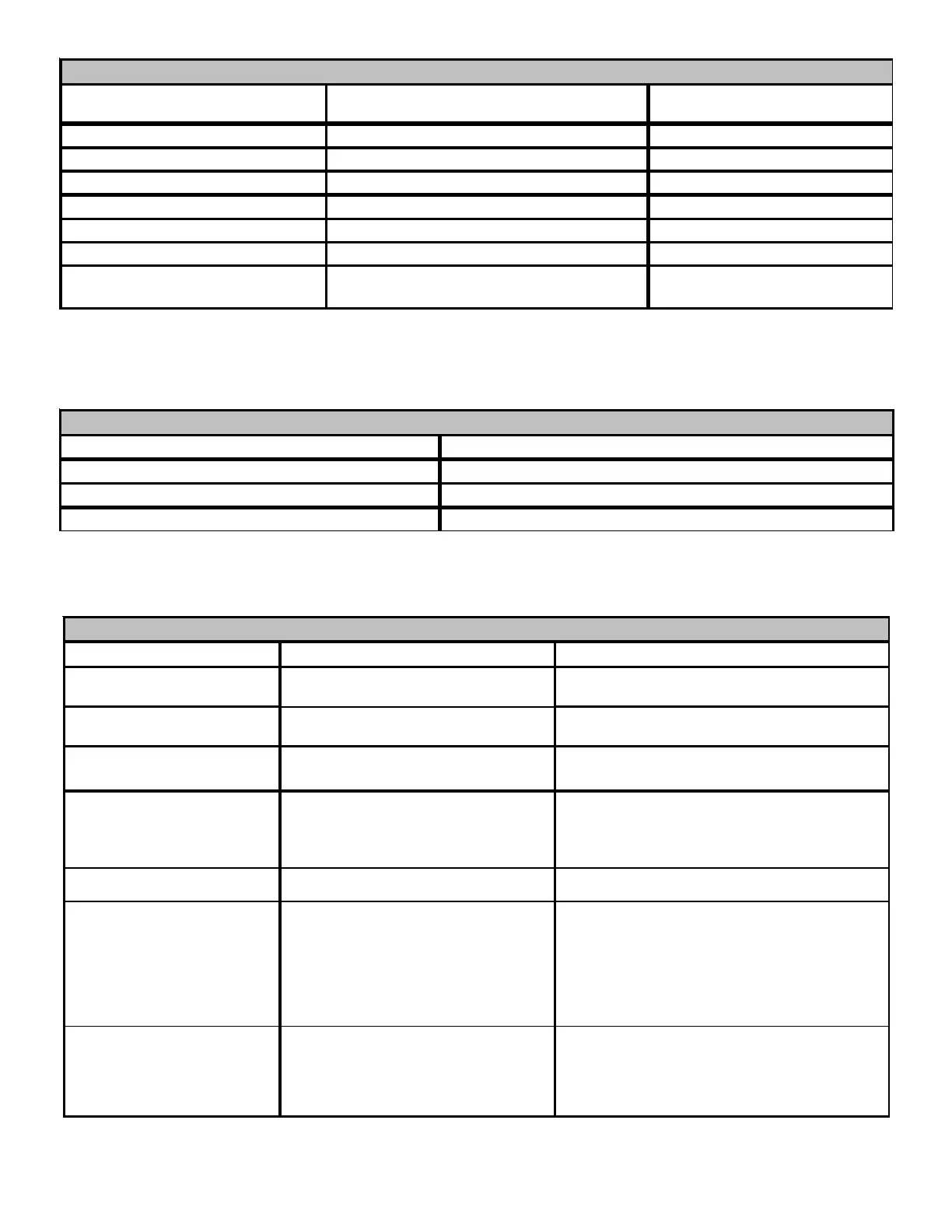
Submenu Item User Modifiable Options Comments
Heat Airflow Trim (HT TRM)
-10% to +10% in 2% increments,
default is 0%
Trims the heating airflow by the selected
amount.
Heat ON Delay (HT ON
5, 10, 15, 20, 25, or 30 seconds,
default is 30 seconds
Selects the indoor blower heat ON delay
Heat OFF Delay (HT OFF)
30, 60, 90, 120, 150, or 180 seconds,
default is 150 seconds
Selects the indoor blower heat OFF delay
Heat Airflow (HT ADJ) 1, 2, 3, or 4
Selects the nominal heating airflow (see
Startup Procedure and Adjustment –
Circulator Blower Speeds for addition
information)
Auxiliary Alarm ON / OFF Enable or Disable Auxiliary Alarm Input
Humidity Setting ON / OFF / IND
Select Humidity Relay Functionality. ON -
Humidifier is turned on with heat demand.
OFF - Humidifier remains off. IND - Humidifier
will cycle with humidification demand
(independent of an active heat demand)
Humidity Fan Speed 1, 2, 3, 4
Select Humidity Fan Speed (this option is
enabled when Humidity Setting of IND is
selected). 1 - 25%, 2 - 50%, 3 - 75%, 4 -
100% of maximum airflow.
SET-UP
Submenu Item Indication/User Modifiable Options Comments
Fault 1 (FAULT #1) Most recent furnace fault For display only
Fault 2 (FAULT #2) Next most recent furnace fault For display only
Fault 3 (FAULT #3) Next most recent furnace fault For display only
Fault 4 (FAULT #4) Next most recent furnace fault For display only
Fault 5 (FAULT #5) Next most recent furnace fault For display only
Fault 6 (FAULT #6) Least recent furnace fault For display only
Clear Fault History (CLEAR) NO or YES
Selecting “YES” clears the fault
history
NOTE:
Consecutively repeated faults are shown a maximum of 3 times
DIAGNOSTICS
Submenu Item Indication (for Display Only; not User Modifiable)
Model Number (MOD NUM) Displays the furnace model number
Serial Number (SER NUM) Displays the furnace serial number (Optional)
Software (SOFTWARE) Displays the application software revision
IDENTIFICATION



 To Next Page