User’s Manual EM11A015B
intelligent Touch Manager
209
9. System Settings
9-1 Network Settings
With iTM, you can operate it remotely via the Internet, or receive notication via E-mail in the case
of an error. To use these functions, you must set up the network on the iTM unit.
The following describes how to set this up.
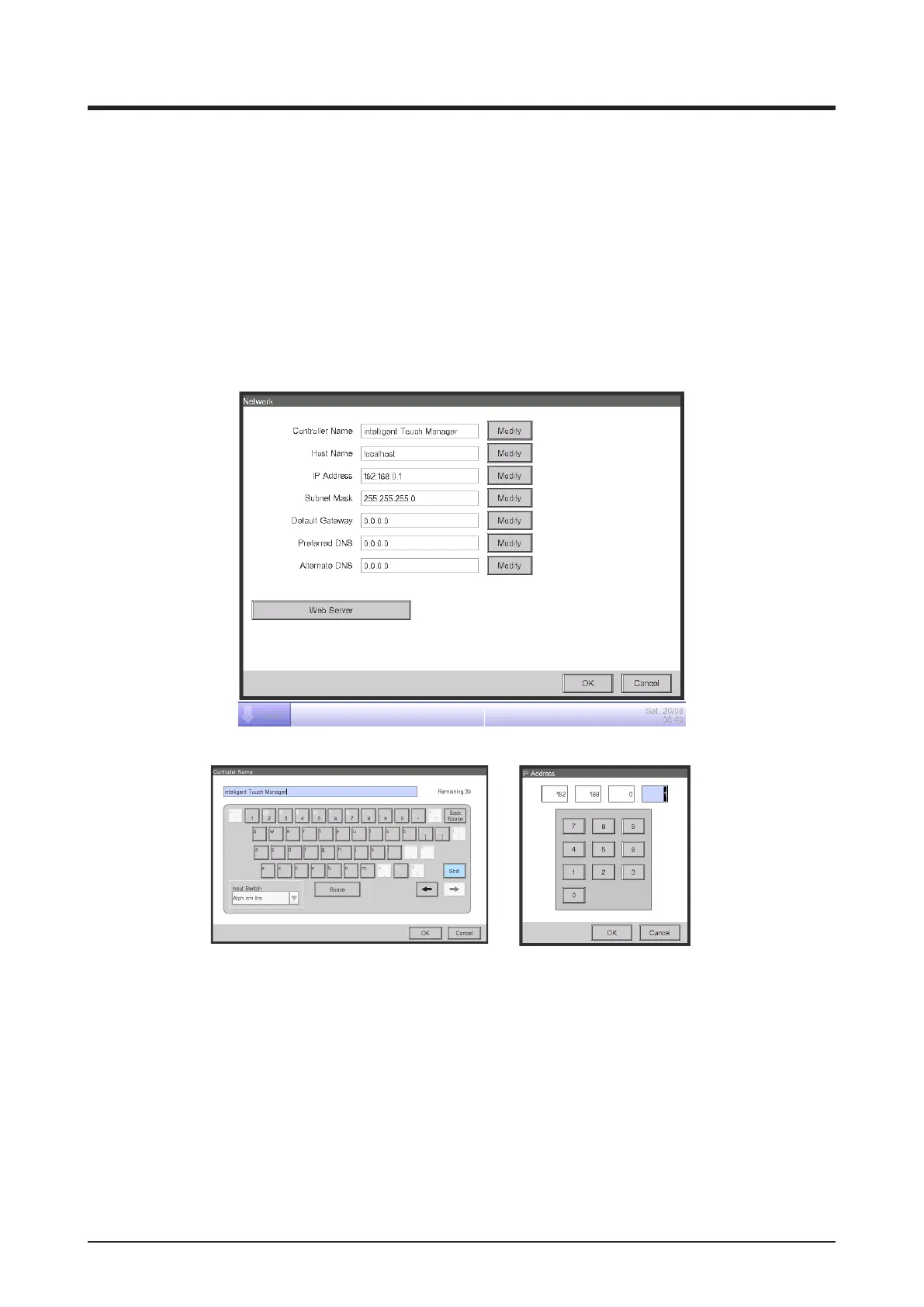
1. Touch the Network button on the System Settings tab of the Menu List screen and display the
Network screen (see “4-5 Menu List screen: System Settings Tab”).
(1)
(2)
(3)
(4)
(5)
(6)
(7)
<Text Input dialog>
<IP Address Input dialog>



 To Next Page