User’s Manual EM11A015B
intelligent Touch Manager
217
Logging in/out to/from a PC
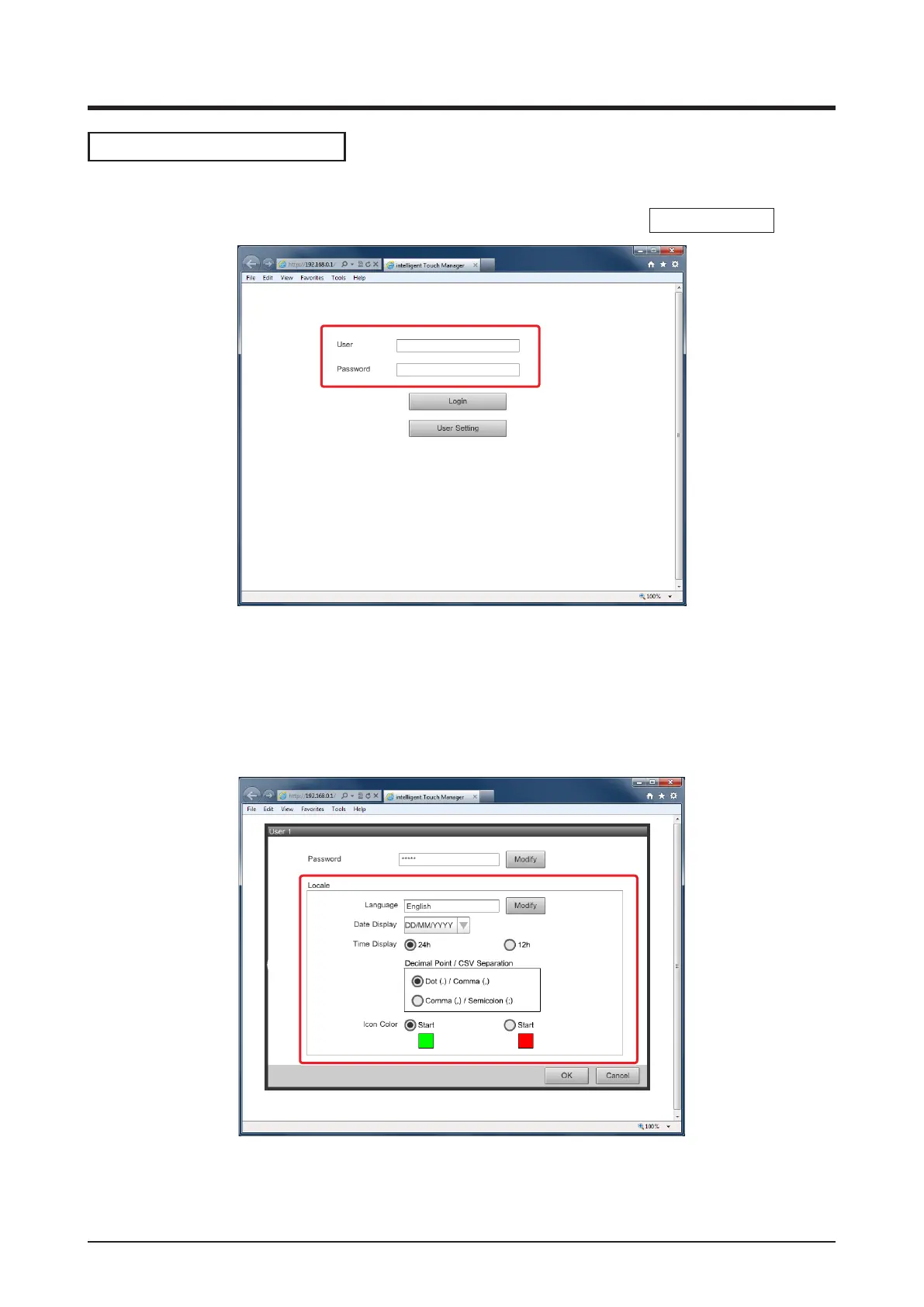
1. The Login screen appears when you access the iTM by launching the Web browser on a PC
and entering the IP address of an iTM unit with network settings (http://
iTM IP address
).
(13)
(14)
(15)
The display language of the Login screen follows the iTM unit locale setting.
Enter the user name and password in (13) and click the Login button (14). The Web Remote
Management screen (Icon view) appears if authentication is successful.
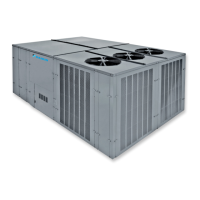
2. Entering the user name and password, and clicking the User Setting button (15) displays the
User Setup screen where you can change the login password and set the locale.
(16)
(17)
The Modify button (16) allows you to change the login password.
(17) is for setting the locale to be used by the PC. The information you can set is the same as
that of the iTM unit locale setting. Set this as described in “6-5 Setting up the Locale”.



 To Next Page