User’s Manual EM11A015B
intelligent Touch Manager
35
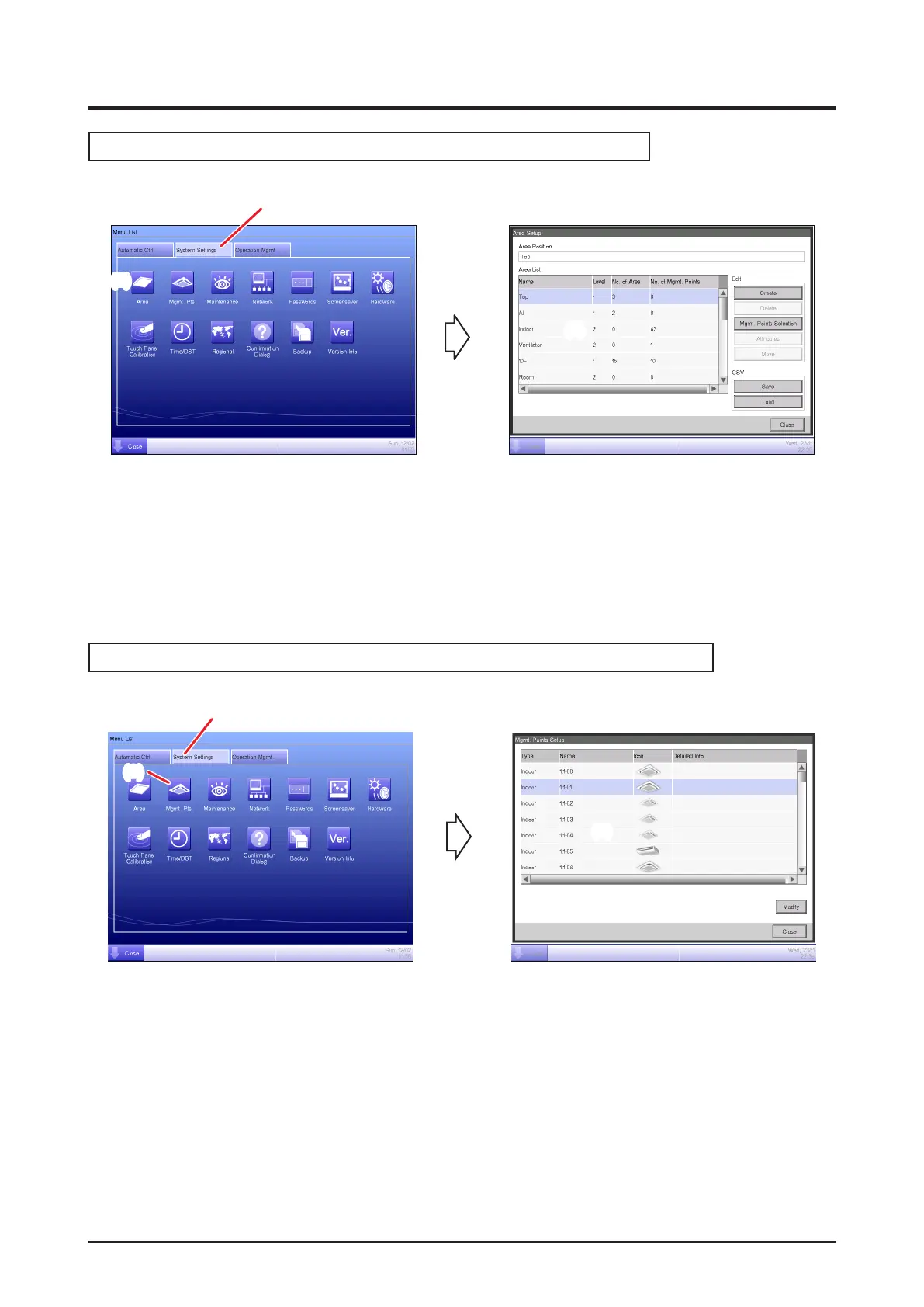
Checking settings such as Area Name, Detailed Info., and Icon
(1)
(2)
(3)
(1) Select the System Settings tab on the Menu List screen.
(2) Touch the Area button and display the Area Setup screen.
(3) Check settings in the Area List.
(For detailed operation, see “6-1 Naming and setting up the detailed information of an area”.)
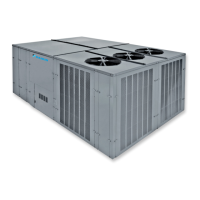
Checking settings such as Mgmt. Point Name, Detailed Info., and Icon
(1)
(2)
(3)
(1) Select the System Settings tab on the Menu List screen.
(2) Touch the Mgmt. Pts. button and display the Mgmt. Points Setup screen.
(3) Check settings in the Mgmt. member list.
(For detailed operation, see “6-2 Setting up a Management Point”.)



 To Next Page