22
TIMER Operation
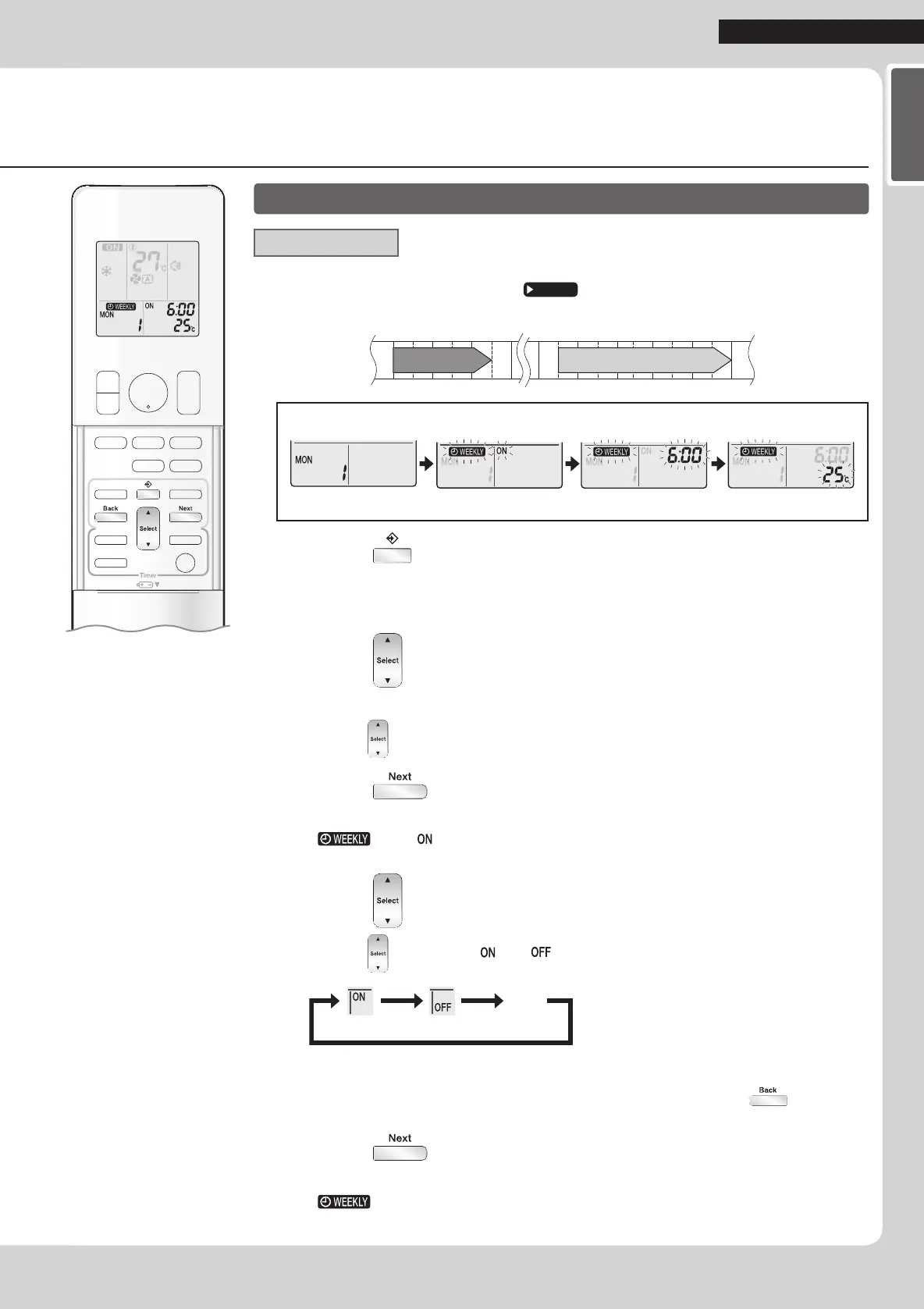
To use WEEKLY TIMER operation
Setting mode
•Makesurethedayoftheweekandtimeareset.
Ifnot,setthedayoftheweekandtime.
Page 10
6:00 8:30 17:30 22:00
25°C 27°C
Programme 1 Programme 2 Programme 3 Programme 4
ON OFF ON OFF
[Monday]
Setting Displays
Dayandnumber ON/OFF Time Temperature
1. Press .
•Thedayoftheweekandthereservationnumberofthecurrentdaywillbedisplayed.
•1to4settingscanbemadeperday.
2. Press to select the desired day of the week
and reservation number.
•Pressing changesthereservationnumberandthedayoftheweek.
3. Press .
•Thedayoftheweekandreservationnumberwillbeset.
•“
”and“ ”blink.
4. Press to select the desired mode.
•Pressing changesthe“ ”or“ ”settinginsequence.
ON TIMER OFF TIMER
blank
No Setting
•Incasethereservationhasalreadybeenset,selecting“blank”deletesthereservation.
•ProceedtoSTEP
9if“blank”isselected.
•Toreturntothedayoftheweekandreservationnumbersetting,press
.
5. Press .
•TheON/OFFTIMERmodewillbeset.
•“
”andthetimeblink.
01_EN_3P384084-2.indd 22 11/4/2014 2:09:54 PM








 To Next Page