EasyManua.ls Logo

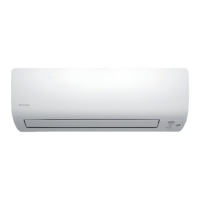
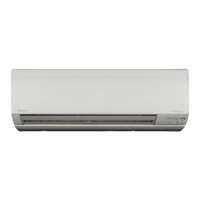
Daikin FTXS20G2V1B - User Manual

Daikin FTXS20G2V1B
38 pages
Print Icon
To Next Page IconTo Next Page
Loading...
Deutsch
English
Français
Nederlands
Español
Italiano
ΕλληνικÜ
Portugues
Рóссêий
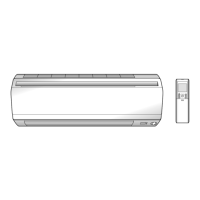
DAIKIN ROOM AIR CONDITIONER
Operation Manual
Türkçe
MODELS FTXS20G2V1B FTXS25G2V1B
FTXS35G2V1B FTXS42G2V1B
FTXS50G2V1B
00_CV_3P207037-1.fm Page 1 Tuesday, June 5, 2007 10:38 AM

Other manuals for Daikin FTXS20G2V1B

Questions and Answers

  • C
    Christopher MorganJul 31, 2025
    Why is the cooling or heating effect poor on my Daikin FTXS20G2V1B Air Conditioner?
    • J
      Jason BallJul 31, 2025
      If your Daikin Air Conditioner's cooling or heating effect is poor, check the following: * Ensure the air filters are clean. * Make sure nothing is blocking the air inlet or outlet of the indoor and outdoor units. * Verify the temperature setting is appropriate. * Confirm that all windows and doors are closed. * Check that the airflow rate and air direction are set correctly.
  • C
    Clayton DavidsonAug 4, 2025
    What to do if my Daikin FTXS20G2V1B has an abnormal functioning during operation?
    • D
      Darrell RiceAug 5, 2025
      If your Daikin Air Conditioner experiences an abnormal functioning during operation, turn the breaker OFF, then turn it ON again. After that, try operating the air conditioner with the remote controller.
  • J
    Joseph AllenAug 10, 2025
    How to troubleshoot a Daikin FTXS20G2V1B Air Conditioner that does not operate?
    • A
      athompsonAug 10, 2025
      If your Daikin Air Conditioner does not operate and the OPERATION lamp is off, check the following: * Ensure that a breaker hasn’t turned OFF or a fuse hasn’t blown. * Confirm that there isn’t a power failure. * Verify that batteries are properly installed in the remote controller. * Check if the timer setting is correct.
  • S
    Stephanie KentAug 14, 2025
    What to do if my Daikin Air Conditioner indoor unit stops in heat pump mode?
    • W
      William HillAug 15, 2025
      If your Daikin heat pump model indoor unit stops or doesn't operate when the heat pump model is selected, it may be due to the unit being in cooling, dry, or fan operation mode, which will cause it to stop if the heating mode is selected. If the unit is not in operation and the Run button is pressed while in heating mode, the unit will not start. Check the specifications of the outdoor unit. If it is a cooling-only model, set the remote controller for a cooling-only model using the cooling-only/heat pump switch.
  • J
    Jessica RomeroAug 20, 2025
    Why can't I select heating on my Daikin Air Conditioner?
    • L
      Laura SellersAug 20, 2025
      To enable heating on your Daikin unit, set the remote controller for heat pump model using the cooling only/heat pump switch on the remote controller.
  • C
    Charles WebbAug 26, 2025
    What to do if my Daikin FTXS20G2V1B stops suddenly and the operation lamp flashes?
    • G
      Gerald LarsenAug 26, 2025
      If your Daikin Air Conditioner operation stops suddenly and the OPERATION lamp is flashing, first ensure the air filters are clean and that nothing is blocking the air inlet or outlet of either the indoor or outdoor units. Clean the filters or remove any obstructions, then turn the breaker OFF and back ON. Try operating the air conditioner with the remote controller again. If the lamp continues to flash, it is recommended to contact the shop where you purchased the air conditioner. Also, if you are using a multi-system, ensure all indoor units connected to the outdoor units are set to the same operation mode.

Summary

Safety Precautions

General Warnings and Cautions

Provides essential safety warnings and cautions for unit operation and handling.

Installation Site Considerations

Noise Nuisance and Electrical Work

Guidelines for choosing an appropriate installation location and addressing related factors like noise and electrical requirements.

Component Identification

Indoor Unit Components

Details and illustrations of parts for the indoor unit.

Outdoor Unit Components

Details and illustrations of parts for the outdoor unit.

Remote Controller Operations

Controller Overview and Setup

Explanation of the remote controller's functions, display, setup, and holder mounting.

Initial Setup and Preparation

Battery Installation and Holder Mounting

Steps for installing batteries and mounting the remote controller holder.

Setting the System Clock

Clock Setting Procedure

Instructions for setting the internal clock of the air conditioner for timed operations.

Initial Operation Checks

Power and Settings Checks

Essential checks before operating the unit, including power and remote settings, and energy saving tips.

Basic Operation Modes

Starting, Stopping, and Temperature

How to start, stop, and adjust temperature settings for different operation modes.

Airflow Control

Adjusting Airflow Rate and Operation Notes

Guidance on adjusting airflow rate and understanding operational notes for different modes.

Airflow Direction Adjustment

Horizontal, Vertical, and 3 D Airflow

Instructions for controlling horizontal, vertical, and 3D airflow directions.

Smart Airflow Features

Comfort and Intelligent Eye Modes

Details on Comfort Airflow and Intelligent Eye modes for enhanced comfort and energy saving.

Advanced Operation Modes

Intelligent Eye Energy Saving and Cautions

Information on Intelligent Eye energy saving features and system cautions.

High Power Operation

Powerful Mode Activation and Notes

How to activate and deactivate the Powerful mode for maximum cooling/heating.

Outdoor Unit Noise Reduction

Quiet Operation

How to enable and disable the Quiet Operation mode for reduced outdoor unit noise.

Economy Mode

Econo Mode Activation

Instructions for activating the Econo mode to limit maximum power consumption.

Timer Functions

Off Timer and Night Mode

Setting and managing the Off Timer and Night Set Mode for automatic operation.

Timer Functions (On Timer)

On Timer and Combined Timers

Setting the On Timer, cancelling it, and combining it with the Off Timer.

Weekly Timer Programming

Weekly Timer Use Cases

Guidance on using the Weekly Timer, including setup and common use cases.

Weekly Timer Programming

Setting the Weekly Timer

Detailed steps for setting the Weekly Timer for daily schedules and operations.

Weekly Timer Programming

Copying Timer Settings

Instructions on how to copy timer settings between different days of the week.

Weekly Timer Management

Confirming and Canceling Reservations

Procedures for confirming and canceling weekly timer reservations.

Multi-System Operation Details

System Overview and Mode Priority

Overview of multi-system functionality and how operation mode priorities are set.

Multi-System Operation Details

Night Quiet and Outdoor Quiet Modes

Details on Night Quiet and Outdoor Quiet modes in multi-system setups.

Multi-System Operation Details

Priority with Special Operations

How priority settings affect special operations like Powerful mode and Outdoor Quiet mode.

Unit Maintenance

General Cleaning Procedures

General procedures for cleaning the indoor unit, outdoor unit, and remote controller.

Front Panel Maintenance

Specific instructions for cleaning and attaching the front panel of the indoor unit.

Filter Maintenance

Air Filter Cleaning

Instructions for cleaning the standard air filters.

Photocatalytic Filter Maintenance

Instructions for cleaning and replacing the photocatalytic air-purifying filter.

System Checks and Idle Storage

Filter Performance Notes

Notes on the importance of clean filters for performance and air quality.

Pre-Storage Procedures

Guidance on preparing the unit for long periods of inactivity.

Troubleshooting Common Issues

Common Non-Trouble Scenarios

Identification and explanation of common situations that may appear as troubles.

Troubleshooting Common Issues

Operation and Performance Checks

Steps for checking operation, performance, and common faults.

Service and Disposal

Service Calls and Disposal

Information on when to contact service and guidelines for product disposal.

Refrigerant Information

Important information regarding the refrigerant used in the unit.

Fault Diagnosis

Remote Controller Diagnostic Mode

Procedures for entering diagnostic mode via the remote controller.

Error Code Meanings

Explanation of error codes displayed on the remote controller.

Outdoor Unit PCB LED Indicators

LED Codes and Diagnosis

Explanation of LED indicators on the outdoor unit PCB for fault diagnosis.

Daikin FTXS20G2V1B Specifications

General IconGeneral
Cooling Capacity2.0 kW
Heating Capacity2.5 kW
Power Supply220-240V, 50Hz
Star Rating5 Star
Indoor Unit Weight9 kg
RefrigerantR410A
Indoor Unit Noise Level19 dB(A)

Related product manuals