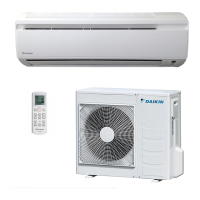
This document is an operation manual for Daikin Room Air Conditioners, covering models FTYN25DV3B, FTN25DV3B, FTYN35DV3B, FTN35DV3B, FTYN25DAV3B, FTN25DAV3B, FTYN35DAV3B, and FTN35DAV3B. It provides comprehensive information on the safe and effective use, maintenance, and troubleshooting of these units.
Safety Precautions
The manual emphasizes safety through "WARNING" and "CAUTION" classifications. Users are advised to keep the manual accessible and read it carefully before operation.
WARNINGS highlight actions that could lead to property damage, personal injury, or loss of life. These include:
- Not operating the unit near flammable or corrosive gases to prevent fire, explosion, or injury.
- Avoiding prolonged exposure to the air flow for health reasons.
- Not inserting fingers, rods, or other objects into the air outlet or inlet due to the high-speed rotating fan.
- Not attempting self-repair, relocation, modification, or reinstallation, as incorrect work can cause electric shocks, fire, etc. Professional consultation with a Daikin dealer is recommended for such tasks.
- Ensuring no contact between refrigerant leaks and flames (gas heaters, kerosene heaters, gas range). If cooling/heating is improper, a dealer should be contacted for potential refrigerant leaks.
- Not installing the air conditioner oneself, as incorrect installation can lead to water leakage, electric shocks, or fire. A qualified technician or dealer should perform installation.
- Stopping operation, turning off the breaker, and contacting the dealer immediately if any abnormality, such as the smell of fire, is detected.
CAUTIONS address actions that could result in minor or moderate property damage or personal injury. These include:
- Ensuring the air conditioner is properly earthed to prevent electric shocks. The earth line should not be connected to gas pipes, water pipes, lightning rods, or telephone earth lines.
- Not using the unit for cooling precision instruments, food, plants, animals, or works of art to avoid quality deterioration.
- Not exposing children, plants, or animals directly to the air flow.
- Avoiding placing open-flame appliances near the unit's air flow or under the indoor unit, as this can cause incomplete combustion or unit deformation.
- Not blocking air inlets or outlets, which can impair air flow and lead to insufficient performance or trouble.
- Not standing or sitting on the outdoor unit, or placing objects on it, and not removing the fan guard.
- Avoiding placing items susceptible to moisture under the indoor or outdoor unit, as condensation may drip.
- Regularly checking the unit stand and fittings for damage after long use.
- Not touching the air inlet and aluminum fins of the outdoor unit to prevent injury.
- Supervising young children to ensure they do not play with the appliance.
- Ventilating the room sufficiently if a burner-equipped appliance is used concurrently with the air conditioner to prevent oxygen deficiency.
- Stopping operation, turning off the breaker, or pulling out the supply cord before cleaning.
- Connecting the air conditioner only to the specified power supply to prevent trouble or fire.
- Installing an earth leakage breaker depending on the environment to prevent electric shocks.
- Arranging the drain hose for smooth drainage to prevent wetting of the building or furniture.
- Not placing objects near the outdoor unit or allowing leaves/debris to accumulate, as these can attract small animals that may cause malfunctions, smoke, or fire upon contact with electrical parts.
- Not operating the air conditioner with wet hands.
- Not washing the indoor unit with excessive water; use only a slightly wet cloth.
- Not placing water-containing vessels on top of the unit, as water ingress can degrade electrical insulation and cause electric shocks.
Installation Site and Electrical Work
- Installation Site: Consult the dealer for installation in environments with oily ambient conditions, steam/soot, salty air (coastal areas), sulfide gas (hot springs), or where snow might block the outdoor unit. The outdoor unit's drain must discharge to a good drainage location.
- Noise Considerations: Choose a solid installation location that does not amplify operation noise or vibration, and where discharged air or noise will not disturb neighbors.
- Electrical Work: Use a separate, dedicated power circuit for the air conditioner.
- System Relocation: Relocation requires specialized knowledge; consult the dealer for moving or remodeling.
Names of Parts
Indoor Unit
- Air filter
- Titanium Apatite Photocatalytic Air-Purifying Filter: Attached inside the air filters.
- Air inlet
- Front panel
- Panel tab
- Room temperature sensor: Senses ambient air temperature.
- Display
- Air outlet
- Flaps (horizontal blades): Adjustable for air flow direction (page 12).
- Louvres (vertical blades): Located inside the air outlet (page 12).
- Indoor Unit ON/OFF switch:
- Pushed once to start, once again to stop.
- Useful if the remote controller is missing.
- Emergency operation allows selection of cooling (22°C, AUTO air flow) or heating (26°C, AUTO air flow).
- Operation lamp (green)
- TIMER lamp (yellow): Indicates timer operation (page 14).
- Signal receiver: Receives signals from the remote controller, emitting a short beep for settings changes (beep-beep for start, beep for settings changed, beeeeep for stop).
Outdoor Unit
- Air inlet: (Back and side)
- Air outlet
- Refrigerant piping and inter-unit cable
- Drain hose
- Earth terminal: Located inside a cover.
Remote Controller (ARC445A1, A3)
- Signal transmitter: Sends signals to the indoor unit.
- Display: Shows current settings.
- POWERFUL button: Activates POWERFUL operation (page 13).
- ON/OFF button: Starts/stops operation, glows in the dark.
- TEMPERATURE adjustment buttons: Changes temperature settings.
- MODE selector button: Selects operation mode (AUTO/DRY/COOL/HEAT/FAN) (page 10).
- FAN setting button: Selects air flow rate setting.
- SWING button: Adjusts air flow direction (page 12).
- ON TIMER button: Sets ON timer (page 15).
- OFF TIMER button: Sets OFF timer (page 14).
- TIMER CANCEL button: Cancels timer settings.
Preparation Before Operation
Setting Batteries
- Pull down tabs on top to open the lid.
- Insert two AAA dry batteries.
- Insert bottom tabs and close the lid.
Battery Attention:
- Replace both old batteries with new ones of the same type.
- Remove batteries if the system is unused for a long time.
- Replace batteries annually or if the remote controller display fades/reception deteriorates; use new alkali batteries, not manganese.
- Initial batteries may have a short usable period.
Operating the Remote Controller
- Aim the transmitter at the indoor unit. Obstructions (e.g., curtains) can block signals.
- Do not drop or wet the remote controller.
- Maximum communication distance is about 7m.
Fixing the Remote Controller Holder
- Choose a location where signals reach the unit.
- Fix the holder to a wall/pillar with local screws.
- Place the remote controller on the bottom tabs and push. To remove, pull upwards.
Remote Controller Attention:
- Avoid direct sunlight exposure.
- Wipe dust off the signal transmitter/receiver with a soft cloth.
- Electronic-starter-type fluorescent lamps (inverter-type) may disable signal communication.
- If the remote controller operates other appliances, move the appliance or consult the shop.
Turning the Breaker ON
- Turning ON the breaker causes the flap to open and then close, which is normal.
Operation
AUTO · DRY · COOL · HEAT · FAN Operation
- Start Operation:
- Press "MODE selector button" to select AUTO, DRY, COOL, HEAT, or FAN mode.
- Press "ON/OFF button." The OPERATION lamp lights up.
- Stop Operation:
- Press "ON/OFF button" again. The OPERATION lamp turns off.
- Change Temperature Setting:
- Press "TEMPERATURE adjustment buttons" (▲/▼) to raise/lower temperature in AUTO, COOL, or HEAT mode. Temperature is not variable in DRY or FAN mode.
Adjusting the Air Flow Rate Setting
- Press "FAN setting button."
- Three levels of air flow rate (low, medium, high) plus "AUTO" are available in AUTO, COOL, HEAT, or FAN mode. Air flow rate is not variable in DRY mode.
Settings Using the Indoor Unit Operation Switches (Emergency Use)
- Used when the remote controller is lost, broken, or out of battery.
- Pressing the switch cycles through operation modes:
- Heat pump: cooling → off → heating → off → cooling
- Cooling: cooling → off → cooling
- The operation mode is not displayed; users must judge by air temperature.
- Swing Setting: The unit operates with the previous swing setting.
- Note: Using the operation switch clears ON/OFF TIMER and NIGHT SET MODE.
Notes on Operation Modes:
- HEAT Operation: Heating capacity decreases at lower outdoor temperatures. Supplemental heating may be needed. It takes time for the room to warm up. Frost may form on the outdoor unit, triggering defrosting operation (no hot air from indoor unit during defrost).
- COOL Operation: Performance drops if outdoor temperature is high, as the unit blows hot air outside.
- DRY Operation: The unit dehumidifies while maintaining temperature, automatically controlling temperature and fan strength. Manual adjustment is unavailable.
- AUTO Operation: The system selects COOL or HEAT based on room temperature and automatically reselects settings to maintain the desired temperature. Users can manually select modes if AUTO is not preferred.
- Air Flow Rate Setting: Smaller air flow rates result in smaller cooling/heating effects.
Adjusting the Air Flow Direction
Horizontal Blades (Flaps)
- Press "SWING button." The display lights up, and flaps begin to swing.
- Press "SWING button" again when flaps reach the desired position. The display goes blank, and flaps stop.
Vertical Blades (Louvers)
- Hold the knob on the left or right side of the blades and move them.
Notes on Flaps and Louvers Angles:
- When "SWING button" is selected, the swinging range depends on the operation mode.
- Attention: Always use the remote controller to adjust flaps. Forcibly moving them by hand while swinging can break the mechanism. Be careful when adjusting louvers, as the fan inside rotates at high speed. When changing the operation mode in auto-operation, swings may move to correct the angle.
POWERFUL Operation
- Maximizes cooling/heating effect quickly.
- Start: Press "POWERFUL button."
- Operation lasts 20 minutes, then reverts to previous settings.
- Some functions are unavailable during POWERFUL operation.
- "P" is displayed on the LCD.
- Cancel: Press "POWERFUL button" again.
- "P" disappears from the LCD.
Notes on POWERFUL Operation:
- Only available in COOL and HEAT modes.
- In COOL and HEAT modes, air flow rate is fixed to maximum for maximum effect. Temperature and air flow settings are not variable.
TIMER Operation
- Automatically switches the air conditioner on/off. OFF TIMER and ON TIMER can be combined.
OFF TIMER Operation
- Press "OFF TIMER button."
- The TIMER lamp lights up.
- Time changes in 1-hour increments, up to 9 hours.
- Cancel: Press "CANCEL button."
- The TIMER lamp turns off.
NIGHT SET MODE:
- When OFF TIMER is set, the air conditioner automatically adjusts temperature (1.0°C up in COOL, 1.0°C down in HEAT) for comfortable sleep.
ON TIMER Operation
- Press "ON TIMER button."
- The TIMER lamp lights up.
- Time changes in 1-hour increments, up to 12 hours.
- Cancel: Press "CANCEL button."
- The TIMER lamp turns off.
Combining ON TIMER and OFF TIMER
- Example: If the unit is running, set it to run for another hour, then stop for 7 hours, then start again.
Timer Attention:
- Set the timer again after a breaker turns OFF, a power failure, or replacing remote controller batteries.
Care and Cleaning
- CAUTION: Stop operation and turn off the breaker before cleaning.
Indoor Unit, Outdoor Unit, and Remote Controller
- Wipe with a dry soft cloth.
Front Panel
- Open: Hold tabs on both sides and lift until it clicks.
- Remove: Support with one hand, slide down the knob with the other to release the lock, then pull toward yourself with both hands.
- Clean: Wipe with a soft cloth soaked in water. Neutral detergent can be used. If washed with water, dry thoroughly in the shade.
- Attach: Insert the 3 keys into the slots, push them in, then slowly close the panel and push at 3 points (one on each side, one in the middle). Check that the rotating axis in the upper center section moves.
Cleaning CAUTION:
- Do not touch metal parts of the indoor unit to avoid injury.
- Use a robust, stable stool when removing/attaching the front panel, and watch your steps.
- Support the panel securely to prevent it from falling.
- Do not use hot water above 40°C, benzine, gasoline, thinner, other volatile oils, polishing compound, scrubbing brushes, or other harsh materials.
- Ensure the front panel is securely fixed after cleaning.
Filters
Air Filter
- Open front panel (page 16).
- Pull out air filters: Push tab upwards, then pull down.
- Clean: Wash with water or vacuum cleaner. If very dusty, use neutral detergent in lukewarm water, then dry in the shade.
- Recommended cleaning every two weeks.
- Set: Insert claws into slots, then close the front panel by pushing at 3 points.
Titanium Apatite Photocatalytic Air-Purifying Filter
- These filters are attached inside the air filters.
- Can be renewed by washing with water every 6 months. Recommended replacement every 3 years.
- Take off: Hold recessed parts of the frame and unhook the four claws.
- Maintenance:
- Remove dust with a vacuum cleaner and wash lightly with water.
- If very dirty, soak for 10-15 minutes in water mixed with a neutral cleaning agent.
- Do not remove the filter from the frame when washing.
- After washing, shake off excess water and dry in the shade.
- Do not wring out the filter, as it is made of paper.
- Replacement:
- Remove tabs on the filter frame and replace with a new filter.
- Dispose of old filters as flammable waste.
- Part Numbers:
- Titanium Apatite Photocatalytic Air-Purifying Filter (with frame) 1 set: KAF918A45
- Titanium Apatite Photocatalytic Air-Purifying Filter (without frame) 1 set: KAF918A46
Before a Long Idle Period
- Dry out inside: Operate in "FAN only" mode for several hours on a fine day.
- Press "MODE selector button" to select "FAN" operation.
- Press "ON/OFF button" to start.
- Turn off breaker: After operation stops, turn off the room air conditioner breaker.
- Clean air filters: Clean and reset them.
- Remove batteries: Take batteries out of the remote controller.
Note on Dirty Filters:
- Dirty filters can lead to: (1) inability to deodorize, (2) inability to clean air, (3) poor heating/cooling, (4) odors.
- Contact the service shop where the air conditioner was bought to order Titanium Apatite Photocatalytic Air-Purifying Filters.
- Dispose of old filters as burnable waste.
Trouble Shooting
Cases That Are Not Troubles (Normal Operation)
- Operation does not start soon:
- If ON/OFF button was pressed soon after stopping or mode was reselected: This is for protection; wait 3-4 minutes.
- Hot air does not flow out soon after heating starts:
- The unit is warming up; wait 1-4 minutes. Air is discharged only after reaching a certain temperature.
- Heating operation stops suddenly and a flowing sound is heard:
- The system is defrosting the outdoor unit; wait 4-12 minutes.
- Outdoor unit emits water or steam:
- In HEAT mode: Frost on the outdoor unit melts during defrost.
- In COOL or DRY mode: Moisture condenses on outdoor unit piping and drips.
- Mists come out of the indoor unit:
- Air in the room is cooled into mist by cold air flow during cooling.
- Indoor unit gives out odor:
- Smells from the room, furniture, or cigarettes are absorbed and discharged. A technician wash of the indoor unit is recommended.
- Outdoor fan rotates while air conditioner is not in operation:
- After operation stops: Fan continues for 60 seconds for system protection.
- While not in operation: Fan starts if outdoor temperature is very high, for system protection.
- Operation stopped suddenly (OPERATION lamp is on):
- For system protection, the unit may stop due to sudden large voltage fluctuation. It resumes automatically in 3-4 minutes.
Check Again (Before Calling for Repair)
- Air conditioner does not operate (OPERATION lamp is off):
- Is the breaker OFF or fuse blown?
- Is there a power failure?
- Are batteries in the remote controller?
- Is the timer setting correct?
- Cooling (Heating) effect is poor:
- Are air filters clean?
- Is anything blocking air inlet/outlet of indoor/outdoor units?
- Is temperature setting appropriate?
- Are windows/doors closed?
- Are air flow rate and direction set appropriately?
- Operation stops suddenly (OPERATION lamp flashes):
- Are air filters clean?
- Is anything blocking air inlet/outlet of indoor/outdoor units? Clean filters/remove obstacles, turn breaker OFF/ON, and try operating with remote controller. If lamp still flashes, call service shop.
- Abnormal functioning happens during operation:
- Malfunction due to lightning or radio waves. Turn breaker OFF/ON and try operating with remote controller.
- If abnormality (e.g., burning smell) occurs, stop operation and turn off the breaker. Continued operation can cause electric shocks or fire. Consult the service shop.
- Do not attempt self-repair or modification. Incorrect work can cause electric shocks or fire. Consult the service shop.
Symptoms Requiring Service Call
- Power cord is abnormally hot or damaged.
- Abnormal sound is heard.
- Safety breaker, fuse, or earth leakage breaker cuts off operation frequently.
- Switch or button fails to work properly.
- Burning smell.
- Water leaks from the indoor unit.
- Action: Turn the breaker OFF and call the service shop.
After a Power Failure
- The air conditioner automatically resumes operation in 3-4 minutes. Wait.
Lightning
- If lightning may strike nearby, stop operation and turn off the breaker for system protection.
Disposal Requirements
- The product is marked with a symbol indicating it should not be mixed with unsorted household waste.
- Do not dismantle the system yourself. Dismantling, refrigerant treatment, oil, and other parts must be done by a qualified installer according to local and national legislation.
- Air conditioners must be treated at a specialized facility for re-use, recycling, and recovery. Proper disposal prevents negative environmental and health consequences. Contact the installer or local authority for more information.
- Batteries must be removed from the remote controller and disposed of separately according to relevant legislation.
Periodical Maintenance
- In certain operating conditions, the inside of the air conditioner may become foul, leading to poor performance.
- Periodical maintenance by a specialist (beyond regular user cleaning) is recommended.
- Contact the service shop where the air conditioner was bought for specialist maintenance.
- Maintenance cost is borne by the user.



 To Next Page

 General